ericpolowski
Members
-
Joined
Everything posted by ericpolowski
-
I really appreciate the time and effort that you put in to Lspdfr. Your mods were essential to my gameplay. I’m sitting here everyday checking for the new update to roll out thinking in my head “ man stealth, albo, etc” will absolutely kill it in next update. While I understand, I will still shead a tear 😢. All the best to you !
-
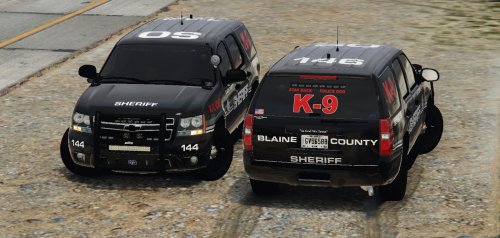 I absolutely love this model! I love every single model of yours though. 😂😂😂. Can’t express how much I appreciate the time and effort put Into these models An easy 5/5 I would expect nothing less from you
- 18 comments
- 18 reviews
-
-

- 1
-
-
I can’t script anymore than you , however, That is a really good idea! Anyway, the hype is real now, 0.4 is soo close I can taste it! 😂
-
I've said it once before here, I bought a gaming computer because of this mod alone. I'll never be able to put into words how much I appreciate this mod, the creators, and the members for what they do to help and create content. One of the best communities I have been apart of
-
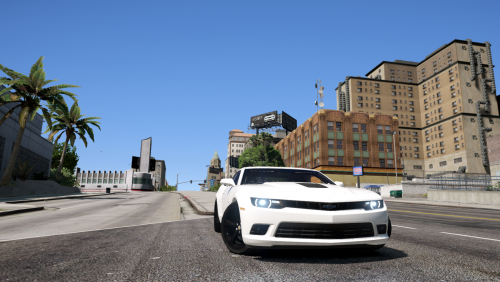 well done! Really like this model, of course when I tried pulling traffic stops every single one of them thought they could outrun me.....BAH!
- 13 comments
- 3 reviews
-
-
- 1
-
-
 This is a must have! What a surprise to see a script like this pop up! Traffic stops are incredibly immersive now! This is the type of mod to spark those guys that have grown tired of the same ol' same ol into playing again ( I'm not one of those guys I still love every bit of lspdfr just sayin) how is this not an ESSENTIAL MOD yet!?!?
- 1,005 comments
- 68 reviews
-
-
- 1
-
-
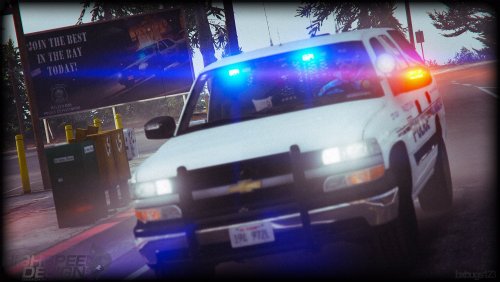 yeah this model is incredible, the detail is phenomenal. I expect nothing less from your models. VERY WELL DONE!
- 133 comments
- 36 reviews
-
 OK now im ready for a review. I knew you would hammer out the fps issue and YOU DID! I was just waiting for that to happen until I gave you those 5 starts this script absolutely deserves LOVE THE AUDIO!!!
- 649 comments
- 51 reviews
-
-
- 1
-
-
-
I love the idea, but it is indeed unplayable at this stage (even with vehicle chatter disabled) never experienced a FPS drop until this mod. I will however be keeping my eye on this one. I really like the radio chatter you have! Best of luck with this I truly wish I could use it
- 649 comments
- 51 reviews
-
great to see some news cant say enough of the work you guys put into this. I would pay any dollar amount to continue to play this I hope to god you guys are banking on these ads you deserve it
-
Lmao your luckier than I am. I’m sure it’s because I had a lot of add ons all over the place. Either way after hours of trial and error I am back up and running. Cheers boys !
-
ok I think I got mine figured out. I started with a fresh mods folder and that was working fine but once I tried adding vehicles again it would crash. DUUUHHH I needed to change the gameconfig file to one that would except more vehicles my old config file wouldn't work
-
that message pops up when you are in edit mode and have old update rpf in there open iv detects it, I changed that earlier but it caused my game to crash at loadup the only thing that works for me now is starting a fresh mod folder, however, the second I try adding vehicles it crashes again. this will take a while for me to sort out
-
just curious.... after you did that would your game load and play normally? mine crashed
-
my god I knew it was something stupid I overlooked.... I feel like a moron - deleted mods folder, started new mods folder and copied new rpf in and we r good to go!! time to load all my damn cars back in I don't care if there is another way ill start from scratch thank you!
-
I know I was responding to sheepdog not your post, sorry for confusion
-
had that happen too, I updated the rpf and crashed on loadup as well. I backed up my other rpf so I put that in and it then was a forever loading screen ive been poking around with different things but cant seem to find anything that works at the moment
-
sounds good....we will prevail!! haha
-
I still don't think that is the problem I have vehicles in lower patchdays than that and never had issues. I am in the same boat as you though im experimenting as we speak and still no luck lol and here I was thinking I had a handle on all of this 😂
-
that's not the problem, patchday 18 was the lastest before this update, it is now patchday19
-
no to hijack but I am stuck on loading screen as well and yes I have vehicle mods. I feel like an idiot but this is my first dlc upgrade "meltdown" so what is the correct course of action here?
-
It’s out now, they released it a little while ago
-
Latest one is patchday 18 just fyi
-
Drag the files you want to move on to the desktop and then navigate to the folder you want to put those files in and drag them there (obviously you need it in edit mode) anything you drag out of openiv doesn’t delete it it just basically makes a second copy