Creators: Due to background reprocessing of files, approvals and file security checks may be delayed. Thanks for your patience.

KLE0
Insiders
-
Joined
Everything posted by KLE0
-
-
-
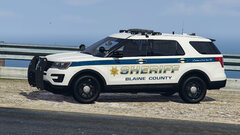
From the album: KLE0 Work In Progress
Coming soon... -
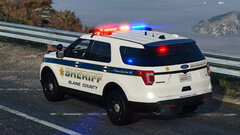
From the album: KLE0 Work In Progress
Coming soon... -
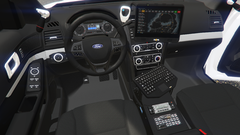 Thank you. It's work in progress and will be released once done.
 -
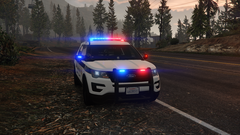
From the album: KLE0 Work In Progress
-
From the album: KLE0 Work In Progress
-
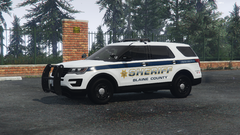
From the album: KLE0 Work In Progress
-
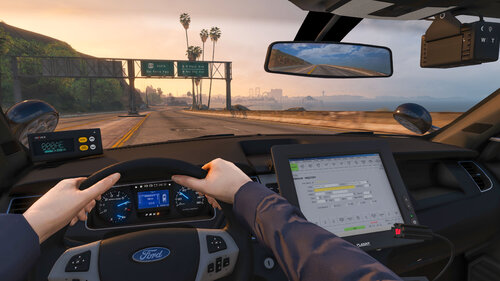 Thanks, I might do more LAPD vehicles in the future but don't have a plan at the moment.
- 92 comments
- 20 reviews
-
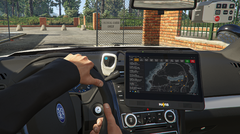
From the album: KLE0 Work In Progress
Made a custom computer screen inspired by Cj's as well as new Havis display. -
 That means the carvariations file isn't working. My best guess is that you installed the car incorrectly. What exactly are you referring to?
- 116 comments
- 13 reviews
-
You can always extract the files yourself with OpenIV and install them manually.
- 92 comments
- 20 reviews
-
-

- 1
-
-
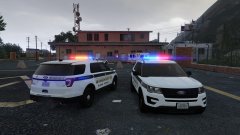
From the album: KLE0 Work In Progress
Playing around with some Valor lighting patterns that will likely come with my next 16 FPIU with the Valor lightbar. -
Make sure the carvariations file is installed correctly and working. That's not true.
- 92 comments
- 20 reviews
-
It's an extra which spawns in randomly. If not then double check that the vehicles.meta is installed correctly (it needs the has interior extras flag). Alternatively, just use a trainer to toggle it.
- 116 comments
- 13 reviews
-
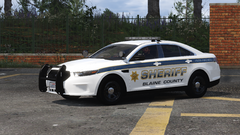
From the album: KLE0 Work In Progress
Haven't been able to post anything for a while, but here's a sneak peek of my next project -- a BCSO Interceptor with the Liberty I lightbar. Continuing down my ELS/non-ELS hybrid path, this time the lightbar will also be non-ELS in light stage 3 to achieve a fully customized and realistic pattern (I've never been truly satisfied with the ELS patterns). Hopefully, more progress will follow soon! -
-
You might need to repair the vehicle after enabling extra_10 for it to take effect.
- 116 comments
- 13 reviews
-
I am not sure what is causing the issue since I can't reproduce it locally. I've just uploaded an add-on option, perhaps you can try that out and see if it works for you. CVPI perhaps, Tahoe not very likely. Thank you! Thanks. For the 16 like I said before Cj is waiting for the updated base model and it's not within his control when it will be finished. I'm waiting for the updated base as well for my BCSO project and we all need to be patient.
- 92 comments
- 20 reviews
-
-

- 1
-
-
The livery doesn't have anything to do with the finish. It's determined by the in-game paint which you can change by using a trainer or (preferably) changing the carvariations file. @MartinDHampson Any luck with that? ^ Sorry, but it's unlikely that I will make that Colorado. There isn't a good base model and nor am I a big fan of it (or police trucks in general). I will consider making a CVPI in the future but I'm not sure yet which model year(s) I will make.
- 92 comments
- 20 reviews
-
-
- 3
-
-
-
Of course. Hmm, that's not normal. It looks like a result of deformation but the emissives should just stay in place. Are you using any mods that alters/increases deformation? You can also try getting a new car and see if it's like that without any damage. Also, let's just discuss here instead of somewhere private like Discord so other people with similar issues can see it.
- 92 comments
- 20 reviews
-
Ugh, it's in the dlc pack. Just change all instances of "police3" to "police2." Have you checked out the instructions in the download? If so, let me know for which step you have questions so I can help you better.
- 92 comments
- 20 reviews
-
You also need to change the carvariations file and vehicles.meta. Don't ignore them.
- 92 comments
- 20 reviews
-
-
- 1
-
-
You can change police3 to fbi in my dlc pack, just make sure to also change the vehicles.meta accordingly and it should work fine. (same if you use a patchday instead of my dlc)
- 92 comments
- 20 reviews