


JBin818
Members
-
Joined
-
Last visited
Everything posted by JBin818
-
Look up on youtube "firekitten".
-
After installing Radiance V you might notice the Subway train, Buses and Taxi lights are wayyy too bright. There are a few mods to download on here that would fix that too. So you know.
-
 Since the last Rockstar update cruise control is stuck at 5mph and you can't change it. Also says braking but vehicle doesn't slow down to 5. I think it needs an update. Others seem to be having a problem to. Great mod though. Worked great before the update.
- 126 comments
- 25 reviews
-
For the new version of LSPDFR coming out are you still going to be able to use EUP of something like that to customize your character and wardrobe? Also will there be any mods that will become obsolete because it would be part of the new one? It's a pain to install a lot of mods to make the police play interesting. Then to customize the mods for key conflicts, personal preferences, ect. sure takes a long time.
-
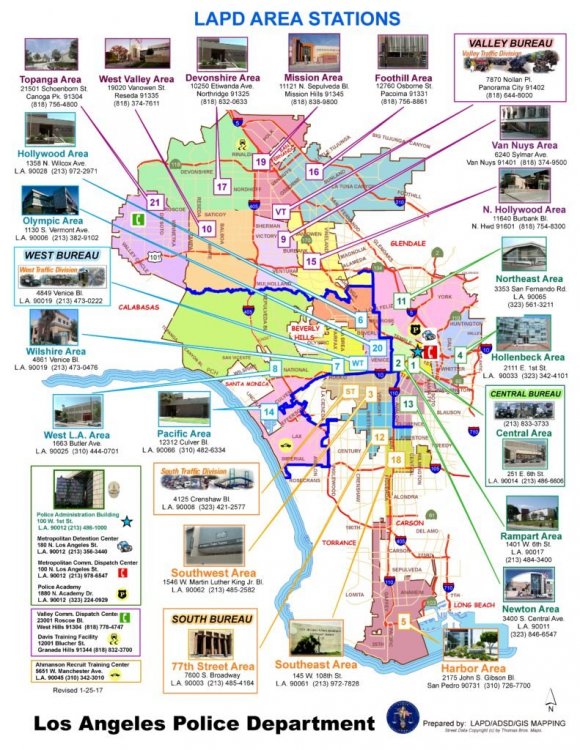
Mine is 3-L-21. Three is for the LAPD South West Area which has a lot of police activity. Then again what area doesn't have a lot of police activity in or around LA? I live 20 miles North of LA. I would like South Bureau but that is 12 and I think you have to stay single digit for the division. Division 1 is Downtown or maybe it's called Central Division but I wanted a different number. Lincoln for 1 man patrol. And I just picked 21 out of the blue. You can only pick up to 24 for a beat number. Here is part of the LAPD manual for unit id's. http://www.lapdonline.org/lapd_manual/volume_4.htm
-
BTW I'm having to start from scratch to. At least I didn't have to reinstall the game. But I just installed LSPDFR and Rage and it seems to be good. I have to make sure in Rage the settings in one of the options is set to force windowed mode or Rage won't load. Then once it starts loading the game I just Alt + Enter to go fullscreen. Not everyone has to do that but for some reason I have to. Next for me is to install a few of albo's mods, scripthook, OIV, EUP and then I have to look at my list to see what mods I had. Yup, I have a list.
-
Um, not sure why that is. But you first install LSPDFR and then go to the RPH website and DL their latest version. Sounds like you did all that so far so good. When loading Rage click on that Gear looking icon to so into the Rage menu. Make sure it is F4 or whatever Key you want to assign it and then go to the plugins tab and make sure that LSPDFR box is checked so Rage will load it when it loads the game. If that's not it then I'm not sure.
-
One of the few reasons I got rid of McAfee. McAfee would label it's own antivirus as a virus if it could. 😄
-
Update OpenIV and disable your antivirus. I couldn't get GTV.exe to load the game but after I updated OpenIV it loaded through GTAV.exe but still had that problem and message when opening through Rage. Just found out if I disable my antivirus then Rage will load the game. Might not work for everyone tho.
-
I've been getting the same thing. Some say you had to redo the mods folder. Didn't work of me but worked for some. What worked for me was to disable my antivirus. Then load Rage. So try that. For some reason the last Rage update puts a red flag up for my antivirus. Didn't do that on the previous version of Rage but this last update I have to disable my antivirus, then it loads.
-
Sure that will work. As long as you did the modding in the mod folder and not the game folder. Delete the contents of the folder and just copy/paste update and x64 back into the mods. OpenIV will see any change you made in the GTA main folder.
-
In one of Albo's videos, I'll try to find it on youtube later, but he has a way that I use to setup an outbound rule in your firewall that you can enable or disable. I currently have not downloaded the latest update and I can still play. You get prompt and one of the options is to play offline. You may have to disable the rule and start the game but when it starts to DL just cancel and close it. Go back and enable the outbound rule and start up the game again, go offline and you can play it. I just have to remember to DL the update eventually and make sure I'm doing something else. I have a pretty decent computer but it says it will take 55mins for the 3 GB DL. Even so once I DL the update I'll still revert and play the old version until Rage, scripthook and any mods get updated. Good tip by Jeff F who has a bunch of vids playing this.
-
I need to DL Rage also and it keeps timing out when I try to get on. Maybe their site is just down, maintenance, power outage? Hope that's all it is.
-
Here is how to temporarily block the update when you revert. He goes into it at the 6:50 mark https://www.youtube.com/watch?v=soRdTGEIjJk
-
-
HAHA, yeah I turn off the blips to. It's kinda a give away i think when it's on. I would rather see them make a wrong move to catch my eye. What agency do you work for?
-
A lot of us are having a problem because Scripthook needs to be updated. We just have to wait for the update. Or you can revert you game through Rage but I tried that and it didn't work. So I just have to wait. Just keep checking the scripthook site to see when the update changes. Currently I think it says July28 was the last update.
-
Hey, nice vid. It's interesting to see how LEO's play the game and their insight on the calls. Runt from Runt Gaming is a former LEO and I like his vids. If you want you can not have those blips show up on the map. In the mod (there could be a couple different mods that have that) config settings you can change to false and then the blips won't show up if you didn't know. Also if you like beach patrols there is a lifeguard mod that has beach calls. I don't have it so I don't know what all it does. You should keep making the videos if you feel like it. They are interesting.
-
Yeah, I tried to revert also and when I save changes in RPH it still does a smaller update. I forgot what it said but basically won't load the game. I didn't get your message, mine said something else. There is download that had a scripthook fix that someone uploaded on another site just recently. Someone said they installed it and it got the game working. I think I'll just wait for the scripthook update to avoid conflicts.
-
I just downloaded that gameconfig and this is the first time for me changing a gameconfig. In the game config I downloaded from the link above there are folders that says a number and traffic and some folders have a number with ped.......What's the difference in those folders? How do I know which one I should install? Thanks
-
You should probably go to where you downloaded the pack from and scroll down to comments and include this pic and what's wrong. Hopefully the author will get back to you. Probably a problem with the car. Something the author would have to fix.
-
Open IV to mod in-depth files. Also Open IV will prompt you to set up a mods folder which you will need to put all your plugins and stuff in. And once that is setup don't forget to got to tools/ASI manager and install those 3 things, I forgot what they are called. Actually one will be installed but the other 2 just install also. The last one I think has to do with some sort of camera when on rockstar editor which I don't think would really affect any mods you install but I just install it anyway.Press F3 or whatever you trainer button is and go to Weapons and look for Slow Motion While Aiming. Make sure that is disabled.I learned a lot through Albo's Way videos 1-7 to get started. Go to youtube and search Albo's way. I discovered LSPDFR back in March and it was tough to figure it out. One thing is to make a back up of the game. Once you have a fresh install and all the updates then copy / paste the game in the Rockstar Folder. If you have steam version I'm not sure how the file path is. I have retail version. That way if you really screw up the game with mods then you have a fresh back up and don't need to reinstall the whole game which could take a couple hours depending on how fast your computer is.


