TheStegosaurus
Members
-
Joined
-
Last visited
Everything posted by TheStegosaurus
-
Hello all, Recently got back into LSPDFR after a while away. I've updated to the latest RPH etc, but to try and save some time, I've not removed or changed any mods, as my game is quite heavily modded - I know not ideal, but please bare with me! There's no set pattern to the crashing, it can be when driving around, standing still, off duty, on duty etc. I've set the mods folder to _mods and that does seem to fix the issue, however if someone can look at my last RPH log and assist me in figuring out which mod or script is causing the issue, it would be hugely appreciated. RagePluginHook.log
-
Hey again Cyan, Tried all of the above, but sadly no luck. I'm going to try another total fresh reinstall of the base game, RPH and SHV and see how I get on 🙂
-
Hey Cyan, Yes, if I launch the game normally it runs fine. If I launch vanilla GTA and then tab out to start up RPH, it instant crashes to desktop
-
Afternoon all, Since the latest update to GTA and LSPDFR/RPH my game instant crashes when I try to launch it. I press RagePluginHook, it goes to hook the game instance then crashes, so it doesn't even generate a crash log. So far I've tried the following: Renamed mods to _mods Redownloaded and reinstalled RPH Deleted GTA/RPH/all mods and done a fresh install before only reinstalled RPH Checked RPH is unblocked by all antivirus Sadly none of the above has worked. I've also tried to revert my game back, but when I try to launch it the useless R* Launcher doesn't allow me to play, so assuming we can no longer roll the game back to a previous version? Any and all help appreciated as it was working fine before the last shite mp update.
-
Pretty sure it's just the weekly update, so RPH should still work without issue.
-
Do you have any other mods installed? Any additional plugins etc?
-
It takes as long as it takes. Could be a couple of days. Could be a week or more. You'll just have to be patient.
-
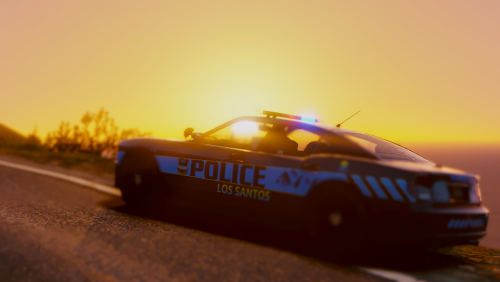 I seem to be having problems with all cars apart from the Stanier not having any interior textures? They're either white or seem to be replaced with random textures like doors, roads, clothing etc? Has anyone else had this issue and know a fix? Thank you ♥
- 82 comments
- 30 reviews
-
Small bump if anyone can assist please?
-
If you have installed any vehicle mods, make sure that the .ytd and .yft files don't exceed 25mb per vehicle. For example, if you replace the main police car, and the files are police.yft - 13mb, police_hi.yft - 1mb, police.ytd - 15mb, then that vehicle will be taking up 29mb of space. GTA V has a soft limit of 25mb allowance per vehicle, so anything over 25mb will cause texture loss. Using OpenIV, go into the .ytd file and export all of the textures, then resize the largest ones (a lot of vehicles have 4k interior textures - why??) This video is a great guide:
-
Hey gang, So I'm having some issues with my game crashing at random points. If anyone could point out the culprit plugin/event, I'd be very greatful. Thank you 🙂 RagePluginHook.log
-
-
-
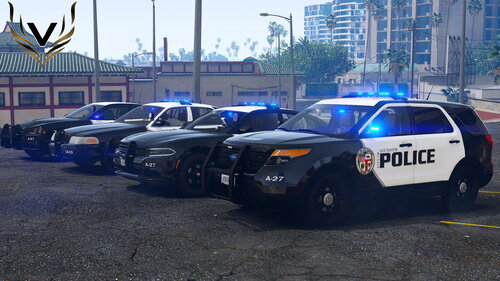 Really nice pack - cars are great quality and the textures aren't insanely huge & still look great 5/5 🙂
 -
 Does anyone know how to progress further in the 'cargo' callout in this pack? I have a plane, load it with the cargo from the truck, but then it doesn't go any further - there's no instructions on where I'm meant to fly to/deliver the cargo?
- 503 comments
- 33 reviews
-
I'm having a similar issue to LVCop. I can use the camera maybe once or twice, then it stops working when I press Control+U. However it does work when I press the 'options' button on my xbox controller - when I bring up the vanilla LSPDFR menu - however it won't let me go into thermal mode etc. Log here:
-
Absolutely the single greatest callout pack I think I've ever had the pleasure of playing. Every single thing about this package is superb! It does take a little bit of time to get used to the controls, and the amount of stuff you can do - not sure if maybe a full tutorial for all 3 vehicle types would help? (Like a school you could go back and do every so often to refresh yourself of the controls etc?) Other than that, it's perfect 🙂
- 503 comments
- 33 reviews
-
-

- 1
-
-
Gonna bite the bullet and try to get this working tonight. Never been more excited to try a pack/plugin in my life haha
- 503 comments
- 33 reviews
-
Weird, I literally went onto the site to get the link and it worked fine? lol.
-
Use OpenIV to uninstall and then reinstall the .asi reader. That usually works for me
-
Can you post your Rageplugin log for us to read please?
-
Which link are you guys using? I always use Alexander Blade's link personally as he's the dev. http://www.dev-c.com/gtav/scripthookv/ (Hope posting that link is allowed - it not, mods please remove 🙂 )
-
It’s because it’s a script/plugin a few antivirus programs flag it incorrectly. It’s safe.
-
Go into the console and type “unloadallplugins”
-
Start Rageplugin as you normally would, but hold the shift key - or press the little cog icon. Go into the command line area (should be in the last tab) and tick "force windowed mode"