


TheStegosaurus
Members
-
Joined
-
Last visited
Everything posted by TheStegosaurus
-
Just to weigh in - I'm having the same issue, but with the "police2" car. I can spawn it fine with a trainer, but when LSPDFR tries to preload it, the game kicks the bucket
-
First one sounds like it might be the window tint? Try changing the tint to none in a trainer. If that works, you'll have to adjust the tint level in the vehicles.meta - just a quick google search will tell you how to do this 🙂 I can't help with you second issue, as your pics are too small for me to see what's happening
-
Sorry to double post - having done some digging, it appears this is a known bug with LSPDFR 0.4.1 (and 0.4, but it sadly hasn't quite been fixed yet). The Police2 car works fine, I can spawn it in no problem. But when the game tries to pre-load the model, it kicks the bucket. I've seen others have issues with peds, and the Sheriff cars too. Here's hoping it gets fixed in 0.4.2! 🙂
-
-
Reloadallplugins works just fine. Infact, if you select "load all plugins on start" in the rage plugin setup, the command it uses it "reloadallplugins" 😉
-
when you load into the game, press f4 and type "reloadallplugins" and let us know if that then loads LSPDFR. Might just be a case of Rage is set to not load any plugins on startup.
-
-
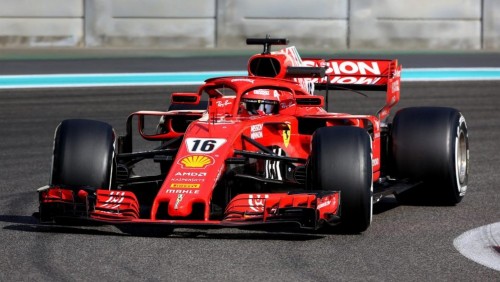 Here are the radio sounds used during F1 broadcasts. This mod replaces the standard police scanner sounds, when a call comes in and when dispatch stops talking. Please note, this is my first sound mod, its not anything special, but I just like the sound and figured 'why not' If you download it, then I hope you enjoy it 🙂
- 5 comments
- 1 review
-
Yeah, all vanilla LSPD and BCSO vehicles are replaced with default cars with ELS
-
Do you play with a controller? Try unplugging it before launching, and only plug it back in once LSPDFR has loaded.
-
When you start the game with Rage, click on the settings cog, or hold shift and change the timeout threshold to 60,000. Could be a plugin is hanging
-
RagePluginHook.log
-
Probably been covered before, but I can't find a topic on it. Whenever I type a name into the police computer in my cop car, it brings up other plugin menus (interaction+ for example) Is there a way to stop this from happening? I could have sworn I had a similar issue on 0.3 and got it sorted. Also, anyone know if you can add tattoos onto my created character on 0.4? Thanks,
-
Afternoon folks, Recently starting getting back into modding again, and felt like keeping to the vanilla vehicles, but using ELS. I've noticed one of the packs I used to use has gone (can't remember who it was but I think it was by Captain14?) Only issue I'm having is, I cannot for the life of me, find an ELS ambulance and Firetruck that's vanilla, or uses ingame companies (Like the Vapid Scout for example, being a modded car, but not in the normal game). Can someone point me in the right direction please? Thank you 🙂
-
Usually around 15-20 minutes, however sometimes longer. They only seem to occur when I'm in a persuit
-
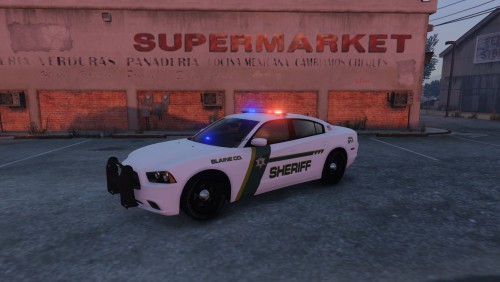 Just to balance out the negative review - pack worked fine for me and looks great. Top work!
- 3 comments
- 1 review
-
Is that to 'remove' the mods, and so I can add them back in easily after? Or is it for another reason? If it's the first, then I've already removed all of my mods, and played on LSPDFR without any mods or plugins, but the issues continues 😞
-
Couple of replacement vehicles, however I have removed them and the issue remains
-
It’s a full crash to desktop
-
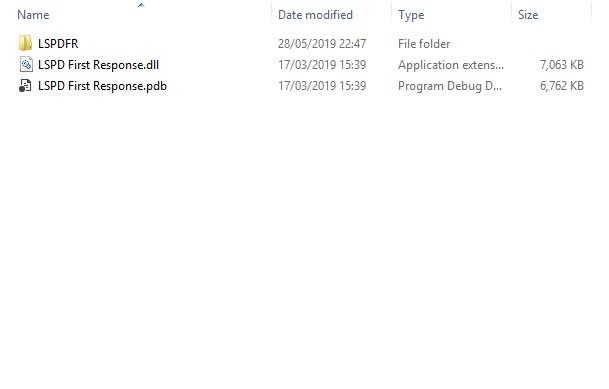
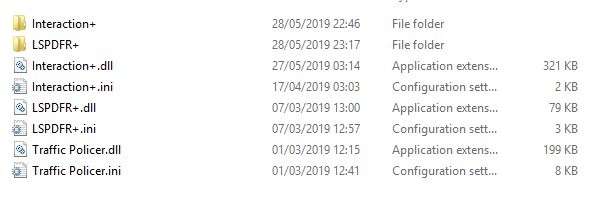
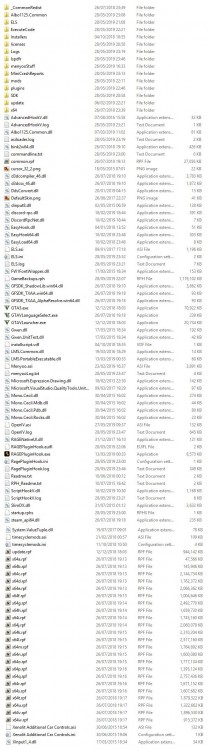
Hey all, Fixed my low fps issues, so I've been trying to play 0.4.1 all evening, but I can't play for more than 10-20 minutes before the game crashes. I have a few car mods installed, as well as ELS, however I've removed these and the issue remains. RagePluginHook.log
-
Morning all, Having a bit of an issue with 0.4 sadly. I can load into GTA V, and my character loads in fine without issues, game runs at a happy 40fps (My PC isn't amazing, but it's by no means a potato), however as soon as I go on duty the game becomes choppy, can barely get over 20/25fps, and stutters every few seconds. I've removed all the mods, but I have the same issue and reinstalled GTA V and installed 0.4 again but alas the issue persists. I've also lowered all the settings to their lowest, but still the fps remains low and the stuttering remains. Is this an issue anyone else is having with 0.4? Assuming its a bit more CPU/GPU intensive due to all the new features. Thanks
-
Hey, Vehicles are replacement vehicles. I have put them all into Albo's DLC/Modding folder though, but the vehicles.meta etc. are all over the place. I sort of fixed it, by rolling back my update.rpf, but obviously that's not an ideal solution. Think i'm going to do a fresh install, and try LSPDFR 0.4.1 again (as I'm taking a MASSIVE fps hit at the moment with it) and go from there 🙂
-
Afternoon folks, apologies if this has been asked and answered before, but I’m very hungover lol. basically my gta v has finally updated itself and I want to simply add in all my previous car mods. I have a backup of the mods folder, however when I drag and drop this into my GTA V directory, the in game cars remain vanilla. Any ideas? Or am I gonna have to install them all manually again (I really hope not!)
-
Yes, a friend of mine plays it fairly regularly. Maybe I'll try and get her to join the site.
-
Most likely the update knocked some stuff out of alignment. Glad to have helped sort your problem 🙂


