Jump to content

TheStegosaurus

Members
  • Posts

    169
  • Joined

  • Last visited

 Content Type 

Forums

Gallery

Downloads

Tutorials

News Stories

Wiki

Community Guidelines

LSPDFR BOLO Series

GTA5 Native Database

GTA5 Native Parameters

Release Highlights

LSPDFR Mod Showcase

LML User Contributions

Everything posted by TheStegosaurus

  1. Your best bet is to remove all the plugins and cars you added, then add them one by one, testing each one on its own before installing the next one. That way you'll single out which mod is causing the issue.
  2. Welcome to the forums. Do you have any other plugins installed? If you do, it's likely they aren't updated for the new RPH yet and will be unstable.
  3. Looks like it tried to create a callout for a Store Robbery and that's what may have caused the crash? May not have been related to what you were doing at the time, but if it's crashing at random points, it could be just as a callout comes in, it crashes.
  4. Try adding " -scOfflineOnly " to your startup commands for GTA V on Steam (Right click on GTA V on steam, go to properties, and it'll be in one of the tabs there) Should then start Social Club in offline mode. I've heard running Rage as an admin can also help this too(?)
  5. Looks like some of them are still .rar files in your GTA V directory? First thing you'll need to do is unpack them using WinRar, then place the contents of the scripts into the 'plugins' folder. I'd recommend removing any of the .rar files from your GTA V directory to clean it up a bit so that it's easier to see the correct files that should be in there.
  6. Sounds like you could potentially be missing a file? Uninstall LSPDFR, redownload it and reinstall it. Let us know if that fixes anything
  7. Nothing immediately stands out to me, but then again I'm awful at reading the logs lol. Does the issue take place when you don't forceduty and go to a police station to go on duty?
  8. Seems to me like a plugin could be drawing a lot of juice, which would make sense maybe why it only happens when you're on duty. Have you tried removing the graphics mod and run the game like that, as they tend to put a lot of strain on the game. Whilst I get your system is more than capable, I believe there are memory limits set by the game itself that won't let itself go over X amount. It could be you're reaching that pre-set limit.
  9. Ahh, in that case it's likely that one of the plugins hasn't been updated to the latest RPH (Rage Plugin Hook). I'm not too sure which one it would be out of your list unfortunately, so you'll need to remove them all and add them back in one by one, or in pairs. Hope that helps!
  10. Assuming you're both using ELS? Go into your ELS.ini file and turn traffic control to "false". You won't be able to use your horn to get a car you've pulled over to relocate, but it will stop them from just driving in a straight line whilst fleeing
  11. Welcome to the forums. Did the crashing start after adding a certain plugin? Or did you add all the plugins in one go and then try and play? My suggestion would be to remove all the plugins and add them back in one by one, testing the game between each to see which one crashes the game.
  12. Maybe try using the OIV installer (assuming it comes with one, as it's mentioned in the mod description)? Just make sure it unpacks and installs itself into your mods folder.
  13. Are you manually installing this pack, or using the OIV package installer?
  14. So are you tring to revert back to an older version of GTA V? I'm not really too sure I understand if that's not the case. I'd recommend using the most up to date version of RPH and GTA V, as that way you will have access to more mods, and a more stable version of plugins etc (not to mention LSPDFR 0.4 is coming out soon, and you won't want to miss out on that!)
  15. First thing I'd do is start by removing all mods other than LSPDFR, then if that loads in and plays without crashing, start adding in your plugins one by one until the game starts crashing again. That way it should narrow down which mod is causing you issues.
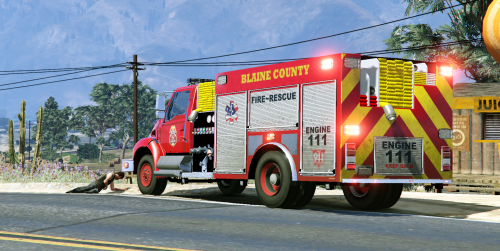
    Fantastic model with a really great ELS lighting scheme. Loving the liveries that come with it too. I just wish more callouts had fires so that I could see it more often!
  16. I've no idea if anyone else has ever had this issue, I tried googling it, but to no avail. Basically, when chasing a suspect, I can attempt to PIT them, move infront of them to slow them down, etc. but I get batted out the way like a fly, and the suspect carries on like a runaway freight train. It seems their cars weigh about 40 tons and mine weights about 2 grams. Does anyone know what the issue is, or if this is just one of the many quirks to LSPDFR?
  17. Thank you Albo for all the fun you've bought into LSPDFR. Thank you also for opensourcing your mods to allow others to update and adapt them. Good luck in your next adventure
  18. Are the ELS VCF files that come with the vehicles installed in your ELS folder correctly?
  19. Ah that's perfect, I'll do that then Just wasn't sure which was needed for other .ini files, but if I can adjust them to be the full names, I'll do that. Thanks
  20. Hopefully a quick one: when using one of Allbo's scripts, you can select which vehicle picks up a prisoner using the .ini file. However, some vehicles (like the Police Roadcruiser from North Yankton) have two identities, the model name (PoliceOld) and a handling name (PoliceOl). Does anyone know which one we use to add it to .ini files? Thanks :)
  21. FOR EVERYONE ASKING ABOUT CO-ORDINATES: I've found the best setup is FlatbedX=0.0 FlatbedY=-1.1 FlatbedZ=1.3 It's not 100% perfect with every vehicle, but it's pretty much perfect with 99% of them (basically anything that isn't a truck or bus) Hope this helps :)
  22. Hoping someone can help me out - I've installed the 'default' police ELS cars no issue, however when I go to add the sheriff pack, my game starts to crash. I'm struggling with the vehicles.meta, and carvariations files, as I'm not really sure how to edit them (as I can drag and drop for one pack, but for the second I need to add the text lines). Could someone help me out please? Thanks :)
  23. Do you have any plugins installed? If so, remove them all, and put them back in one at a time. It could be one of these that's causing the game to crash.
×
×
  • Create New...