



FKDZ
Members
-
Joined
-
Last visited
Everything posted by FKDZ
-
 This Callout mod has had some amazing progress, keep it up! I won't recommend more callouts but a ini file to enable/disable some calls would be fantastic!
- 200 comments
- 27 reviews
-
-

- 2
-
-
Ah oke, thats interesting, I don't like the Cop walking style though, looks so comical, cops don't walk like that.
-
Nope...still the same. Damn.
-
Yeah, I've just done that...sadly I liked seeing the ambient traffic stops but seeing as they cause crashing that kinda sucks. Hopefully this gets passed to the dev team @Sam
-
Nope, present on all models..clueless right now, made a video of it if that helps @Pazzi
-
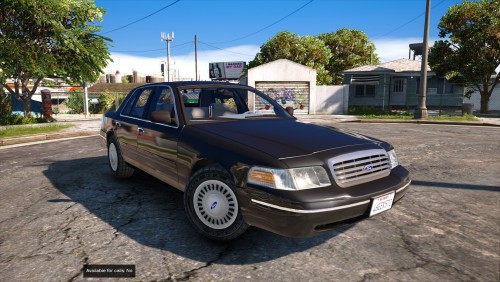 Really nice car, I like it a lot! 5/5 star if interior/dashboard gets a nice texture, now its blank
- 8 comments
- 3 reviews
-
 Hi, I'm having an odd issue, every time it tab in and out the status gets changed and I get a callout?! How is that possible, I don't have any keybinds setm they are all ''None''. I have AutoChangeAvailability set to true. I haven't updated FirstCallouts yet, maybe thats why? Somehow connected? I didn't have this before, but I'm not sure when it started, I haven't really installed any scripts last week. Nvm, not encountering it anymore after updating firstcallouts.
- 117 comments
- 19 reviews
-
Hey devs, If I remember correctly 0.3 had a feature that when you where holding caps lock your officer would execute some ambient animations, little putting his hand on his belt, or crossing his arms. I like all the animations added to 0.4.2 but I miss this! Think this could make a comeback in a future version? Thanks!
-
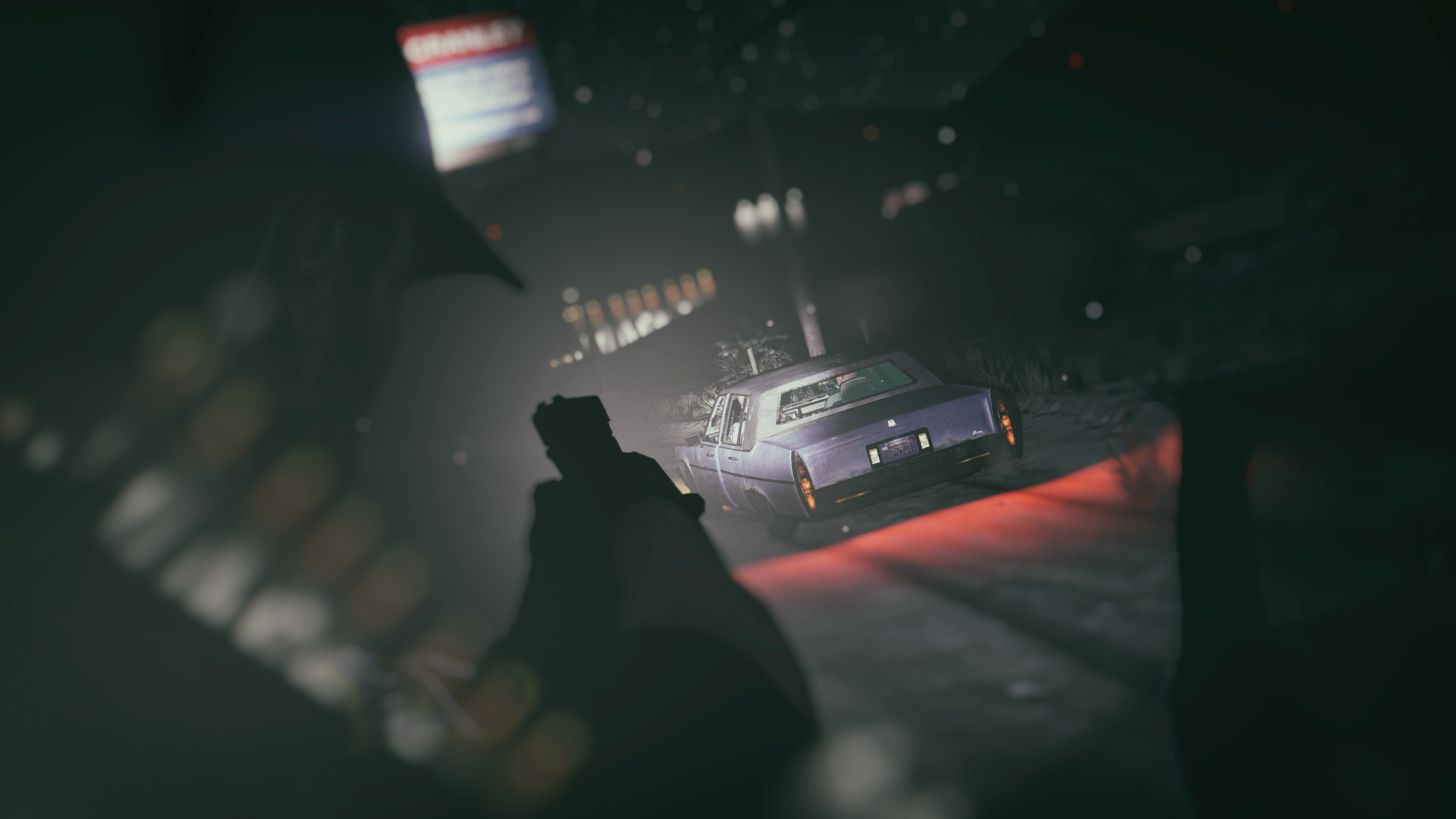
@Pazzi How do I report it directly to the dev team, should I just ''@'' them? Cause I think this post will get buried by the infinite amount of crash reports being posted everyday, and this one seems to be an actual LSPDFR 0.4.2 crash and not user error. Also, I wasn't frisking anyone at the time, just driving as seen in the screenshot, perhaps it was an lspdfr ambient event in which an NPC cop was trying to frisk a ped and resulted in a crash?
-
Hm, no I only tried it with one model so far, gonna test out others to see if they work
-
 Hm, I think around mirror park.
 -
Happend when just driving. Log attached Any help, thanks RagePluginHook.log
-
Decent callout pack! I do have an issue getting the weapon in suitcase callout to trigger, see here; Also when I shoot 1 guy dead during the gang shootout all the other members run away, is that intended? Poisoned customer and broken down vehicle are my favs, keep it up
-
Hey all, I was wondering how to make the ELS lights work properly in the Rockstar editor, for me they're super buggy and flickery once in the editor. I see FirstThirtyMinutes is able to do it in his videos? How is he achieving this? (example video below, show at start of the video) Watch the first few seconds, how does his ELS work properly? When I tried the lights were all messed up I know he does this in the editor because in his gameplay it shows he is recording a clip. Thanks for any help!
-
 Crash report when walking up to the driver window, don't remember if I reported it once already a while ago, but I'll post it anyway. Things to note, driver had a hard time pulling over, and it took a while for the Traffic Stop Backup from Ultimate Backup to arrive, maybe I took the long and the game didn't like that 😜 .
- 1,005 comments
- 68 reviews
-
-
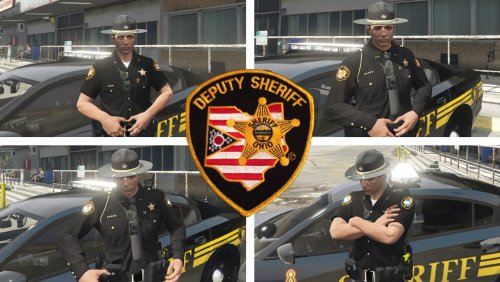 Very nicely done pack, I enjoy it very much. Most of it is really good, some minor issues here and there, some things are a bit stretched/warped (mainly the badge on the long/short sleeve uniform shown in my first image, I play on normal texture resolution); I forgot to equip the badge, nevermind the the above 🙂 Thanks!!
- 34 comments
- 3 reviews
-
-
I downloaded it and the files still direct to old EUP locations, for instance the readme (and dds files) still points to ''mp_m_freemode_01_mp_m_stunt_01'' to replace long sleeve ''jbib_diff_003_a_uni.ytd'' but that file does not exist. Also the files were modified 4 months ago as seen in the directory
- 34 comments
- 3 reviews
-
Seems like you updated the file to 5.0.0, but you still only download version 4.0.0, something went wrong? Cause this looks amazing, I want to try it 🙂 !
- 34 comments
- 3 reviews
-
Thanks for another update, much appreciated!! I'll be play testing this as soon as my room isn't a literal sauna with this damned weather 🥵 P.S.You left a Interaction+.dll in the main directory outside of the plugins folder 😉
- 1,005 comments
- 68 reviews
-
 I don't really play in first person but I tested out the flashlight and it seems to work? Only I need to aim it to shine it on the ground otherwise my character points the flashlight in the sky. Which is weird. But, it works if you aim.
- 34 comments
- 12 reviews
-
Just reporting a crash when going into the keybind menu, log attached. I went into the lspdfr ingame menu whilst on duty, tried to change a keybind, and lspdfr crashed. Haven't tested multipule times yet. RagePluginHook.log
-
You can set the livery that you want in the UltimateBackup: DefaultRegions.xml. For example, this is what I have for my K9 unit in los santos city: <K9LocalPatrol> <LosSantosCity> <VehicleSet k9_model="SHEPHERD"> <Vehicles> <Vehicle livery="1" chance="10">POLICEOLD1</Vehicle> <Vehicle livery="1" chance="10" pax="1" pax_chance="25" color="black">15TAHOE3</Vehicle> <Vehicle livery="2" chance="10" pax="1" pax_chance="25" color="black">15TAHOE3</Vehicle> </Vehicles> Now you see: livery=''1'' just change that to the livery number that has your K9 skin. This way your K9 backup will always have that skin, be sure to also apply this to the different districts. You can find the livery number trough OpenIV or with Simple Trainer (best method)
-
Yes!! Looking forward to playing! Thank you so much guys.


