




MichaelV
Friends of LSPDFR
-
Joined
-
Last visited
Everything posted by MichaelV
-
I use Video Pad.
-
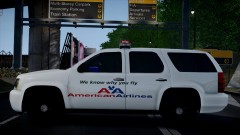 You have some very unique ideas. Just watch. There will be so many other Airline Textures after you release yours.
 -
Look for the entry that has the default skin. Just replace that one.
-
Love the guy in the first picture.
-
The best idea is to use cars already made. Just find a pack you like and use it with your own skins, or just find cars you like and put them together. Modeling is difficult, and it is even more hard to find Unlocked vehicles, unless you want to model them from scratch...
-
But they are reflective. That is the reason why they appeared bright. They are really just dark, but when shown to light, they look like that.
- 21 comments
- 8 reviews
-
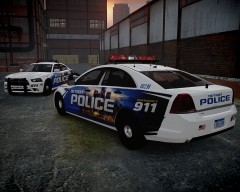 Beautiful!
 -
I like Bebas.
-
Holy! I got all freaked out over Arial!?! I guess it is the way Gimp makes letters look.
-
I like that font. What is it? Looks like Helvetica.
-
Dang, you can point out something totally clean, and can make it dirty. I am that way in real life.
-
I always wanted to watch it when I was younger, but I couldn't find the channel. Curse you 1000 channels!
-
Wait a sec... The template disappears or the line? If it is the template, you have to go into Layer Options (Bottom Right of the Layer Window) and set the opacity down. The black should have been made before you started with the white. You simply put black in one layer, and start a new one, to put all your fanciness on.
-
What do you add?
-
What happens when you do? Make sure the lines connect, and there are no holes.
-
Why? What happens? Make sure you colour in the same layer.
-
Why? What is happening? Make sure the line is white. Just move the anchors so it molds around all the curves. You can use more than one line.
-
Not really, Just outline it, Bucket fill, and just fix the weird parts. It takes about a minute, and will turn out good, since it is bendable.
-
I use the line tool (In white) to outline around the area you want white, then fill it in. Use the Paint brush to fix any weird spots you may see.
-
I have never seen you this active Sam!
-
Yeah, because if that was true, it would have been bad luck since 7 hours ago in EST. ;)
-
We can still April Fool them, but they can't do it back!
-
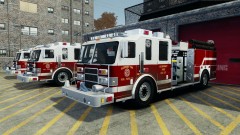 Your game looks awesome.
 -
APRIL FOOLS! Right? I hope not.
-
Yeah, but he is using Paint.NET.


