




MichaelV
Friends of LSPDFR
-
Joined
-
Last visited
Everything posted by MichaelV
-
-
No, you will have a transparent window ingame. Weren't you taking about checkers earlier? You will have to delete to get checkers. If not, use the Colour picker tool to take the colour from the rest of the file and fill with that colour.
-
You don't fill. You just delete,
-
You cannot do this in MS Paint. You will need a better program. A program that uses layers. http://www.getpaint.net/ Once you have it, import the file, and use the selection tool to select around the part you want deleted. Once you do that, press the delete key. Save it, and import it back into Spark.
-
In a Photo editing program like Paint.NET. You just select them and press the delete key.
-
When you delete them, it will make them transparent (Grey and white checkers). Just select them and delete them.
-
1.Still put the +livery. 2. You could have just deleted them if they were transparent. You need a different program than paint. Try Paint.NET. Way better.
-
1. You also have to go into the Vehicles.IDE in Common>Data and open it in notepad. Then find the car you want to put multiple liveries on and add +livery to the end of the line. 2. So then change them all.
-
No, you don't go into your trainer. You go into the trainer file. What did FIB have to do with this? Yes, but you need to find the one that has the text you want to delete. It would not be primary. It wouldn't be a big deal if you could fix it with the trainer.
-
Well, considering new cars lower in value a lot, I will be buying used. By looking at the cars today, I would guess they will lower in value a lot. I am no rich kid by all means, but by looking at the prices for new cars, I can get a luxury for the same price used. My dream car at the moment will be a coupe, and a sport model coupe. For example: BMW 3 Series < BMW M3 Audi A5 < Audi S5 I am leaning towards these cars. At the moment, they are around 20-30,000. But I am almost positive they will lower in value in the next 3 years, when I drive to about 15,000. I don't care much for gas prices, though I should, I just want a sexy car.
-
For the -1 problem, you will need to go into your Trainer.ini located in your directory. Next you will have to go to VehicleLivery and change it from 1 to 0, You can export the K9 window in OpenIV and bring it into Photoshop or a similar program and erase it and colour over it. Did you fill out all 4 liveries? If not, you don't necessarily have to if you have the trainer.
-
It is not supposed to. It is supposed to teach you the basics of Paint.NET. With that knowledge, you can put it towards skinning, because it seems your problem isn't a bug. You probably don't know how to use it correctly. Neither did I when I first got into it.
-
Take a look at these: https://www.youtube.com/playlist?list=PL9E7E8F19912FBECA
-
Did you have a different colour than your background? Can you elaborate? I am just taking shots in the dark here.
-
You have to click and drag. To bend the line, drag the anchors.
-
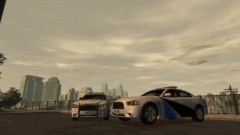 Looks nice. I would add some more text to it. Then it would be a great release.
 -
He was referring to the amount of times you posted without another person's comment in the middle, which is frowned upon. I am not sure how this rule works with a personal thread though.
-
I believe it has something to do with your ENB.
-
-
What do you mean by nothing happened?
-
Oh, and make a new layer for text. It is much easier in most cases to do it yourself, as you have full control over what is happening.
-
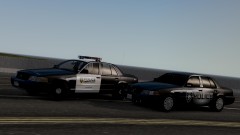 Anytime I see pics like these in the gallery, know they are yours. :D
 -
I would use the line tool as a selection tool. Go around the outline with the Line tool and contour it to your liking. Do so all the way around and fill it. It will leave some imperfections, so just get rid of them with the brush tool. I love the line tool. It is so helpful. Also, you can tilt text by selecting them, clicking the black arrow tool, right click and drag to rotate.
-
Scripts you could just delete. If vehicle mods, put the backup one in place of the modded one. If you have other img mods, just do the same thing.
-
Aussie's decals are amazing. I am in love. And their lightbars are very nice as well. ------------------------------------------------------------------------------------------------------------------ Anyways, I honestly hate the MSP's lightbar, as well as the CHP/NYPD style lightbar. I really like Oregon State Police, because I feel it stands out the most of he states. I also like those lightbars. I think it is a Whelen Liberty, I am not sure. Isn't it beautiful?


