




MichaelV
Friends of LSPDFR
-
Joined
-
Last visited
Everything posted by MichaelV
-
Select the text using the Rectangle Select tool, then drag it until you are happy.
-
-
I used MicroExtendFLF, and for the Unit numbers, Arial Black.
-
May 1, 2013 30% Completion Way back when, about 6 months ago, some of you may remember my attempt at the Ontario Provincial Police Skin Pack. After receiving not the best comments, and I did not want to release unrealistic textures, I decided to take it down. I have decided to totally redo it from scratch, hoping for better results. So, here it is, my scratch OPP Liveries Pack. Enjoy. This Pack will feature: -2010 Charger Marked [COMPLETE] -Charger 2012 Marked -FTPI Marked -Tahoe Marked [COMPLETE] -Suburban Marked -CVPI Marked [COMPLETE] -GMC Van Marked -Charger 2010 Stealth -CVPI Stealth -CJ24 Tahoe Stealth -EVI Tahoe Stealth -Bxbugs123 Tahoe Stealth Smaller updates will be seen here. Thanks for reading. Hope you enjoy. Coming Up Next: London/Liberty Police Service (Canada)
-
-Toronto Police -New Orleans -Peel Regional Police -Durham Regional Police -MPDC -LAPD -LVMPD -Philadelphia Police -Broward County Sheriff -Homeland Security -US Border Protection -Alaska ST -FHP -Louisiana SP -Maine SP -Maryland SP -Michigan State Police -NJSP -NYSP -NDSP -Oregon SP -RCMP Just to name a few of course...
-
![[View 2] 2 Vehicle Collision](//s3-gallery.int-cdn.lcpdfrusercontent.com/gallery/album_1463/sml_gallery_43345_1463_1131205.jpg) Camera: Apple iPhone 5 I think so.
Camera: Apple iPhone 5 I think so. -
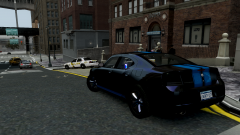 I wouldn't have guessed it was that model when I saw it. That is one great texture.
 -
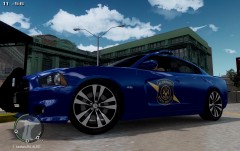 Very nice!
 -
-
-
-
-
I could help. PM sending.
-
I sense a Featured Download in your future... :D
-
You could just put a white texture on it.
-
Here is a GMC. Link is in description. But if you want an undercover van... This is perfect.
-
Here: http://www.mediafire.com/lonestranger
-
Holla, Holla, Holla, Holla, Hold up. lol ------------------------------------------------------------------------------------------------------------------------------ I would recommend a program like Photoshop, GIMP, Paint.NET. They do way more and everything except for Photoshop is free. It just takes some getting used to. Look at these Tutorials for more help. http://www.lcpdfr.com/page/tutorials/index.action/_/texturing-tips-and-tutorials/
-
Here are some: Take a look at users like Ekalb and others of that variety. Try to look for Non-ELS modelers. Some of them use GTA IV vehicles.
-
While in the car.
-
-
Added to my dictionary, lol. But yeah, if you can't find a pack made for you, just look around and you will find some fantastic models. They don't have to be by the same author. You can change the skin after to a skin pack you like. If they don't have it for your particular model, just go into Photoshop an modify it.
-
Steam is the most popular option. A secondary would be GameStop.
-
This: http://www.gta-modding-chest.com/database/111-liberty-city-police-department-pack-charger-cvpi-tahoe-els/index.html You just got Ninja'd
-
I usually look at random decals on Police Car Website. Next, I will find a picture that has a side pic, something to use as a tracer. Next, I will try to trace it out with the Pen Tool (Best thing ever next to Magic Wand). Once that is done, I will start adding text. I can usually get the font just by looking at it (Most of them, I already have). After that, I will just add all the random stuff like little logos and unit numbers. I will create a copy of that side, flip what can be flipped (Not text). After that, I do the trunk, hood, etc. I will work on the plates. I recently started making my own instead of finding them on google. I will add my logo in the places that will not show on the skin.


![[View 2] 2 Vehicle Collision](http://s3-gallery.int-cdn.lcpdfrusercontent.com/gallery/album_1463/sml_gallery_43345_1463_1131205.jpg)
