FCV96
Members
-
Joined
-
Last visited
Everything posted by FCV96
-
I'm fairly certain that information is included in the very well-done user manual.
-
Regardless of any difficulties had, I must say that the script is awesome. I did get to play with it for a little bit and what I found was great - especially the ability to have individual car settings done by .ini file. I do have a problem now, however; I get an instant crash-to-desktop once the game has started up. Anyone else getting this problem or have any solutions? And thanks to those that continue to provide support through this thread. We, as users that don't complain because we can't read an included readme, appreciate it!
-
I am getting the same problem; getting an insta-crash before I can leave the Broker apartment. EDIT: Never mind; redownloaded and reinstalled ELS V7 and the problem seemed to sort itself out.
-
-
New screenshots just sent out by Rockstar through Twitter; http://www.rockstargames.com/newswire/article/49811/new-gtav-screens-motorbike-action-heists-highspeed-chases-and-mo.html That [Vapid] Crown Victoria lookalike with its LED lighting is beautiful. :D
-
 Great shot! I wish someone would make another Diplomat/Gran Fury model though; would be great to have some variety on that front. Perhaps the quintessential NYPD w/ red and white aerodynic one day. :D
 -
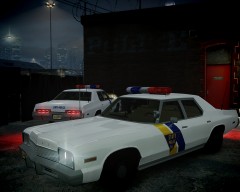 Love it! Absolutely beautiful. :D
 -
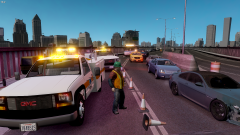 Looks awesome!
 -
You're definitely over-paying for that Lite-On optical drive; other brands come much cheaper. Take this $15 LG for example; http://www.newegg.com/Product/Product.aspx?Item=N82E16827136259
-
If I had that much money to purchase a graphics card, I'd probably go for an Nvidia GTX 660, like the one linked below; http://www.newegg.co...N82E16814130833 They are quite impressive and will be able to run almost all modern games on high settings without breaking a sweat. Note that the card is relatively large though, so be sure you have enough space in your case.
-
It is slightly more complex than that, though it is not extremely difficult.
-
The show has now been featured on the NYPD Museum's Current Events page! :D http://www.nycpm.org/calendar/current/index.html
-
I'm so freaking happy that the CVPI lookalike Vapid made it into the game as a Sheriff car and potentially LSPD too! :D
-
I noticed that as well; IV's Vapid is a 1992/1993 Crown Victoria Police Interceptor while the cab in V is based off of the 1998-2011 Crown Victoria. It was used as a police car in the earlier GTA V trailer too, and I hope it is still being used as one alongside the new ones introduced; See 0:51
-
I'll be sure to take video on behalf of you and all other LCPDFR users that can't make it. :D --- Here are photos from the 2012 show [note that they are not mine];
-
Just got an email from the NYPD's Police Museum site as per their email-newsletter signup. NYC will be holding its 13th Annual Vintage Police Car Show/Parade on June 8th, 2013! Email text and photo below - it's gonna be great! [Not sure why there is a large, blank space between this and the actual message.] ------------------------------------------------------------------------------------------------------------------------------------------------------------------------------------------------------------------------------------- 13th Annual 2013 Vintage Police Car Show The New York City Police Museum is happy to announce the return of the largest event of the year! Join us for a fun filled day to view classic patrol vehicles in the cobblestone streets of New York City. Saturday, June 8th 2013 10 AM - 4 PM Front Street between Maiden Lane and John Street. -------------------------------------------------------------------------------------------------------------------------------------------------------------------------------------------------------------------------------------- Footage I found on YouTube from 2010;
-
Ubisoft has done it again; Far Cry 3: Blood Dragon, coming out May 1st [tomorrow], has me excited beyond all reason. It is a love-letter to the action blockbusters of the 1980s; see for yourself below. Note that you do not have to own the original Far Cry 3 to play Blood Dragon; Blood Dragon is a standalone game.
-
These trailers are great, though I do wonder if different police agencies in the game will be using different cars or if there will be multiple cruisers like in IV; the Crown-Vic lookalikes from the earlier trailers really were cool, the new ones shown in these trailers are pretty sweet too.
-
This is great news; the NYPD Aerodynic has always been one of my favorites, and I've always wanted this particular version in ELS-H!
-
-
In contrast to the overall pessimism of the thread;
-
Check this thread out over at CrownVic.net; will most likely be relevant to your needs; http://www.crownvic.net/ubbthreads/ubbthreads.php?ubb=showflat&Number=2186068 -- Congrats on the CVPI purchase though; a shame concerning the transmission and starter problems, however.
-
That would perhaps be one of the greatest things of all time. An NYPD officer that worked from the early 70s all the way up to the mid 1990s is a member of the faculty at the school I currently attend; he was stationed in the South Bronx during the 70s and saw the worst of the worst; on the plus side, he did also ride/drive the green/black/white RMPs out there at the time. Quite awesome if I do say so myself. Interesting video relating to the subject if you haven't seen it already;
-
That's awesome, Strike! - not much cooler than an 80s police-spec Caprice. I do know that Nassau County Police have a few older vehicles in their auxiliary unit, including a 1993-1996 Caprice. :D Look at that; found a photo with not only the Caprice in question but a CVPI and Lumina too!
-
Not to mention the fact that Chevrolet is pushing the Caprice PPV into police service as opposed to the Impala, unless I have been mistaken.