


FCV96
Members
-
Joined
-
Last visited
Everything posted by FCV96
-
-
-
-
-
-
-
-
-
-
-
-
-
-
 This is hilarious. Now give me a version with a rotating beacon light on top and we'll be set.
- 14 comments
- 8 reviews
-
-

- 1
-
-
 Your graphical fidelity is amazing, and the image editing on top of it is just the icing on the cake. A beast of a PC is surely required. :3
 -
Ringo, I'm convinced that you received your computer from NASA.
-
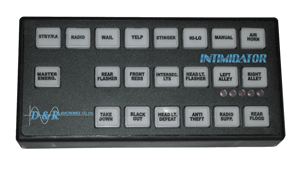 You've done an impeccable job on this - it sounds just like the older PA300 models. :)
 -
 I wonder what made the developer of Driver Parallel Lines (Infogrames if memory serves) put a Signal Stat esque bar onto a Gran Fury.
 -
 Nice work. Now all we need to do is wait for a bus driver mod to come out and we'll be set!
- 6 comments
- 1 review
-
-
- 1
-
-
I can only wonder how many departments purchased Checker Marathons for use. Here's one from Checker's hometown of Kalamazoo, Michigan.
-
I think it's safe to say that the twelve million dollar budget figure was pulled out of thin air.
-
 Thanks for clearing that up. :3
 -
Ah, thanks for the clarification. I'm trying to figure out the difference between the JetSonic and JetStream right now. Both looked quite similar, seem to use the same endcaps (but perhaps not lenses) and have been optioned with that center speaker mount. Was one shorter than the other?
-
First an Aerodynic, and now a JetSonic? Lund, you've consistently found the key to my heart. I might have to install a deadbolt.
-
 I've never seen CPR performed with a foot before. It is an interesting development in modern first aid practices for sure.

