


Creators: Due to background reprocessing of files, approvals and file security checks may be delayed. Thanks for your patience.

Abraxas
Members
-
Joined
Everything posted by Abraxas
-
Didn't know that one. I think mine will be a little bit more complex, but I don't really know Capito's script. My script generates not only car but also thieves. Also it will be crucial to pick right car for area. Thieves will be suspicious about Comet parked in Hove Beach and won't be interested in Merit parked in The Triangle
-
It will be released but it nedds a lot of work. These features that I show you are features that work but need some.more work to be useable. For example road blocks around central park spawn sometimes half on sidewalk despite wide road. I have one main feature to add and then I'll try to make these as good as.I can. Then beta release .
-
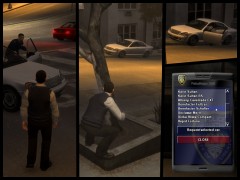 This is just on of features in this mod. Basically you call for a car that suits your area, park it and wait for thief. If he fells secure enough he will steal it. Some cars will have remote shutdown, others you pullover just like every car.
 -
-
From the album: Teasers
Last one this week. Don't get your hopes too high. There are many problems to solve and many small features to add. But I hope in the end it will add some variety to LCPD:FR -
-
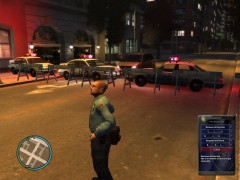
From the album: Teasers
No SNT involved ;) -
Ok, so it's clear. I won't be able to do this, sorry guys.
-
And just when I thought that I'm finished with tow script... :D Problem is I have no idea how ELS works and if there is a method to trigger lights on AI vehicles. Does it work with LCPD:FR backup police cars? If yes it is possible for sure, but I'll need some time to figure it out.
-
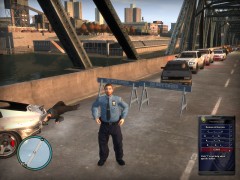 My hard drive :P Don't worry, I'll release it, but it needs a lot of work.
 -
You can by SNT, but IIRC they won't work as they should (peds don't see spawned objects). That mod in corner, well, that is PoliceHelper 2000. What will it do? 1st feature is clear, rest are surprises ;)
-
-
-
From the album: Teasers
Enforcing the law Inspector Gadgets style. -
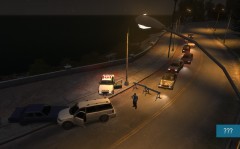 It's CJ_BARRIER_2.
 -
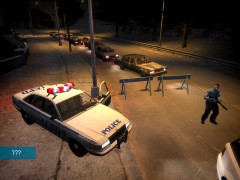
From the album: Teasers
No, it's not accident script :) -
From the album: Teasers
No, it's not accident script :) -
Ok, new version uploaded. Problems with modded cars and too long texts should be fixed :)
- 111 comments
- 93 reviews
-
Ok, new version uploaded. Problems with modded cars and too long texts should be fixed :)
- 111 comments
- 93 reviews
-
NickieB do you stand next to a car you want to tow? It's quite common mistake :) Carrythxd thanks for video. I see that the issue with modded cars is more serious than I thought. I'll try to fix that today. GTAIVpoliceman as I said in PM I'll fix it in next version. KUBEANIE those modifiers are for custom flatbeds, modded cars still can be positioned wrong when they have center point not in the center of the car. Thank you guys for all support and bug reports. I hope I'll have preview of new mod for you soon ;)
- 111 comments
- 93 reviews
-
AntEyeVirus there are probably issues with this site or your network stability not with mod itself as it works for everyone else. Keep trying, I'm sorry but I can't help you. Double Doppler I still want to make them but it will take some time as I'm now focused on some other scripts ;)
- 73 comments
- 76 reviews
-
Sure you can. I won't be able to look at that problem until next week. I'm leaving tomorrow for few days.
- 111 comments
- 93 reviews
-
I tried to script that. It was working quite well, until I tried to stop traffic in places when they always speed and run red lights. It ended with total carnage and a lot of burning cars :D It is possible to close whole road, but It won't stop cars that are already on that road. So far no success and I don't think it is possible, at least not in proper form.
-
-
Version 1.0.3 uploaded and awaiting approval. You can't imagine how hard it was to get rid of those bugs. Thanks to Michael Carley and his testing I think we have now final version of TowServices script :) I really appreciate all your kind words and effort. Now time to rest. I'm off for until next week. Take care and hope you enjoy my work.


