



Harper
Friends of LSPDFR
-
Joined
-
Last visited
Everything posted by Harper
-
You prompted me to update the thumbnail to make it more appealing. Quick five minute job, but at least the profanity has been removed :L
-
 Holy fuck. Have they finally put singleplayer missions in?
 -
 Its the bridge to the Clockwork Mountain map.
 -
Its technically already possible to do one as stated above by using third part scripts. My felony stops usually follow this format: 1. I position my cruiser at a slight angle behind the suspect vehicle 2. I turn on the spotlight (Using Sniper's Policing Script, Not Bravehearts) and shine it at the vehicle 3. I exit my cruiser and stand behind the door whilst aiming at the suspect vehicle 4. I press ALT + K to order them out of the vehicle where I then walk up behind them slowly and cuff 'em
-
From the album: Patrol Diaries
After a very long and stressful nightshift, an officer of the LCPD pauses briefly to witness the astonishing sunrise before he heads off duty. Would you believe us if we said the CVPI was clean before he started the shift? -
From the album: Patrol Diaries
Error 404: Description not found -
I'm seeing the taillights of an F-150 there! :D Obviously it won't be an actual Ford, but it'll be interesting to see which car they imitate on the front
-
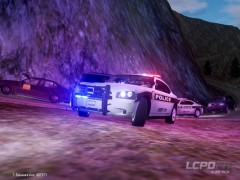
From the album: Patrol Diaries
The LCPD show off their newly acquired Dodge Charger which has finally been introduced to the CVPI-Dominated fleet. -
Hm.. I smell a spambot. Moved to Random
-
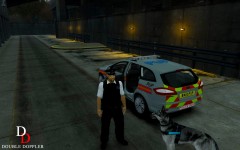 I need this in my life.
 -
I've been searching through hell and high water for these damn uniforms but I for the life of me cannot find them. http://www.youtube.com/watch?v=SghV5Zp3FUM Anyone got a link to those seen in the video?
-
-
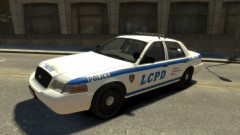 This is the unlocked D:SF Vic right? Did you find that the texture stretched on the lower part of the doors? It did for me and it prevented me from making some well-needed modifications as I didn't really want to re-template it
 -
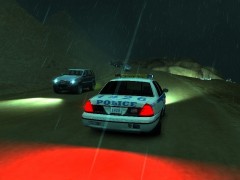
From the album: Patrol Diaries
An officer of the LCPD makes the fatal mistake of following the directions given to him by a GPS. -
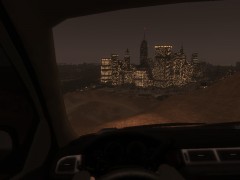
From the album: Patrol Diaries
Sometimes it's nice to just relax and watch the sun set over Liberty City. -
Updated mine again. In my defense, this one is badass.
-
I'm not in the force yet. Almost though, grabbing an application very soon.
-
My local force, Sussex Police, have some very nice cars. Ford Focus: Area Car / Patrol Car BMW Estate: Roads Policing Unit / Traffic (Which I'll be driving next year) Mercedes Sprinter: Mass Transport / Public Order Control BMW X5: Patrol Car Rangerover: Patrol Car / Highways Agency
-
I can assure you it IS a MS4000 as I recorded the sounds directly from the Federal Signal Website myself. I'll double check my folder anyway. EDIT: Just discovered I'd accidentally recorded the video whilst having the Code 3 V-con installed Files are currently being re-uploaded, these ones ARE the MS4000. My mistake guys, Ignore the video. This thread will be closed, I'll re-open it once I've recorded a new video showcasing it. Nothing to see here! This topic has been closed by G17 Media staff. If you feel that this topic has been closed in error, please report this post.
-
I present to you all, my first attempt at creating a sound modification. Siren is a Federal Signal MS4000 http://www.youtube.com/watch?v=MYdrINk_MIA
-
Nothing to see here! This topic has been closed by G17 Media staff. If you feel that this topic has been closed in error, please report this post.
-
Your Grand Theft Auto IV / Episodes From Liberty City Directory. For 32bit Operating systems, that'll be: C:Program FilesRockstar GamesEpisodes From Liberty City If you are on a 64bit operating system, then it'll be: C:Program Files(x86)Rocksar GamesEpisodes From Liberty City
-
You had the same problem in your other thread, I'm not quite sure why you felt inclined to make another one. Its a breach of the community guidelines As I said, re-install LCPDFR and select ONE Asi file. Either dsound or xliveless.
-
Nothing to see here! This topic has been closed by G17 Media staff. If you feel that this topic has been closed in error, please report this post.
-
Nope


