




Murphy
Members
-
Joined
Everything posted by Murphy
-
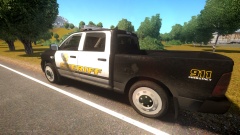 The rims look fine to me! They just seem to need different textures. Try to give them some detail or depth.
 -
Welcome, citizen!
-
I do remember my first time driving with my instructor, in order to get my permit. It was a Hyundai Elantra, and boy did I not like that car! The windshield design made it incredibly hard to see, and the car had a sticky brake issue, due to how it was maintained. Driving is literally like riding a bike though. Once you get used to the feel for it, it comes easily! I've never had any bad experiences, such as accidents [a cyborg never does ], but I've dealt with my share of poor drivers who cut me off, flash their hi-beams, and tailgate. In order to be a good driver, you need to be a defensive driver, a calm driver, but also an aggressive driver when you need to be. Of course, don't road rage, that's not what I mean. What I would suggest for all new drivers is to start out with an older car, from the 80s or the 90s. These cars don't have ridiculous electronics, like all cars have today, and they have real, physical connections between the pedal to the throttle, the shifter to the transmission, etc. These cars will truly teach you how to drive, and how to appreciate driving. Checking your blind spots when switching lanes and turning around when you backup are a must! I can't tell you how many times I've felt like I was going to die when I was in a car where the driver didn't turn around when he backed up, or check any of his blind spots. He literally was always facing forward with both arms on the wheel.
-
-
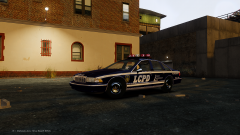 I would love to test this! I just don't think I have the time. :(
 -
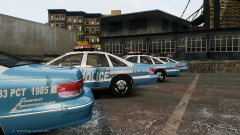 The detail level is phenomenal!
 -
So, you're now taken, huh? Is this how the chat went? https://www.youtube.com/watch?v=wcjY-VN8_l4
-
That's interesting that you're still getting the Adaptation problem, despite allowing the game to run normally. To remove the quick settings menu in-game, press Shift+Enter to open/close the window.
-
Hello, I thought this article was extremely interesting. Use your mouse to slide photos between GTA V locations and their real life counterparts: http://metro.co.uk/2015/02/06/nice-city-photo-series-captures-real-life-gta-v-locations-5052766/ It's amazing how far we've come, in terms of graphics and virtual environments! In a sense, it's also scary if these games get into the hands of an impressionable person, who can't tell the difference between the game world and reality.
-
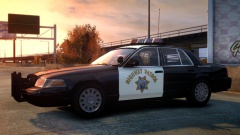 Soooo beautiful. :,) Those are my favorite Crown Victoria hubcaps.
 -
Are you using Trainer settings for time, such as Real Time Duration or Time Sync? If so, those cause issues. You have to allow GTA IV to run at its normal game time, otherwise the adaptation settings will get messed up. I fixed this specific bug, among others, in my CryENB v1 edit, Modern IV 2015 ENB:
-
Good to see it working! Make sure the shader name in the material is "tire" for the wheels. My tutorial is also a good reference for material type setups.
-
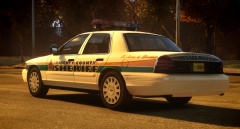 Wow, this is stunning! A Dev version with these wheels would be great, haha. :P *hint, hint*
 -
No worries. I too underestimated the card, but with some time and patience, it's not all that bad to get it running smoothly.
-
That should be fine. With my ENB, you should be able to get 25-30 FPS at the least. Since I have Nvidia on my Desktop and Intel HD Graphics on my laptop, I was able to optimize my mod for both. Here are my recommended settings: enbseries.ini: commandline.txt: I also recommend the following in-game graphics settings: I actually got Intel HD 4000 working on my laptop with 25-30 or more FPS. See my response (above).
-
I'm glad you were able to fix the appearance issue in OpenIV. :) In terms of having vehshare textures, yes, you need to make at least one material that uses a texture and map it to the car. I recommend using the white smallspecmap texture for the body paint.
-
Mine should work well on Medium specs, if you disable Bloom.
-
Just to clarify: You should not reset the axis of the wheel collisions. They automatically center themselves, based on the wheel_lf, rf, lr, and rr parent dummies. Do this only for the wheel models. Also, I believe you need to use materials from GTA IV's vehshare in order for a vehicle to work properly.
-
-
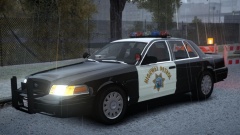 It looks so good, especially with those rims. I want. :P
 -
There's really no need to show up in a fancy car. At the end of the day, who really cares? Besides, the money will be spent only to have someone spend more on an attention grabbing car. See if you can contact your local PD to take you, if they're willing and you want to go with that plan. Otherwise, there's nothing wrong with a regular car. Besides, I drive this for goodness sakes: So true... Too bad I can't get either.
-
Here are a few greats off of the top of my head, just to get you started: Back to the Future Ghostbusters Terminator 2: Judgment Day Beverly Hills Cop Frequency Vantage Point Coneheads Kindergarten Cop Twins (1988) Superman (1978) Bruce Almighty Truman Robocop (1987) Robocop Robocop Did I mention Robocop?
-
Excuse me?
-
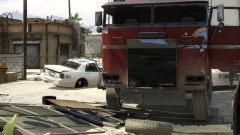 Looks like Optimus Prime had a little boo-boo.
 -
![GTA V Riot [WIP]](//s3-gallery.int-cdn.lcpdfrusercontent.com/gallery/album_2959/sml_gallery_64826_2959_46138.jpg) YES!!! FINALLY! Any chance for a non-ELS version? :D
YES!!! FINALLY! Any chance for a non-ELS version? :D


![GTA V Riot [WIP]](http://s3-gallery.int-cdn.lcpdfrusercontent.com/gallery/album_2959/sml_gallery_64826_2959_46138.jpg)