




Murphy
Members
-
Joined
Everything posted by Murphy
-
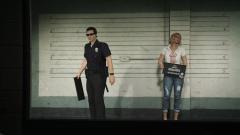 I must know this before I start playing Online. :P
 -
I would try this RILBudgeted script by NTAuthority and ThirteenAG: http://gtaforums.com/topic/744584-reliv-rilbudgeted-population-budget-adjustertaxi-bug-fix/ It essentially eliminates the need for other traffic scripts, and it is multiplayer friendly.
-
-
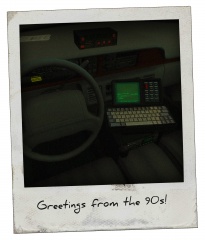 Wow, I love this! I made the same exact computer for my Robocop Taurus a while ago. :o
 -
One other thing I just thought of: This method is similar to that of the LCPDFR character and vehicle select, where you shift left or right to look or select the object you want.
- 129 comments
- 12 reviews
-
Nice work! As an idea, you could put arrow icons (possibly enabled by arrow keys) on the bottom of the screen when you look at your documents. This way, you can shift to the left or right to look at the different documents and the information on them, which is similar to how the radio icons scroll when you're switching through stations in IV, SA, VC, III, etc. Also, this method may help to add support for other resolutions.
- 129 comments
- 12 reviews
-
According to the video, I think the limit is still fairly the same. About a block away maximum. It's all about LODs.
-
Where did it say they would ban mods? It's not easy to ban a mod, unless it's a specific script that can be detected. I also disagree with your last statement. I believe it will either be on the same level of difficulty or harder, in terms of being able to modify the game. Yes, they probably do expect players to modify the game, but I doubt they would make it easier as that would be a step backwards as a company.
-
Not too shabby, Chester! I would suggest to take it earlier than September, so you have more chances to improve; however, it's more important to feel prepared than to have more chances, so the choice is up to you. What I find is best is to: Make a daily or weekly schedule for yourself; in terms of studying Find your weaknesses by ordering a test report, that tells you what you got right and wrong, allowing you to focus on what needs to be improved Put out all other distractions while studying: no forum posts, email, etc. Good luck to you on future assessments!
-
Grand Theft Auto V: Rockstar Editor With GTA V approaching right around the corner, how could you not get excited for the all new Rockstar Editor?!? A step up from the IV Video Editor, the Rockstar Editor supplies the user with more tools to make great films! See the detailed video and description here. So, the question is: What do you think about the new Editor? Are you excited? Are you ready to be the next Vinewood film producer? Write your response as a post below! ------ Read the article from GameSpot here: Source: http://www.gamespot.com/articles/what-new-things-should-you-expect-in-gta-v-pc/1100-6426472/
-
All of the missing textures listed can be found in vehshare.wtd in the vehicles.rpf archive. Extract them, put them in the directory that the model and other textures are in, and you're done! These weren't included in the unlocked files, likely to save disk space.
-
Happy birthday, Cyan!
-
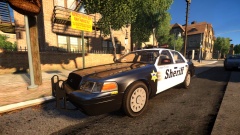 Where did you get the rims? :P
 -
Hello DaWoodz, My ENB should definitely work on your machine, but you may need some original GTA IV files for your game. I'm not sure what files icEnhancer 3.0 replaces, so there may be some that are not replaced by my ENB. In order to ensure that my ENB will appear properly, I would replace and/or delete any graphics files from ICE 3.0 with original ones first, then install my ENB. For the future, it is good to keep backups of original files, so you won't have to re-install anything.
-
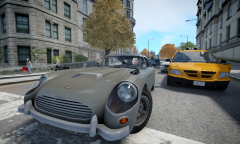 Yup! I actually asked him, and he was able to do this: https://www.youtube.com/watch?v=a3VNSSnsk0w
 -
Posting your specs would be helpful; however, I would recommend my ENB: Of course, I'm a bit biased, since it's my own ENB. Although, I have optimized its Low-End settings to give around 25-30 or more FPS on Intel HD Graphics.
-
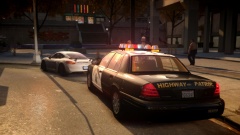 Your photos are always easy to recognize (that they're yours), and great as usual. :P
 -
Try out mine. It has been optimized for Mid to Low end units. There have been a lot of great reviews, especially for Low-end users. I guarantee, you won't be disappointed.
-
Don't forget to end the day in style, with the regular tradition! https://www.youtube.com/watch?v=ntG50eXbBtc
-
Happy birthday, ineseri!!!!! GTA V isn't out for your birthday, but that doesn't mean we can't have a good time!
-
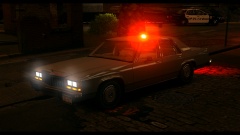 Really, just too beautiful!
 -
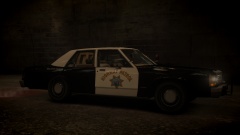 Looking great!
 -
-
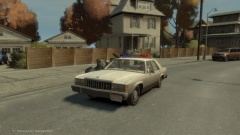 Don't forget the paintjob! ;) Haha.
 -



