




Murphy
Members
-
Joined
Everything posted by Murphy
-
I'm very glad that this worked for you! Enjoy!! I think I'll update my ENB files with these settings, so more users can enjoy this FPS boost.
-
This is more of a reason to stay home at night, unless you have to go outside. But what motive could lead someone to stab a child?... What does it accomplish?... The criminal mind is twisted and disturbed.
-
I'll share my settings with you. :) This should increase your performance: Since I have Nvidia on my Desktop and Intel HD Graphics on my laptop, I was able to optimize my mod for both. Here are my recommended settings: enbseries.ini: commandline.txt: I also recommend the following in-game graphics settings:
-
As a suggestion, mine can be adjusted easily for Mid to Low end setups (already coming packaged as a Mid-End ENB), and is a bit less demanding than CryENB. Feel free to give it a try. :) EDIT: One of the systems I have run my ENB on uses Intel HD Graphics 4000, and I manage to get 20-25 FPS on average. I can supply my settings for the commandline.txt and enbseries.ini, if wanted.
-
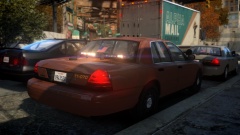 Always, the best photos. :)
 -
Not bad, but I would have written "Police" on the area of the texture used for the PD car hoods, etc, and used a badge like the one SgtMckinson posted.
- 8 comments
- 1 review
-
-
-
See the green, blue, and red axis node to the right of the wheel? That's from the wheel model. You need to reset the offset of the wheel to its parent (wheel_lr), in order to make that axis appear in the center of the wheel. What's happening is, that axis node is moving to the wheel_lr dummy location, and spinning the wheel model about that axis. It's kind of like that axis node represents the sun, and the wheel model itself represents a planet, orbiting around that center point.
-
I see what's going on here. The wheel's center point is offset incorrectly. Make sure that the wheelmesh_lf and l1 models are children of the wheel_lf dummy, then use the Display --> Local Axis --> Reset to Parent, and make sure that you select Keep Object and the "Offset" option to move the offset node for the wheel. Note: If the wheel is not centered perfectly around the wheel_lf dummy, you will need to use the "Center to Object" option on the wheel first, deselect "Keep Object", and then reset the wheel to its parent. This could take a little adjusting.
-
Funny, I thought that would be big news. There seems to be an absence of a certain ornithological piece. A headline regarding mass awareness of a certain avian variety... It was my understanding that everyone had heard.
-
Amazing! Now, do it with marble.
-
-
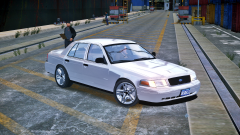 People modify any car, which is ridiculous... Even great classics. I can't stand when they mod the LS400 in a Japanese VIP style... Doing these things to a car takes away from its class and its history. Let me just say though, some mods are better than others.
 -
Welcome, citizen!
-
I speak English, Python, Java, and C. I am yet to add more to my data banks.
-
Welcome! If you would also like to use that image that you posted in your posts or signature, you need to use the proper format to make them visible. Here is the direct link to the image you used: '> Copy that link, and click on the "Image" icon on your post editor. It appears in between the Link button, and the "<>" code button. It looks like a photograph of a tree. This will open a prompt window, where you can input the link of the image. The final result is as follows:
-
Indeed. I already have that in the works. :)
-
Thanks for looking. :) Yeah, the One WTC mod started out as a promising mod... Unfortunately, it's gone downhill. I would like it much more to just have the tower in the game, by the City Hall building. The area has been expanded to the point where they're too close to the ESB, and nothing has really been compressed.
-
Indeed, they are. Thank you for the response, though!
-
-
Hello, Recently, I've wanted to install the World Trade Center 0.3 mod for EFLC; however, hbxworks.com is down, which contains all of the installation files necessary for the EFLC version. If anyone happens to have the WTC mod installed for EFLC or backup files, could you please share them with me? Thank you, Murphy
-
-
Nice! Keep on rockin', then.
-
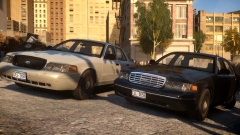 These look beautiful!


