




Murphy
Members
-
Joined
Everything posted by Murphy
-
-
-
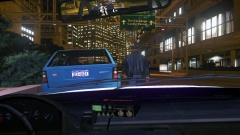 Is this also iCEnhancer that you're using? :)
 -
Unfortunately, it only supports 5 stations at the time, so I picked 5 of the ones I listened to. I will send you the stream, via the pm. :)
- 33 comments
- 6 reviews
-
I wish there was a multiquote feature for these comments. :P Sorry that you got stuck with the commercials. It happens in the early hours, sometimes. If you would like to request any other stations (as I have mentioned in more detail), let me know! :)
- 33 comments
- 6 reviews
-
-
-
Thanks guys! :) I also can support stations from Radio.com now! :D I was asked to give the stream link for 1010 WINS, which is on Radio.com.
- 33 comments
- 6 reviews
-
Something I should mention: By installing this mod, you will be able to listen to the following 5 radio stations: - 100.7 WHUD - 101.1 WCBS FM - Q104.3 WAXQ - 106.7 Lite FM - CBS Sports If anyone would like to request certain stations, I am able to get quite a few streams from iHeart Radio.
- 33 comments
- 6 reviews
-
================================================== | REAL NYC RADIO FOR IV - BY MURPHY (www.lcpdfr.com/user/31013-murphy/) | ================================================== Description: - The Real NYC Radio mod for GTA IV will allow you to listen to actual NYC Radio streams, while you're playing GTA IV! Install: - To install, place the files in /NYC Radio Config/scripts into your scripts directory in /Rockstar Games/Grand Theft Auto IV/scripts - You must install the Internet Radio 2 script mod in order for the radio to work! http://www.gta4-mods.com/script/internet-radio-2-f17176 How to use: - Press "Alt" + "F5" in game to turn on/off the radio - Press "Ctrl" + "Right Arrow Key" to move to the next station - Press "Ctrl" + "Left Arrow Key" to move to the previous station Credits: - Real NYC Radio station stream config by Murphy (www.lcpdfr.com/user/31013-murphy/) - NYC Radio icons by Murphy - Download source: - Internet Radio 2 script by mark011 - Download source: http://www.gta4-mods.com/script/internet-radio-2-f17176 Video Previews: Preview #1 https://www.youtube.com/watch?v=j95zCYem1_0&feature=youtu.be Preview #2 https://www.youtube.com/watch?v=b0OZAFLdVK0&feature=youtu.be
- 33 comments
- 6 reviews
-
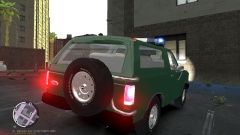 Very nice!
 -
My best LCPDFR moment was the first time I went on patrol in GTA IV, which was all the way back in 2012.
-
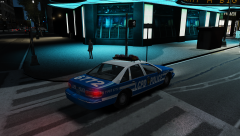 I was almost fooled into thinking that this was the GTA III police car in this image. :P
 -
I too am not too eager to modify the game itself; however, I would modify the vehicle population files to have more variance in the police cars. I would also only replace a GTA V vehicle if someone did a proper conversion of an 81' DeLorean DMC-12.
-
Very nice, but I also agree with the mod being a little small. If possible, could you scale it up to match the DSF cars? :) In addition, any chance of an NYPD version?
- 17 comments
- 4 reviews
-
-
This pack will probably suit your needs: '?do=embed' frameborder='0' data-embedContent>>
-
Amazing once again, man! Great job. :)
-
Is that a truly working mirror? If so, you must explain to me how. :O
-
I wish:
-
If a modder could figure out how IV sets the wheel angle on the dummies from the model, they could potentially store the last known value before resetting the angle to 0 degrees and force the value on that individual vehicle's wheels.
-
The radar display would be possible, to a certain extent. It could be done by using a script that loads a model into the game and places it into a certain position; however, it's quite complicated and would only work for that individual vehicle. Another way this could be done is by placing enough extra components in a single area and (again) having a script control when each extra is on or off; however, this type of display would have to be extremely simple. In terms of practicality, making a fully working radar display is not practical at all.
-
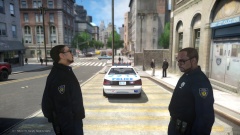 Looks like someone lost the staring contest. :P
 -
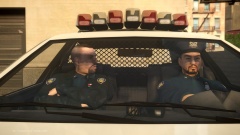 I love the picture! :D Try using my more improved Vapid Police Cruiser, available in the LCPD ELS Pack that Yard1 released recently. :) I fixed errors like the dashboard (seen in this shot) and made various parts breakable!
 -
An auto-installer with recommended files for IV and EFLC is currently in-progress.
- 65 comments
- 22 reviews


