




Murphy
Members
-
Joined
Everything posted by Murphy
-
That scene was just the best. That poor Taurus, though... Such pain to watch.
-
No worries. :) As I mentioned in my previous post, it had to do with the polycount of the car's windows. Even if the door collision is covering the window, it still should be breakable when you try to shoot from the car.
-
All right, sorry that it didn't fix it. I hope that another member will be able to assist you. Good luck!
-
Very interesting. I'm not familiar with that error, so I'm sorry that I can't help. If you've locked the model on export, see how it reacts without the model lock.
-
Hey there, Officer Chang.
-
Yes, the windows are. I figured out the problem, though. The reason why some windows won't break is because they're too high poly. I remade them with fewer polygons, and they now break! This topic may be closed now; however, this information may be good to mark for other modders who are experiencing the same issue and don't understand why.
-
Thanks for the quick response. My model is actually a civilian vehicle, and it's intended to replace the Lokus. As you can see in the hierarchy image, everything is set up properly.
-
Very nice! You do have some texture stretching going on with the front fenders, though. A potential edit you might want to make to improve the overall appearance. :)
-
Hello everyone, I have recently been working on another scratch made car model; however, I've come across a problem that is refusing to go away. When I go into IV and spawn the car, the windows on my model refuse to break. I have completed all of the collisions, and I've looked over the hierarchy several times. The materials mapped to the windows are also of the type "vehglass", which is proper. Has anyone else had these issues? I would really like to solve this problem, as it would essentially complete my car. Thank you, - Murphy Video: https://www.youtube.com/watch?v=4t6Mm-ia_0Y EDIT: I figured out the problem. The reason why some windows won't break is because they're too high poly. I remade them with fewer polygons, and they now break! Note that this should work even if the L0 window models are high poly. The most important parts that must be low poly are the L1 window models!
-
This is a decent tutorial for UV mapping: https://www.youtube.com/watch?v=QojQLiQaCh8 If the model is already mapped to light textures, you could also modify the texture if doing that gives you the desired effect.
-
It would be great to have the models from that game as open source components.
-
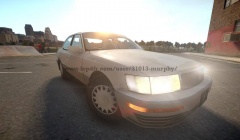
From the album: Murphy's WIP Gallery
Still in-progress, but getting closer and closer to completion. -
Compilation of WIP mods by Murphy
-
Some old 90s Lokus
-
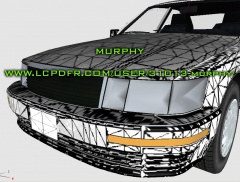 Vehicle-In-Progress
-
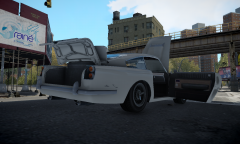 JB700 - All open components
-
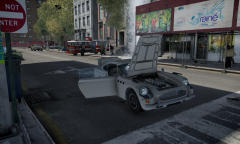 JB700 - All open components
-
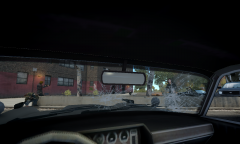 JB700 - James Bond view
-
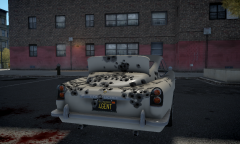 JB700 - Bullet-proof shield
-
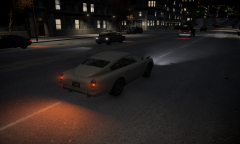 JB700 - Night Cruise
-
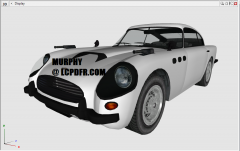 JB700 - Full car preview
-
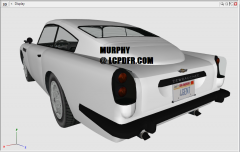 JB700 - Full car preview
-
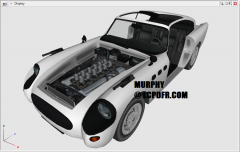 JB700 - Breakable parts
-
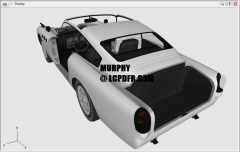 JB700 - Breakable parts
-
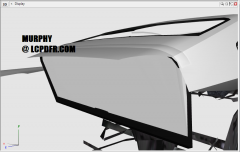 JB700 - Bullet-Proof Shield
-
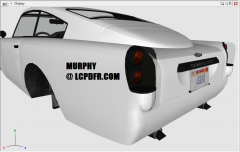 JB700 WIP - 4GENT plate
-
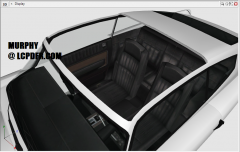 JB700 WIP - Removable Roof
-
-
 "I ran so far away!..."
 -
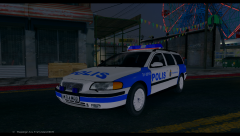 Very nice! Is this completely scratch made?
 -
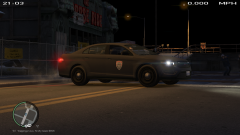 For a second, I thought that was an OCP logo..
 -
I believe there are a few tutorials out there for IV animation rigging. Some like H1Vltg3 use Maya to do it. He has a tutorial/rig available on GTA4-mods.com
-
Thank you for working on this, LMS. I hope you are able to find the bug. Too bad I don't have as much time to play FR at the moment.
-
Nice job! Olanov also inspired me to learn how to use the film maker in IV.
-
The other day, my friend and I were looking up information about it. His source said they may postpone it until 2015. I don't have his exact source, but here's one rumoring it: http://airherald.com/gta-v-for-next-gen-consoles-gets-2015-release-date-rockstar-makes-no-sound-yet/7117/
-
So, this is why you spent so much time in the Christmas Edition.
-
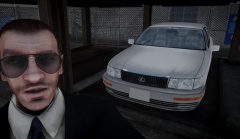 Thanks! The model still needs to be properly rigged for the game, but the hard part is finally over!
 -
From the album: Murphy's GTA IV Screens
"Is that some sort of old Lokus?" - Niko -
Happy Saturday, penguin! birthday, Benguin!
-
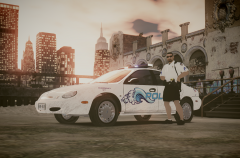 The only problem is, I haven't had the time to experiment with Zmodeler in order to find out what goes wrong upon export. Once I can fix that model bug, I can definitely publish the model.


