


Kit
Members
-
Joined
-
Last visited
Everything posted by Kit
-
You may want to have a read on what a trademark actually is: http://www.uspto.gov/faq/trademarks.jsp#_Toc275426672
-
-
Assorted liveries I've created
-
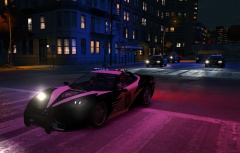
From the album: Misc Skins
Sgt. Cross leads the convoy en route to take down #15 on the Blacklist... Skin is part of my NFS Skins Pack -
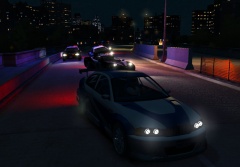
From the album: Misc Skins
Sgt. Cross leads the chase of Rockport's Blacklist #1... Algonquin Hood's Sentinel GTR MW Harper's Speed Enforcement Coquette Misc. police cars dogpiling in... -
Was a donation, no tax dollars spent on it.
-
"M" by default toggles the stop traffic function which stops all cars in the area. Chances are the function is accidentally being turned on when you do your traffic stop - check the mini-map, if there's a pink circle around you then it's been turned on.
-
-
This is a set of skins for modded default cars based on Need For Speed: Hot Pursuit police cars. Included are: Annis Pinnacle (x2) Bravado Buffalo Declasse Merit Dundreary Landstalker Inverto Coquette Karin Sultan (x2) V-style Declasse Granger V-style Vapid Stanier V-style Vapid Interceptor (x2) Police Bike Vapid Speedo These work best with Lt.Caine's models, such as: ?do=embed' frameborder='0' data-embedContent> ?do=embed' frameborder='0' data-embedContent> ...plus Bxbug's Police Bike ...plus Harper's Coquette (though technically this skin didn't come from NFS:HP exactly... ) ...plus ThatOneHick's Merit and Speedo ...and of course they'll also work with anything else that use the same template. For those new to texture replacement, check out this handy tutorial.
- 11 comments
- 3 reviews
-
-

- 2
-
-
Looks like he's posted the unmarked cruiser now http://www.gta4-mods.com/vehicles/gta-v-unmarked-cruiser-non-els-f25513 Shame only the grill lights are used, but still looks quite nice.
-
Aaaand looks like it's been released http://www.gta4-mods.com/vehicles/gta-v-police-cruiser-non-els-f25504
-
-
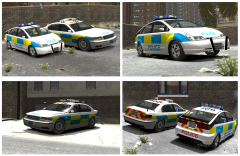
From the album: Misc Skins
Our local constabulary doesn't have their logo or name on the side of most of their rapid response cars, just on the bonnet (a.k.a the hood) - from the side their cars could easily be from anywhere within the UK. So I had a go at some "generic" UK-style skins with no logos - but plenty of blank canvas space. Here's how they look on ITO's Dilettante and Oracle with appropriate lightbar skins. Also have one for Ekalb's Vincent...not sure what other cars would really classify as "european style" though. -
I've just had another look, they're definitely mapped to emerglightse, not emerglights. Did you definitely replace the correct file?
-
It'll be the emerglights texture then; on the bottom left is what appears to be a top down view of the Whelan edge; that's the texture that needs changing. I'm not at my computer atm but I'll have another look at it tomorrow.
-
Here you go, replace emerglights_emise and emerglightse with the attached
-
It depends on the car. A lot of developers now have theirs linked to the emerlights or emerlights_emis textures; which car are you working with?
-
You've screwed up your pedvariations.dat file. For the police ped, under the column labelled "WET" there should only be a 1 for the raincoat torso, legs with no belt, and rain hat. Everything else should be a 0.
-
-
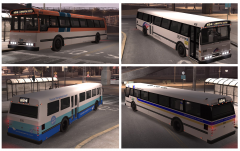
From the album: Misc Skins
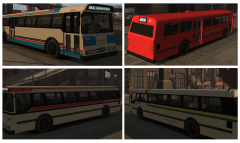
Not all bus services in NYC are operated by city-based operators. Here's a small sampling of some of the regional providers that also operate in/out of the city. Included are: Alderney State System (New Jersey Transit) Liberty Island Express Service (Nassau InterCounty Express) Port Authority Francis Int'l Airport Bus (PA NY JFK Bus) Wasp-Line Bus (Bee-Line Bus) (Yes, I took a bit of liberty with some of the names for this one. Get it, Liberty?) You can get the pack here: http://www.gta4-mods.com/textures/lc-region-bus-skins-f23077 Lt. Caine's Bus v1.3x is at: http://gtapolicemods.com/downloads.php?do=file&id=288 -
From the album: Misc Skins
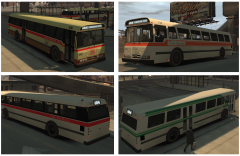
In addition to the 4 bus companies mentioned in there were 3 other companies which ran primarily express bus services into Manhattan. Two of these ran to the Bronx and were the first ones taken over by the MTA in 2005, while the 3rd (Command Buses) operated through Brooklyn. Also operating in NYC is the Roosevelt Island Red Bus, which operates exclusively on Roosevelt Island by the Roosevelt Island Operating Corp., a semi-state funded entity. This service does not accept the standard Metrocard fare and is essentially outside of the regular NYC transport network, with the routes not shown on city bus maps. Included in this pack are: Colony Island Surface Transit (Roosevelt Island Red Bus) Demand Bus Company, Inc (Command Bus) Liberty Lines Local (Liberty Lines Express) New Liberty Bus Service (NY Bus Service) You can get the pack here: http://www.gta4-mods.com/textures/lc-private-bus-skins-2-f23058 Lt. Caine's Bus v1.3x can be found here: http://gtapolicemods.com/downloads.php?do=file&id=288 -
From the album: Misc Skins
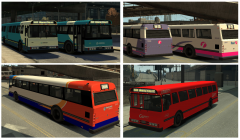
Before 2005, the NYC Dept of Transportation funded 7 privately-owned bus companies who ran regular local and express bus services alongside the MTA. These were all absorbed by the MTA in 2005 to form what is now the MTA Bus Company (not to be confused with sister company MTA New York City Bus). Of these companies, 4 operated primarily in the borough of Queens and are represented in this skin pack: Biboro Coach (Triboro Coach) Dukes Surface Corp (Queens Surface Corp) Greener Lines Bus (Green Lines Bus) Willis Buses (Jamaica Buses) You can get the pack at http://www.gta4-mods.com/textures/lc-private-bus-skins-1-f23034 These skins are for Lt Caine's Bus v1.3x at http://gtapolicemods.com/downloads.php?do=file&id=288 -
From the album: Misc Skins
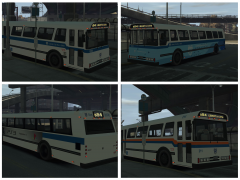
A few more skins, for more flavour in Liberty City. This pack includes a set of UK bus operators. For those not familiar with the UK bus system, it is mostly privatised and operators are in direct competition - in some areas you could find several operators running similar routes at comparable prices. While there are hundreds of transport companies nationwide, small and large, this pack represents the "Big Four" who own the largest stakes in the bus market. They are: Arriva Group Plc (old and new livery) FirstGroup Plc (old and new livery) Go-Ahead Group Plc (classic "Go Northern" style livery) Stagecoach Group You can get the pack at http://www.gta4-mods.com/textures/uk-bus-skins-f22959 These skins are for Lt. Caine's Bus v1.3x which can be found at http://gtapolicemods.com/downloads.php?do=file&id=288 -
From the album: Misc Skins
Tossing together a few random skins in my spare time. Not police-related but something to bring a little different to Liberty City. Here's a pack of LTA Bus skins for Lt. Cain'es Bus v1.3x, based on NYC MTA skins. Included are: LTA Bus Company (MTA Bus) LTA Liberty City Bus (MTA NYC Bus) LTA Left Island Bus (former MTA Long Island Bus) LTA +Selective Bus Service+ (MTA +SBS+) You can get the pack at http://www.gta4-mods.com/textures/lta-bus-skins-f22922 Lt. Caine's Bus can be found at http://gtapolicemods.com/downloads.php?do=file&id=288 -

