


Kit
Members
-
Joined
-
Last visited
Everything posted by Kit
-
To uninstall LCPDFR, remove FirstResponse.net.dll from the Scripts folder, or try running to installer again to get a clean install. As for the "blur" issue, P toggles Definition in the game's graphic settings, that's nothing to do with any mods.
-
-
Just a bunch of random on-duty shots...
-
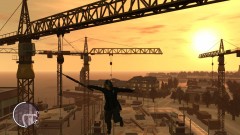
From the album: On Patrol
-
This is a simple mod that strobes the indicators and headlights. Strobes can be set to be automatically turned on with the siren, or manually toggled. In manual mode they can be used with any car.
- 54 comments
- 39 reviews
-
-

- 2
-
-
It is possible, yes, though not sure how easy it is. The only tut I've found so far is this rather long one: http://www.youtube.com/watch?v=2ez2yvfY21Q
-
Try hitting Alt-O to drop it.
-
It's police4 in tbogt/pc/models/vehicles.img
-
Are any of the assigned keys from the trainer set to "J" and "K" as well? ELS seems to get fussy when its keys are assigned to more than one thing sometimes.
-
You change the key bindings in ELS.ini...
-
Does that only happen at a specific police precinct? I imagine it's mostly from teleporting out of the "police station" and the game just not loading the area quickly enough, so it's fairly normal.
-
You can try editing the colours in carcols.dat to white but then you'd most likely would have to redo the skin as well since it's white text on semi-transparent background.
-
The default police stinger has a different skin than the standard police cars. It's supposed to appear blue, not white - http://gta.wikia.com/Police_Stinger
-
The easiest way is to use SparkIV/OpenIV to extract the existing texture and edit that; it's usually fairly obvious what part of the texture shows up where.
-
If you are using ELS, try reassigning the siren key in ELS.ini; you can use the standard siren button to turn on manual, and your custom key to cycle siren modes.
-
-
Because...why not? There are two versions of this mod which are both included in the download: - v0.7.1 replaces the male fat cops with a female model created through a mix of original GTA4 meshes, custom meshes, and custom textures. - v0.7.2 adds the female fat cops as an entirely new model. OpenIV is required to install this version; SparkIV will not work. Female fat cops feature: - 2 different heads with a several textures each, jacket top with sergeant option, cap and sunglasses. Known Issues: - No police dialogues, unfortunately. Nothing I can do about that until speech.rpf is cracked... Please read the ReadMe and version install instructions before installing!
- 6 comments
- 3 reviews
-
You can just rename one and its .ini from TrafficFlow.net.dll to TrafficFlow2.net.dll or something similar. I noticed it can get a bit laggy after a while so it may help to increase the reload increment for both.
-
PPM is an entirely separate mod, typing PPM into the LCPD computer lets you know how well the two mods get along :biggrin:
-
Don't know if you've seen http://www.gta4-mods...to-rescue-f6550 , it's a flatbed wrecker of sorts.
-
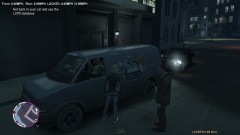 It tells you the speed of the nearest car in front of and behind you within a certain distance.
 -
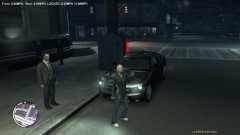
From the album: Anti-Crime Unit
Getting ready to go on patrol in plainclothes in the unmarked car. -
Photos from the LCPD's Anti-Crime plaintclothes patrol unit.
-
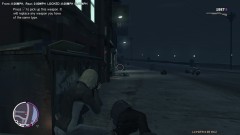
From the album: Anti-Crime Unit
Interrupted a gang meet. -
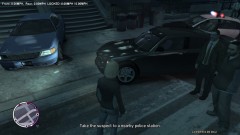
From the album: Anti-Crime Unit
3 vehicles written-off, tons of damage to public utilities, one perp taken down and another in custody...sounds like a job well-done.



