
Narobic on YouTube
Insiders
-
Joined
-
Last visited
Everything posted by Narobic on YouTube
-
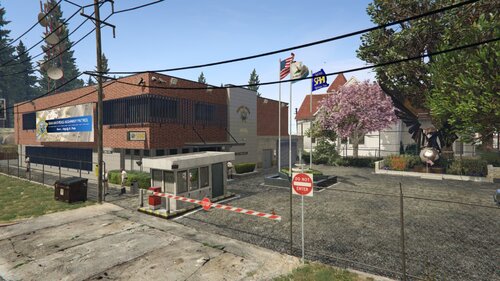 It would be nice to remove the guard gate completely and change it with a sliding gate maybe? Also, if there's a way to remove all the vehicle spawns where the new building is
 -
 Well, considering this is the current gold standard of ped & backup interaction, and if you're serious about it causing a crash, I would highly recommend joining the public PR Discord to ask for assistance instead of claiming "Why are you making a mod that doesn't work?" Because this mod is obviously working for many other people
- 716 comments
- 50 reviews
-
-
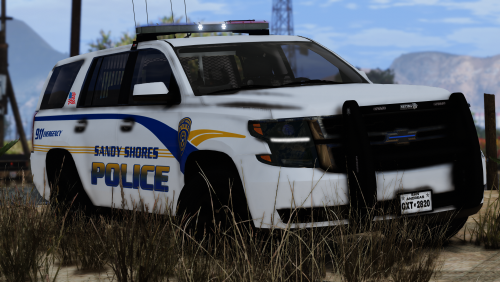 works well with this model, it seems: 2006 LAPD Tahoe MX7000 [ELS] - Vehicle Models - LCPDFR.com
- 11 comments
- 5 reviews
-
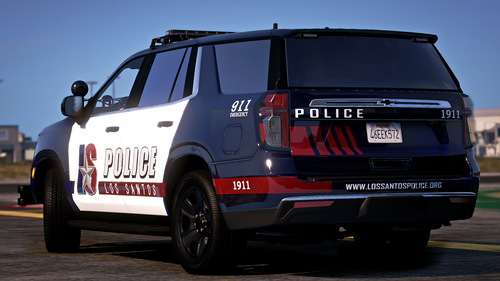 I live near Arlington, so this is amazing. I made the Tahoe my dedicated airport police! I modified the texture a little bit 👀
 -
This is seriously amazing
-
It looks like the solution was removed... what is the solution??
-
-
 Is there a demo video to watch?
 -
 Hey! This looks amazing but I'm running in to some issues that makes it unusable. I have everything installed exactly how it's supposed to be and it will load in the browser. I'm using PR but ID's will not auto populate and I cannot manually search for any names or plates. I'm not sure what I'm doing wrong. Please help, thanks!
- 391 comments
- 9 reviews
-
-
wait... this goes hard af
-
-
-
 Stay blessed my friend! Thank you for enjoying my plugin 🙂
 -
I see... I can assure you that it was something else doing that
-
Could you elaborate on what you mean?
-
-
-
-
-
 I'll have to find a video of it to send to you later when I get home; but yes it does the same thing when the callout is far away too
- 91 comments
- 2 reviews
-
It's at 13:30 of my most recent video https://youtu.be/c5YOlviFVn4?si=tVWGPADCOzfTn8DE
- 91 comments
- 2 reviews
-
 This is made exclusively for StopThePed: Stop The Ped (v4.9.5.2) I wanted the menus for StopThePed to sound more natural. I got the idea from @BlueLine Vibes but wasn't 100% satisfied with his version so I decided to make my own. Please check out his at the link below and feel free to pick whichever one fits your playstyle best! https://www.patreon.com/posts/134588886?collection=128832 I may expand to include text files for other mods in the future, however BlueLineVibes has the best one I've seen for UltimateBackup so I highly suggest you check that out! (same link as above) Most of the menus are demonstrated in this video:
 -