



PieRGud
Members
-
Joined
-
Last visited
Everything posted by PieRGud
-
#Soon
-
@Mush75 Please check the main post.
-
-
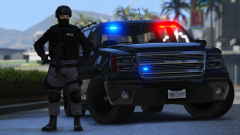
From the album: Random Stuffs
Dangerous with a rifle, deadly with geometry. -
 @The Banana Man Sorry about that. It's an RPH bug that is likely going to be fixed in 0.39.
- 1,743 comments
- 172 reviews
-
@Denny @BULLETZA @Quasar @MADxMAX @Rambo1122 Fix for mouse issue: Change your mouse input setting to DirectInput or Raw Input.
-
@BULLETZA @Rambo1122 @Quasar @MADxMAX Yeah, it's an issue that some seem to have. If you have the same problem with other Gwen form mods (like Policing MDT), then it is not a problem with this mod in particular. RPH's Gwen is still in its infancy, so, unfortunately, expect issues. Not that I know of. Regardless, try disabling all your other plugins and running Computer+.
-
Try this: LHandle pullover = Functions.GetCurrentPullover(); if (pullover != null) { if (Functions.GetPulloverSuspect(pullover) == immune_ped) { Functions.ForceEndCurrentPullover(); } }
-
@LtRob @The Banana Man I don't see a crash in either of your logs. @ToastinYou @Quasar Edit: Change your mouse input setting to DirectInput or Raw Input. @Denny No.
- 1,743 comments
- 172 reviews
-
No need to apologize. Glad to see you got it working. Enjoy!
-
We're definitely going to open source the combined LSPDFR Computer+ as well. So anyone that wants to contribute, can. Edit: Git is up by the way. Check it out!
-
@Stealth22 Only problem with the database route: LSPDFR personas would need an overhaul. Nothing's worse than finding out Bob Smith has had three gender transitions since the last time you arrested them.
-
@Stealth22 Wouldn't it be cleaner to just pass the CalloutDetails object to the function, similar to LSPDFR's Persona? Ex: create new CalloutDetails with properties, call SetCalloutDetails passing in the created object, and the function would read all the properties (i.e. pretty much what you said before the edit).
-
I didn't really think about implementing an API before but now I'm all for it! That's definitely going to be my next step with Computer+. I'll let you know if I need any help, which is pretty likely! :P
-
Wow, yeah... I'm all for everything you said. One thing though - @fiskey111 and me have quite different approaches. @fiskey111's approach is making an accurate simulation of police MDTs, while mine is more like an "arcade" version. So I'm not sure how we would combine our mods. That said I'd love to implement a callout details system.
-
@Kal74 @Snaper007 I haven't tried RAGEComputer, but it shouldn't conflict. Also yeah, RAGENativeUI isn't suppose to be in that folder. Though, most importantly, if the game crashes when launching, then it is most likely not an issue with this plugin. Try removing the Computer+ files and running the game. If it still crashes, it's caused by something else.
-
Did it crash as soon as you went on duty using LSPDFR? If it did, please send that section of the RPH log (not the crash report). 1. Yeah, I can do that. I'll add a setting in the .ini that skips it altogether. 2. This may be a bit harder. The mouse control is something that is handled by the game. I don't believe it is possible to modify it to support joystick input natively. 3. I plan to support this. I'm going to wait until Albo releases the LSPDFR+ API so I can implement both in one update. Thank you for your suggestions!
-
Hopefully it will work for you. If it doesn't, just post in this thread with as much info as possible. I'll try to help as best I can.
-
@Snaper007 Is the ComputerPlus.ini and ComputerPlus folder (the one with the backgrounds in it) also in Plugins\LSPDFR\?
-
@Snaper007 The Computer+ files are supposed to be located in Plugins\LSPDFR\.
-
Are you also making sure your car is stopped before trying to open the computer? The key to open the computer is the same as the context key. Whatever you change the context key bind to in GTA's settings is also what the plugin will use to open the computer.
-
Your best bet is using a trainer. Simple Trainer is pretty popular.
-
For closing the window, use Window.Close(). As for adding images to forms, I'm not too sure. Gwen.Control.ImagePanel is likely what you need, but I don't know what it accepts as it's parent.
-
IIRC, Police Radio's registered owner isn't consistent with LSPDFR. It sometimes uses the driver of the vehicle or alters the owner in favour of a random event it created.
-
@Tanner1000 Are you making sure you're on duty before trying to open the computer? @fahdon It shouldn't be too small. Can you post a screenshot of what your's looks like?

