
PieRGud
Members
-
Joined
-
Last visited
Everything posted by PieRGud
-
@MikaelGray It's planned. @njbrondum Odd. If you're using a mods folder it should work fine. @Kippy I think your graphics card may be failing. Though if it's limited to GTA you probably just have a really faulty installation. @FirstDue Digital Not at the moment. Only way is to just look through the files manually. Remember, you can use My EUP to make your modding endeavors a bit better. @Grug You need to use a mods folder. Google is your friend. @FlutiCason Not at the moment. @LapdCode3 Use the settings.ini from the download. The one the plugin generates is outdated. This will be fixed in the next update.
-
-
 The backup screen just calls LSPDFR's API functions. I'm not sure how LSPDFR's backup system works, so I can't really answer your question. Best way to know is to check the callout's page. It will say either in the description or the changelogs. Hard to say. I'd suggest disabling all other modifications in case there is a conflict.
- 1,743 comments
- 172 reviews
-
 You can change the flash sequence to make it a bit better. Ex. instead of 10 it would be 1100. So it would look something like this: <leftHeadLight> <sequencer value="3435973836"/> </leftHeadLight> <rightHeadLight> <sequencer value="858993459"/> </rightHeadLight> <leftTailLight> <sequencer value="858993459"/> </leftTailLight> <rightTailLight> <sequencer value="3435973836"/> </rightTailLight>
- 150 comments
- 33 reviews
-
Some people on this show tend to have a serious case of SBS (Saggy Belt Syndrome). On a more related note, I'm interested in doing an EUP pack. But I think I'd rather do an LSPD-themed TPS than Rookie Blue.
-
 Are you sure the plugin loaded? You can edit this in the .ini. Scroll down to [Ped:MP_M_FREEMODE_01] and remove everything after FuncIntimMesh=.
- 561 comments
- 97 reviews
-
I've noticed that the same types of questions are coming up and that the FAQ is in need of an update. So I decided to do just that. @Alex_Ashfold if you could put this on the main post that'd be awesome. FAQ 2.0 How do I install EUP? 1. Using OpenIV, go to Tools > Package Installer, browse to the EUP 7.3.oiv and click install. 2. Go into the Menu folder of the .zip and drag everything to your root GTAV (i.e. where the GTA5.exe is located). How do I fully uninstall EUP? 1. Delete the eup folder from update/x64/dlcpacks. 2. Remove the <Item>dlcpacks:\eup\</Item> line from update/update.rpf/common/data/dlclist.xml. 3. Delete the eup_banner.ytd and eup_charactereditor.ytd from update/update.rpf/x64/textures/script_txds.rpf. 4. Delete EUPMenu.dll and the EUP folder from your Plugins folder. The menu says I don’t have EUP installed. What gives? 1. Ensure the eup folder is in update/x64/dlcpacks. 2. Check your dlclist.xml in update/update.rpf/common/data/ for the following line: <Item>dlcpacks:\eup\</Item> It should be towards the end of the file. If you don’t see it, add it. The uniforms are glitchy/messed up/flickering. This can be caused by a number of things. The best way to solve this is by clean installing the game and EUP. Pressing F11 doesn’t bring up the menu. Help? Make sure the plugin has loaded by typing ListPlugins into the RPH console (default F5 to open). If it is not listed, load the plugin by typing LoadPlugin EUPMenu.dll. If it still doesn’t work, double check your config settings in Plugins/EUP/settings.ini. It should look something like this: [SETTINGS] MenuToggle=F11 MenuToggleModifier=None MenuToggleController=LeftThumb MenuToggleControllerModifier=A DefaultCharacter= Does EUP work on the latest update? Chances are it does. If it doesn’t, expect an update to be released very soon. Why does the LSSD campaign hat look like some black cowboy hat? It’s a placeholder. The EUP team is working on the LSSD campaign hat. Do I need to install Skin Control? No. EUP has its own character customization system. When I die I turn into Michael? What’s up with that? This is a fail-safe created by another mod (not EUP). It is to combat the game going into an infinite load screen when dying as an NPC. After respawning as Michael, I keep falling through the ground. Help? Reload a savegame or restart the game. Does EUP work with Cop Holster? Yes. Add the following to your CopHolster.ini (please make sure to remove any other freemode ped entries): // EUP [Ped:MP_M_FREEMODE_01] FuncHolster=True FuncIntim=True FuncIntimMesh=7:8,7:7,7:6,9:13 // EUP [Ped:MP_F_FREEMODE_01] FuncHolster=True FuncIntim=True FuncIntimMesh=7:8 Please note that this won't remove the gun from your holster -- it will only play the animations. This is due to the lack of an empty holster model for freemode peds. EUP crashed. What gives? First, look through the support thread and see if someone has already posted about the crash you got. If not, please make a new post and include the part of your RagePluginHook.log that contains the crash message. I have a question/concern. Look through the support thread and see if your question has already been answered. If not, feel free to ask. I have a suggestion/request. Make a new post in the support thread and we’ll check it out.
-
-
Yes they do. However, with a little bit of copying and pasting and some INI edits, you could get your desired result.
-
-
May I see your settings.ini? It's in Plugins\EUP\.
-
@TheAllKnowingGamer Your config files are not correctly placed. Ensure you have a folder named EUP in Plugins with 4 different .ini files in it.
-
Can you post the log error? Use pastebin.
-
This may occur occasionally. Using the console to start the plugin again will result in it loading correctly. Looking into why this happens.
-
-
Apologies. Going to release a hotfix for this soon.
-
Please post a log file in the support thread. Change the context key in your game settings.
- 1,743 comments
- 172 reviews
-
-
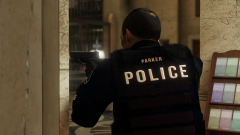
From the album: Random Stuffs
-
-
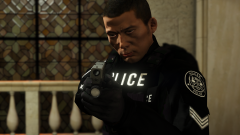
From the album: Random Stuffs
-
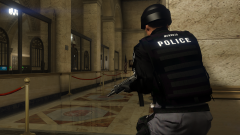
From the album: Random Stuffs
-
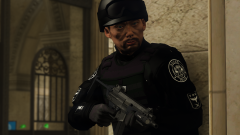
From the album: Random Stuffs
-
Check out this post:
-