


GunnDawg
Members
-
Joined
-
Last visited
Everything posted by GunnDawg
-
I released an EUP vest mod that has black sheriff vests.
-
Is it normal that the siren has to come on every time you go to stage 3 lighting to initiate a pull over? Even worse is that when I shut it off, do my traffic stop and get back in, the siren comes right back on. The only way I've found to fix this is by hitting the G key to toggle the siren sound key every time I turn off my siren. It's quite frustrating. I'd much have full control over my sirens with the number keys, which works fine.
-
yeah I'm starting to wonder if SirenMastery is really worth it if all I want is my Highway Patrol (CHP theme) to use the CHP siren, because that's the only ones using Siren Mastery. Might just scrap this idea. Although I do like the ability to quickly and easily increase or decrease the volume of the siren in sirenmastery config. Lots of good sirens I would like to use but are just too quite for me (I'm deaf in 1 ear).
-
New to Siren Mastery and I think I'm pretty close to having it setup and working correctly with ELS. I'm used to being able to cycle all 3 light cycles without the sirens coming on automatically, then just using 1, 2, 3, 4, etc, etc to turn on and off that siren tone. the 1, 2, 3, 4 keys work fine, except my default siren leeks through behind the siren mastery one, so I'm hearing both. And also when I load in and hit light stage 3 it auto turns on sirens. I can get hit G first and then cycle to 3 without any sirens, but is there any way to avoid that first step? And why are both sirens playing with the number keys? I'll post my config files. Appreciate any info you can provide. VehicleSirenSetup.xml GeneralConfig.ini Car ELS file (hpcvpi.xml)
-
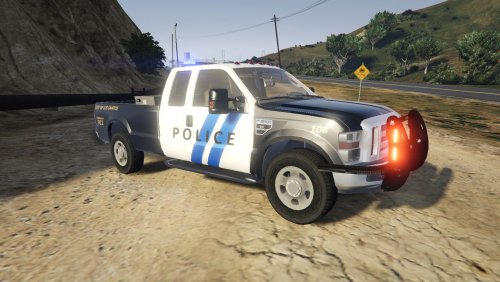 I feel like I've done that on another model and it didn't work, so I figured it didn't work on any models. I'll try it again. EDIT: Alright I did that and it worked fine. Thanks! I still think a slick top version with some visor lights would be neat. But I understand it's your creation and your vision, so do with it what you want. I'm just offering suggestions!
- 7 comments
- 2 reviews
-
-

- 1
-
-
Is there any way to get a non marked livery? Just a solid color? I'd love to use this truck unmarked. Even a slicktop unmarked version would be nice. Otherwise, great looking truck! Love the lights.
- 7 comments
- 2 reviews
-
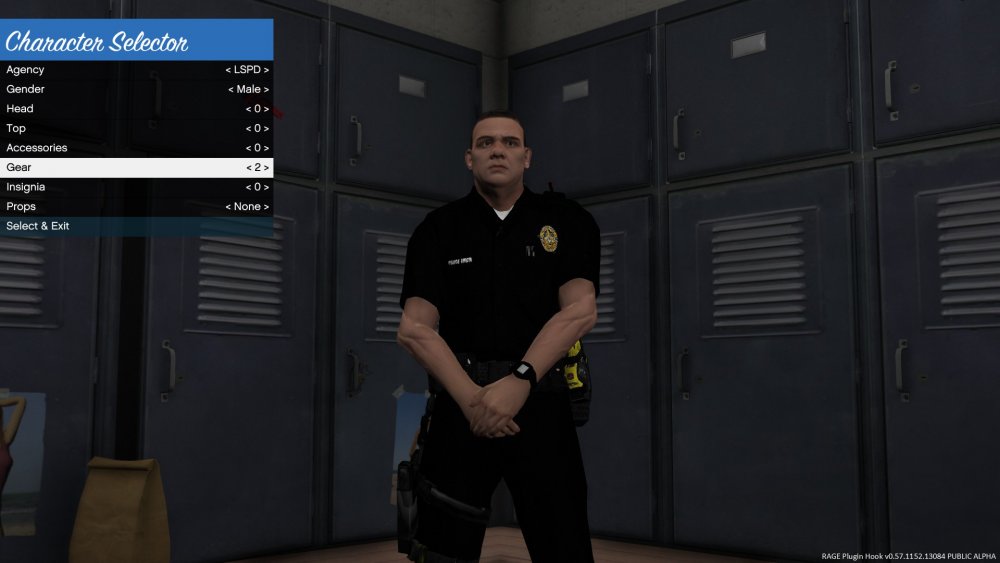
I've made a post about this in the past and I either worded it poorly or no one knew, so I'll try again, using a screenshot. I'm trying to get my Custom Backup ped to spawn with the hip holder like shown in the screenshot. I've tried comp_gear="2" comp_tasks="2" comp_task="2" in the <ped> tag, with no luck. I've even tried to replace that "2" with a "3" thinking maybe the game counted 0 as 1. Any suggestions here folks? When I hit the panic button the police transport van showed up with them wearing the thigh holster like I want, but I couldn't find anywhere in the .xml with police transport where they set that.
-
 I'm about to try this as I think it would look and work good in a gang unit themed play. I do have one question though. In your current features you have "Dynamic callout spawnpoints" listed. I feel like one of us doesn't understand the definition of the word Dynamic here. Seems like that word is reserved for things that may or may not happen organically or somewhat random. Being able to have so much control on the exact spot something, does not seem like it's dynamic. I think "Custom Callout spawnpoints" might be the better term here, but I could be wrong. Great work! I'll fill in a review when I've tried them out!
- 204 comments
- 22 reviews
-
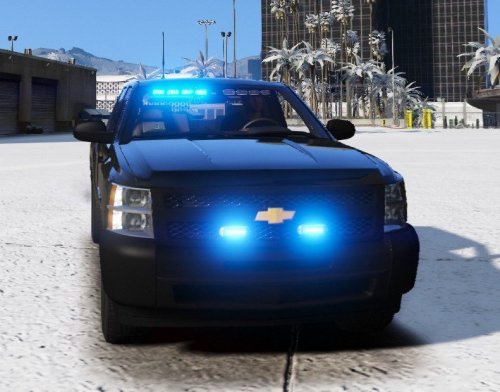 Fantastic vehicle that looks and works great during any and all of your undercover operations! The lighting is up to my standards and that's saying something because I'm picky when it comes to lights! Great work Candice!
- 31 comments
- 15 reviews
-
-
- 1
-
-
I've put out my first mod that gives you more [EUP] vest livery options. I've added the Police and Sheriff gang units, narcotics units, warrant divisions, probation office, and U.S. Marshals. Feel free to give them a look and offer up any suggestions!
-
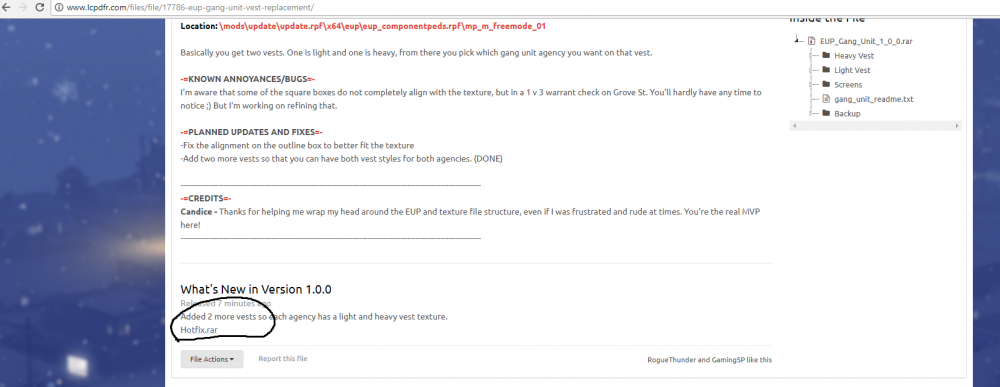
Sigh.... I just uploaded a new version of my mod and that stupid hotfix.rar file/link popped up again...
-
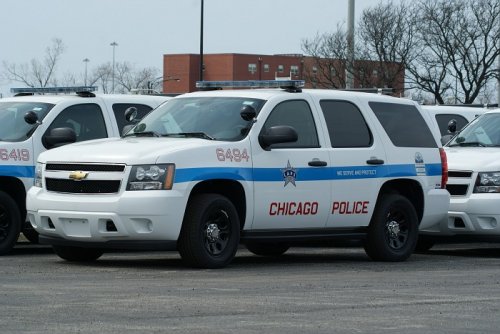 TWISTEDSCOPE is doing a Chicago pack? I wish he'd let us have the LAPD pack again :(
- 43 comments
- 10 reviews
-
-
- 1
-
-
Thank you Cyan. Not sure why I wasn't able to and rather than make it look like I'm trying to horde the "Recently Updated" list by constantly trying to delete it, which makes it show as updated every time I try, I figured I'd just ask here. Thanks again boss.
-
I've tried dozens of times now to delete it. I backspace it all the way, it's no longer there, hit SAVE and it shows right back up.
-
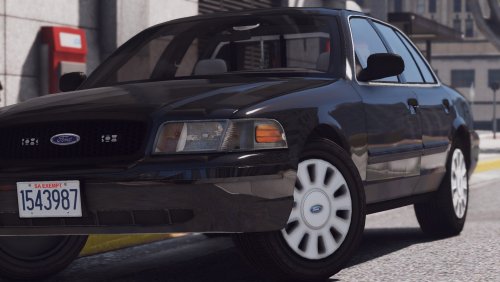 No worries man, just offering some suggestions, still a very beautiful model. Thanks!
- 19 comments
- 10 reviews
-
-
- 1
-
-
Well right now it's "unmarked", which means it doesn't have any police markings or agency livery. But a true undercover you would not see the huge antennas, the rifles/shotguns in the car, etc, etc There IS a difference between undercover and unmarked.
- 19 comments
- 10 reviews
-
-
When I go to "Upload new version" to bring up the ability to edit that "What's new" section. It doesn't show up in the edit box. I'd be happy to PM you or post the mod I'm talking about here if you want, I just didn't want people to think I was using this to advertise, so I didnt'
-
First time uploading files here in the mods section so I'm fumbling all over the place. On my mods page I meant to upload a new version but it put the file as a link in my "what's new" portion of the update. I'd rather people didn't download that. I've hit the delete button next to the file in question (hotfix.rar) on the 'Upload new version" page, but that didn't seem to remove it once I saved the changes
-
I've been wanting to see more sheriffs in the Davis area as it's made after the Compton, CA area and that's the only sheriff station in L.A. I believe. I saw this mod "Cops - Back on the beat" mod that sounds like it might do something like what I just described but I'm not entirely sure and before I go fussing with a 2 and a half year old mod I figured I'd ask here. Does it work well with LSPDFR and will it do what I'm after?
-
Kallus you can just mark this for deletion if you'd rather.
-
I've uploaded my first mod here but made a pretty serious spelling error. I've looked around my account, my files, etc, etc for an edit function but cannot find one. To avoid advertisement I won't actually post it here (unless requested), but would love to be able to edit that! Disregard it's in the File Actions menu. Sorry!
-
Fantastic release Candice! This will go great with my gang unit setup! My only input would be the back window lights don't seem to emit any light at night (tested at setDayTime 24) they just seem like flat color textures with no radiance to them, however they emit light during the day, which is odd! Otherwise great job Candice!
- 31 comments
- 15 reviews
-
.thumb.jpg.53e6566fc11617e23f7fb13f2792cbbe.jpg) Is there any way to fix the lights on the light bar? They're kind of an orange color where ass the back lights, side/intersection little lights, etc, etc are all showing a proper red color. But the lightbar lights just seem orange.
Is there any way to fix the lights on the light bar? They're kind of an orange color where ass the back lights, side/intersection little lights, etc, etc are all showing a proper red color. But the lightbar lights just seem orange.- 132 comments
- 63 reviews
-
.thumb.jpg.4066677156985e22489bfecddc2f6c45.jpg) Is there any way to fix the lights on the light bar? They're kind of an orange color where ass the back lights, side/intersection little lights, etc, etc are all showing a proper red color. But the lightbar lights just seem orange.
Is there any way to fix the lights on the light bar? They're kind of an orange color where ass the back lights, side/intersection little lights, etc, etc are all showing a proper red color. But the lightbar lights just seem orange.- 376 comments
- 81 reviews


.thumb.jpg.53e6566fc11617e23f7fb13f2792cbbe.jpg)
.thumb.jpg.4066677156985e22489bfecddc2f6c45.jpg)