


PgUp
Members
-
Joined
-
Last visited
Everything posted by PgUp
-
I was gonna touch that but I'm not gonna instigate Not exactly sure what you want to do be done in beta testing but I'm keen as fuck to get a fire truck before everyone else, I'll give it a go Wrong, this is why aliens don't visit:

-
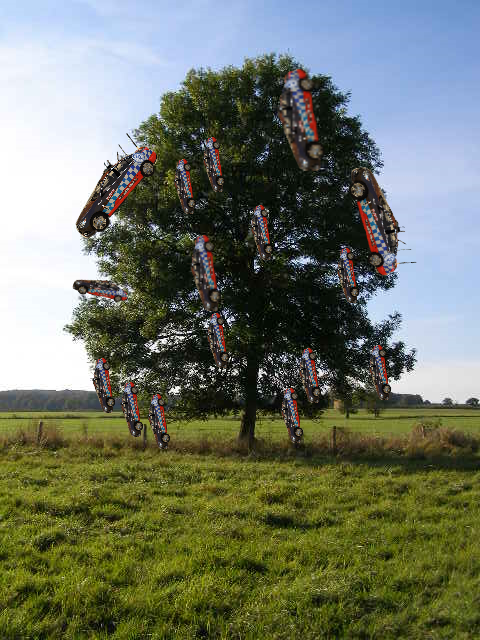
They do, here's proof
-
Unfortunately the visual mods make it a 'wee bit too dark. Redux is no different than VisualV on weather/time/darkness (see why here: http://www.pcgamer.com/gta-5-redux-mod-maker-accused-of-stealing-other-modders-work/ This one's actually the one I read, it's a better article: http://www.eurogamer.net/articles/2016-09-20-gta-5-mod-makers-go-to-war) Perhaps stockpile on Redux while you can, save it on a USB somewhere, I remember Pinnacle of V was hectic but the mod creator removed all download sources from the web when he was accused of stealing from other mods and putting it in his own.
-
That was pretty much me, I'm really only in it for reflection enhancement, enhancing the colours is a bonus but they're still good as vanilla. I'm not bothered by puddles and all that jazz. I like the vanilla night time darkness better because I can still see everything around me without needing some form of light, practicality > realism.
-
Neither from using it, given it's an improvement but it's nothing like the trailers showed. The Pinnacle of V reshader looks better from what I've seen. Anyway peeps: This album will grow the more I play. I'm not as good as Skillful at getting those dank professional photography angles (given these are just takenwhile out on patrol, just with disabled HUD and Radar instead of being in the editor/director thingo) but they still look good. Quality might improve as I fiddle with what reshader I use.
-
GTA5_2016_09_26_19_12_59_085.png.ceb2c179c00e4979da7c32d528d17cd4.png)
From the album: Pics of Some Stuff 'n' Things
"Maybe I should actually fill this car up instead of snapping photos of it.." -
GTA5_2016_09_26_19_12_23_106.png.4c72ee2159a806c2e9fbd1f980eca2ed.png)
From the album: Pics of Some Stuff 'n' Things
Filled up the car with unleaded, filled up the officer with Krispy Kremes. -
GTA5_2016_09_26_19_07_14_894.png.0ee9f2c092dbfa7f4017eefc0a2d8efb.png)
From the album: Pics of Some Stuff 'n' Things
Snapping a lot of photos instead of actually doing police work.. -
GTA5_2016_09_26_19_07_05_013.png.3cbd6e456a9817d1daf6e85f813d9cb7.png)
From the album: Pics of Some Stuff 'n' Things
Good luck eating this booty like groceries -
GTA5_2016_09_26_19_06_49_128.png.a66b200ab37685256f72f5fae16632c8.png)
From the album: Pics of Some Stuff 'n' Things
There's something special about the front end of a commodore.. -
GTA5_2016_09_26_19_06_36_479.png.65c685f64c86f602d798f5ede2bc8496.png)
From the album: Pics of Some Stuff 'n' Things
"Snap my good side" -
GTA5_2016_09_26_19_05_48_576.png.525ce52789312348d27821493b87c569.png)
From the album: Pics of Some Stuff 'n' Things
"Watching from above" -
-
-
GTA5_2016_09_26_18_55_42_494.png.6f3523556d29ced252b7d6f70521e988.png)
From the album: Pics of Some Stuff 'n' Things
Female running from the police in a heavy vehicle, lead me on a chase from Vinewood Hills to Sandy Shores. Two spike strip deployments surely stopped her. -
@AussieGaming I recommend looking through @SkillfulCorpse's gallery, he's got some hectic and amazing desktop worthy images.
-
I'll get on later and take heaps and make them public, I'll put them in a spoiler, I'd upload to an actual image sharing site but they all pixellate the images and make them look shit, LSPDFR is one of the only sites that doesn't.
-
Redux readme says expect 5-20FPS drop using the mod and reshader (varies on the reshader you choose) I got like 55-80 FPS on a clean game, and I've not noticed any FPS drop, but I'm using Gsync which smooths it out a lot. I'll do a benchmark when I finally feel like hopping out of bed MSAA 8x FXAA On MFAA (nVidia control panel) On (I could probably turn this off this is just meant to make lower MSAA look better) Only chews up like an extra 5-10 FPS doing 8x MSAA instead of 4x, using abit over 3GB of 8GB VRAM. Edit: I thought it'd fuck with RDE because I think it changes the dispatch, but apparently not? I still got RDE cars dispatching, I can't seem to get a HWAYCAR to chase me when I drive onto the highway while wanted though, could easily switch the dispatch files but. Hahaha I was thinking of doing that myself, perhaps more pics to come if people like? It's not god tier like the 4K screenshots on some of the American texture packs but still pre good. Im sad about the reflections not meeting my expectation but I will be exploring how to make them mint.
-
Looks too good not to share, I reckon it can still look better, this is using "Deep and Rich" reshader + Redux. I'm yet to explore other reshaders. Reflections still looking abit matte-y at some angles but yeh, we'll see how other reshaders and settings/whatnot goes. With only FXAA (forgot to retune my settings when I re installed game) Flashy wee woo's Angle's n shit (With FXAA and 8x MSAA) Verdict: Not including weather and other shit Redux does, I think Redux imrpoves colours greatly, and reflections a little, like I said, still looking matte-y at angles and mint at others (BUT that could just be this reshader and others could look sick). I'd like to know what exact reshader and settings the dev(s) were pumping for the trailer, the reflections in that were sick and I can't seem to find anything like it looking at screenshots and whatnot, maybe we were stitched up, I'll be changing through the reshaders later trying to find the best one for all that jazz.
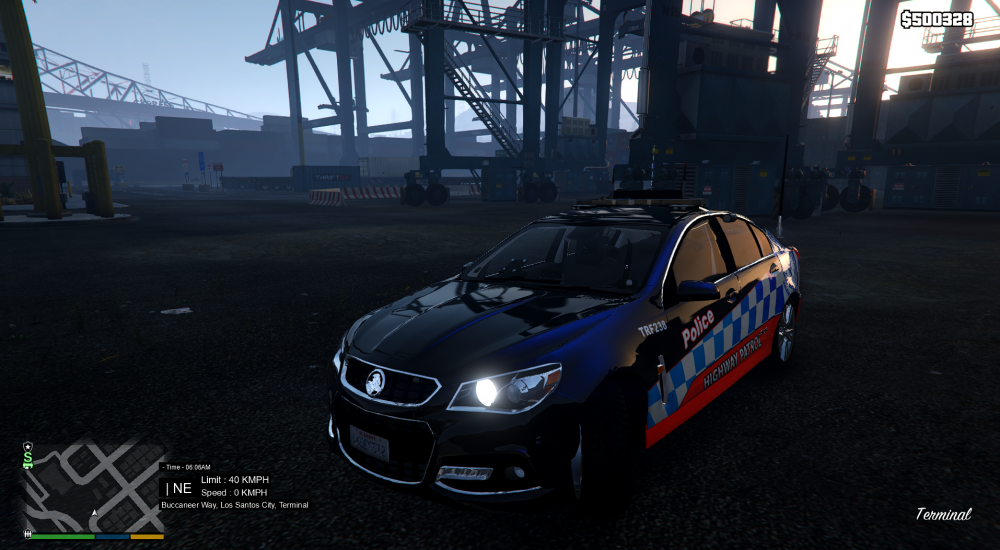
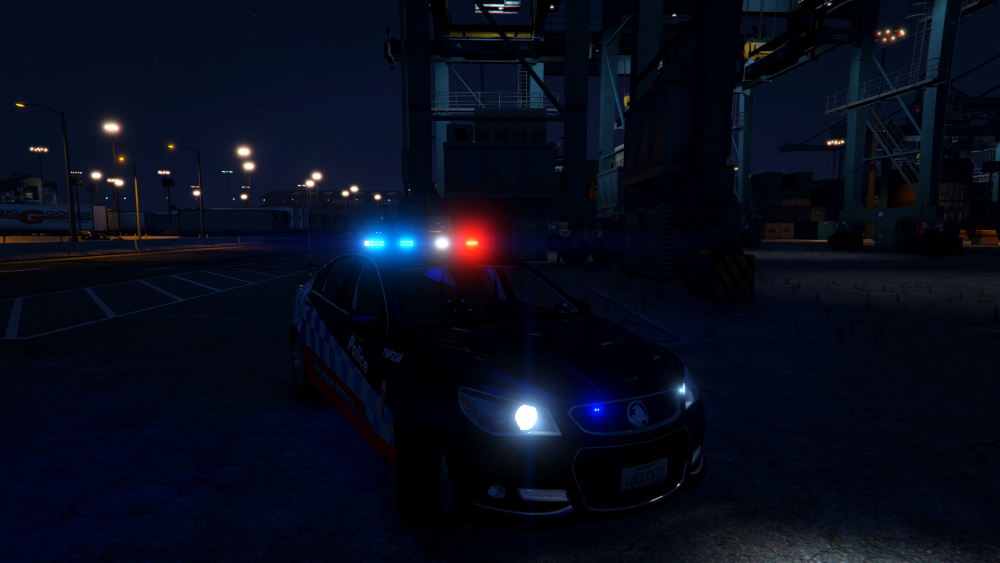
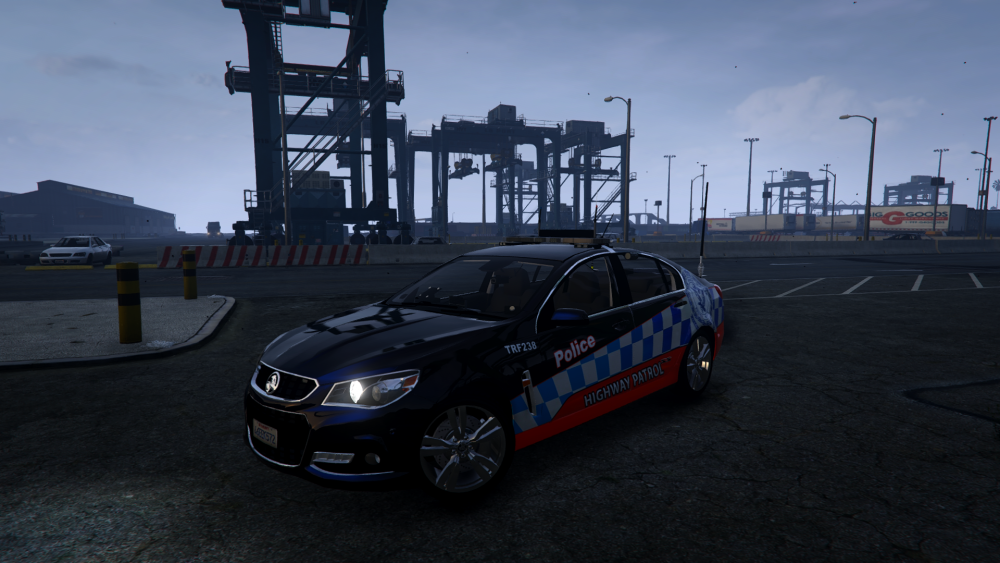
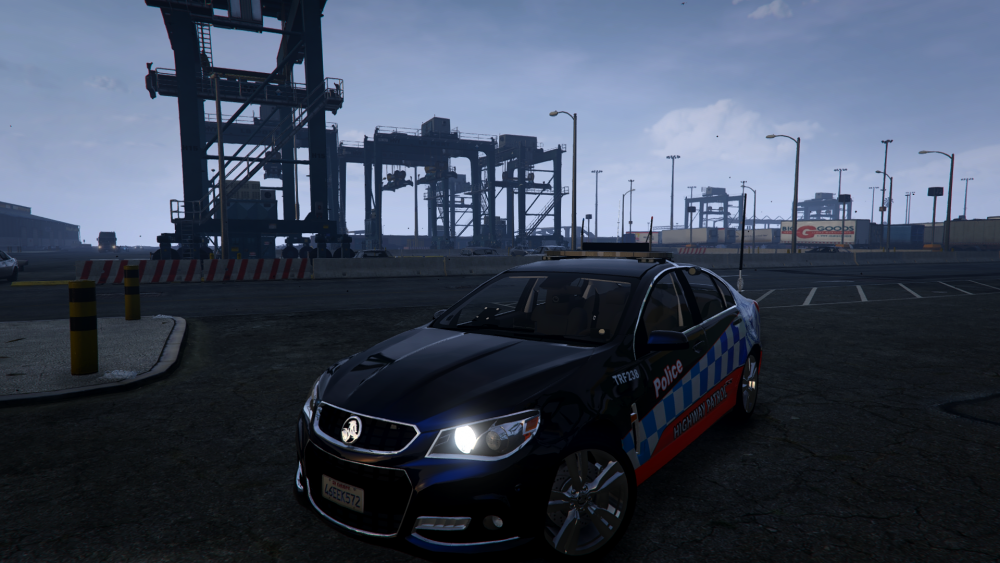
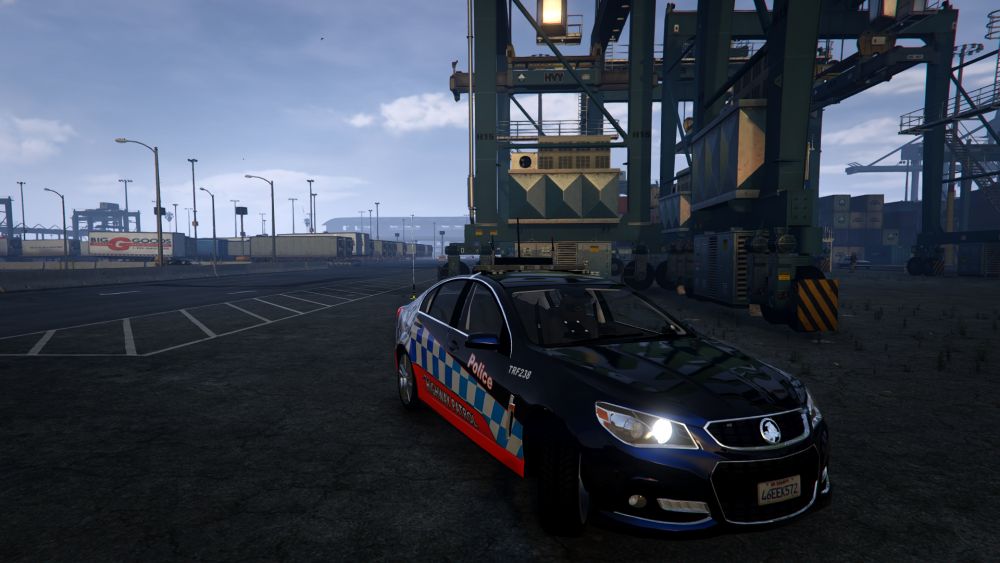
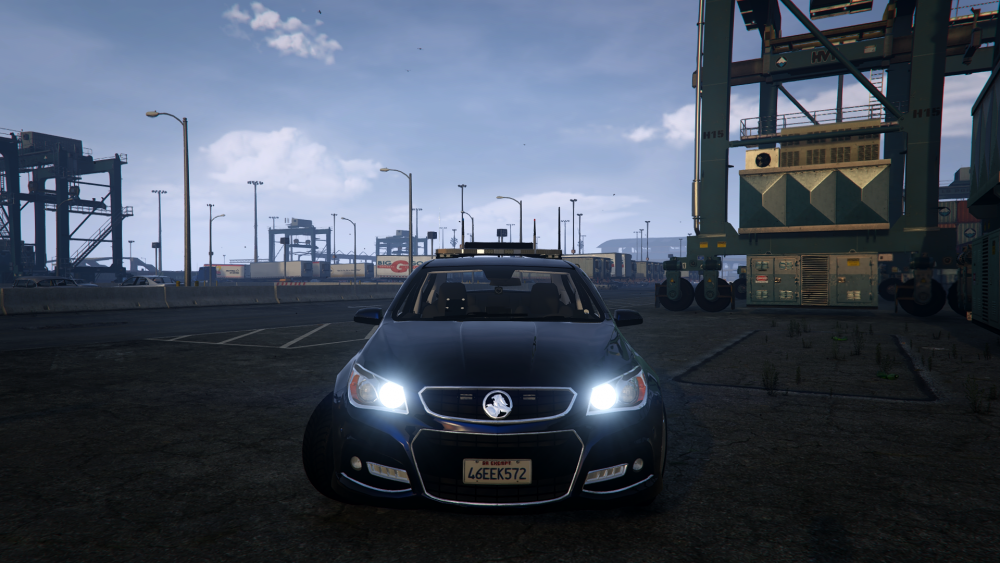
-
They are - PC is barely a month old and installed the latest nVidia driver straight up and no updates for the BIOs and other stuff that came with the mobo driver disc. Ohh rats, I thought so. Time to drop another two and a half grand ;-/
-
Yeah tell ya what, this game is a pain in the arse and I've nearly had it with just how easy it can break. This time doesnt seem to be mods for me just a shitty rockstar problem, sucks though because I'd only just sorted out the main cars I wanted, didn't get to add things like the Hilux and Territory yet tho, and had just gotten Redux installed with the reshader I wanted. Also.. On this PC I get a blue/sky blue-ish flicker every so often on GTA. Anyone else got this? Just does it once every few minutes.
-
just tried repairing, here's to hoping that works. Nope, hahaha fuck me dead, fuck this game so hard.
-
Was gonna show ya'll how sick the Aussie cars came up using the redux mod and reshaders but my game suddenly decided to start getting stuck on an infinite loading loop
-
what sprinter model is that?
-
Begs the question what the MPs do all day.

GTA5_2016_09_26_19_12_59_085.png.ceb2c179c00e4979da7c32d528d17cd4.png)
GTA5_2016_09_26_19_12_23_106.png.4c72ee2159a806c2e9fbd1f980eca2ed.png)
GTA5_2016_09_26_19_07_14_894.png.0ee9f2c092dbfa7f4017eefc0a2d8efb.png)
GTA5_2016_09_26_19_07_05_013.png.3cbd6e456a9817d1daf6e85f813d9cb7.png)
GTA5_2016_09_26_19_06_49_128.png.a66b200ab37685256f72f5fae16632c8.png)
GTA5_2016_09_26_19_06_36_479.png.65c685f64c86f602d798f5ede2bc8496.png)
GTA5_2016_09_26_19_05_48_576.png.525ce52789312348d27821493b87c569.png)
GTA5_2016_09_26_19_01_12_020.png.9dce52f1bb61e7a5cb1a25eda4ce52c1.png)
GTA5_2016_09_26_18_58_25_188.png.32f1d97fe95089a816a28ea007620fd4.png)
GTA5_2016_09_26_18_55_42_494.png.6f3523556d29ced252b7d6f70521e988.png)


