PgUp
Members
-
Joined
-
Last visited
Everything posted by PgUp
-
V8 Supercars nearly at my doorstep and this present on the same day.. Today is a good day.
-
.thumb.png.cae3342e3a84eb4722b9ad62a2bd0550.png) Just the amount of man hours, custom work and an extraordinary effort gone into a model, I at least, previously thought it was unimaginable. With every release, you out-do yourself.. In the wise words of a famous actor, "Wow".
Just the amount of man hours, custom work and an extraordinary effort gone into a model, I at least, previously thought it was unimaginable. With every release, you out-do yourself.. In the wise words of a famous actor, "Wow".- 16 comments
- 4 reviews
-
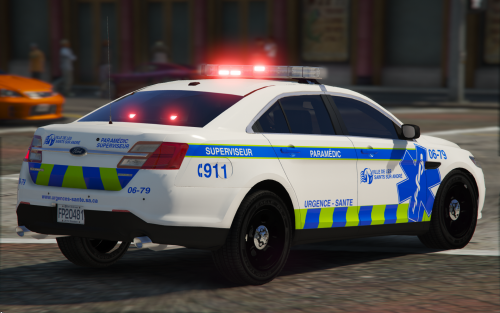 10/10, a Whelen Freedom that does top/bottom patterns as well as blocky, you've won ma heart. Keen to see if top/bottom flashing makes it to some police vehicles (unless it already has and I've missed it, not hinting or nudging or anything)
- 12 comments
- 6 reviews
-
-

- 1
-
-
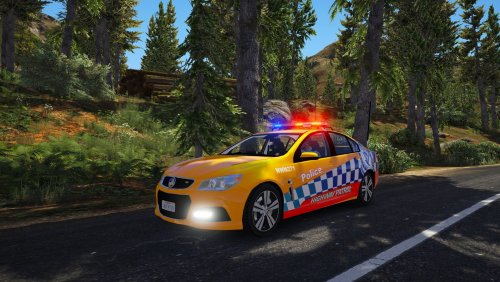 Good model, except I had to change the handling line to make the model slower to reflect the real car!
- 8 comments
- 5 reviews
-
-
- 1
-
-
The difference between a Holden and Ford is that the Ford at least made it to the side of the road... ... The Holden didn't even make it out of the driveway.
-
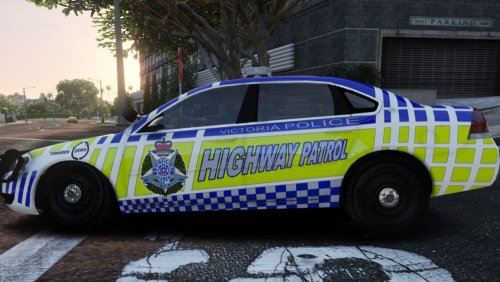 Oh my, I had no idea Australian liveries worked so well with the Impala. Almost can't tell that it's not a car we use here at all, it certainly looks the part. Good work my guy.
- 5 comments
- 2 reviews
-
I remember being confused about it all too, trust me - just keep on watching those tutorials! Start with plugins, they're as simple as following a file path (usually the same one that came in the zip, so when you open plugins in your zip, open plugins in your GTAV directory and so on - otherwise there will be a readme directing you, or a note on the mod page). Eventually, with the help of YouTube videos progress to vehicles using a mods folder (Easiest way to get files into your mods folder is to go to the original .rpf in OpenIV, open it in edit mode and click the button that'll say 'Copy to Mods Folder') With vehicles, I only use ELS vehicles now because they're a simple drag & drop! I don't edit any of the .meta's anymore because it takes more effort than I'd like (Because I frequently switch out vehicles, I want to rack up hours in-game, not looking at a .meta file!) and I risk screwing up my game if I don't notice I've pasted it wrong or accidentally added a space or slash somewhere where it can't be, etc.. Drag & drop the vehicle files into latest patchday > Drag and drop the ELS vcf file into the folder where they go > Done, rinse and repeat for all ELS vehicles. On your auto install note - you probably won't see that in like a pack way, because then you get one person who controls a whole install program for all these separate mods and it gets messy in the way of trust.. Ownership claims, malicious adverts etc become an annoying possibility, also everyone's updating their files at a difference pace. The best you'll see is like how mods such as VisualV and EUP do it, whereas you install the individual mods with a package installer inside OpenIV - easy as because OpenIV does it for you, but unfortunately not many mods do it that way. Hope that all helped.
-
-
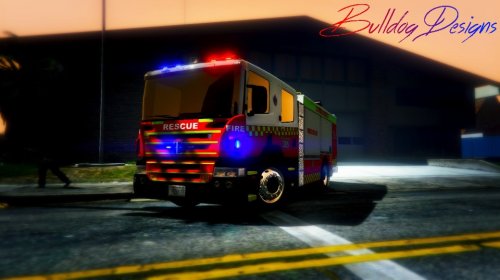 I've been using American vehicles for a while and just switched back. Forgot how good this was, tbh. Very noice. You got anything else in production we can look forward to @Bulldog Designs?
- 21 comments
- 3 reviews
-
-
- 1
-
-
We plan on expanding on the Wiki section in the near future. If you have any suggestions for the wiki, feel free to PM anybody on the Content Team (Fiskey111, Requies or myself) or create a suggestion thread and tag us. Cheers.
-
 Welcome to the revamped Month in Review! This month we’re focusing on every area of the site, including site uploads like vehicles, scripts, and textures as well as media that involves LSPDFR like gallery uploads and a video by one of our awesome players! Get ready to go down memory lane, the Month in Review starts here!
 -
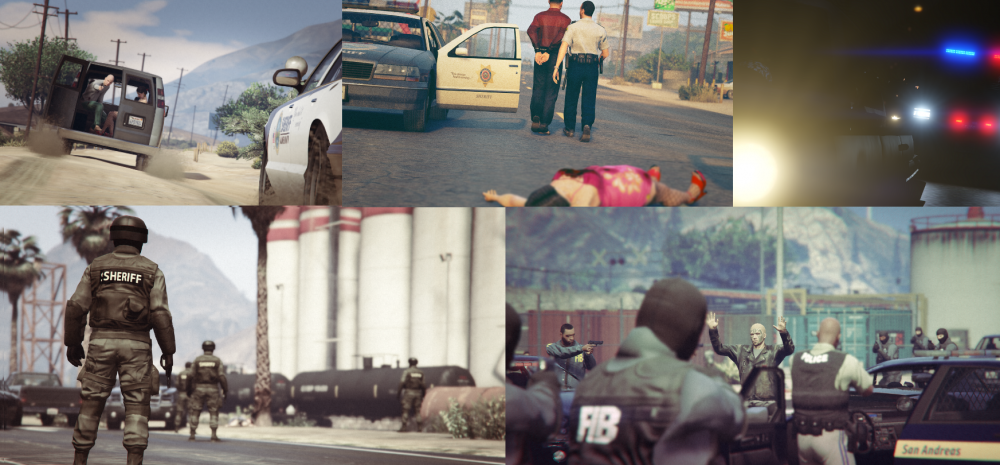
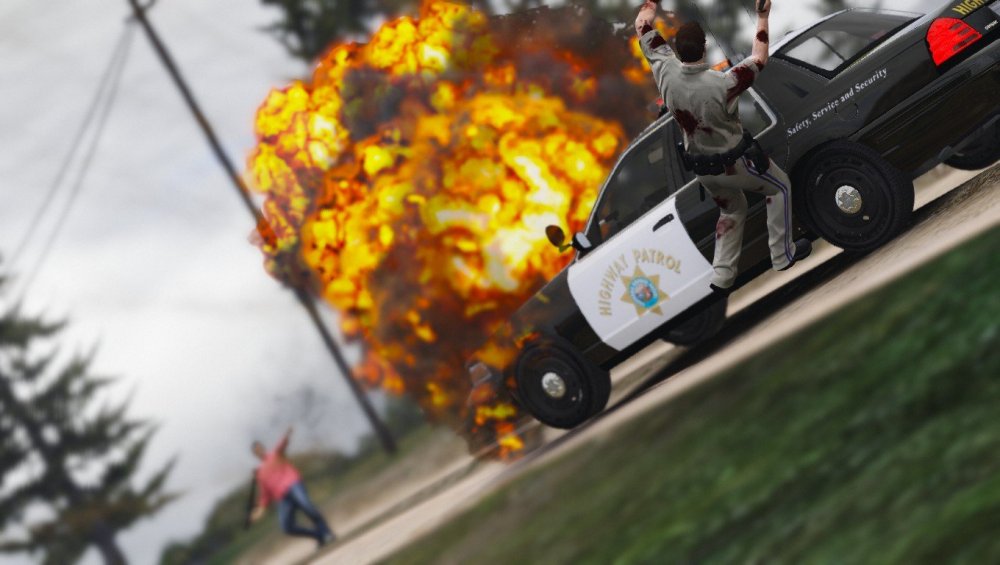
Welcome to the revamped Month in Review! This month we’re focusing on every area of the site, including site uploads like vehicles, scripts, and textures as well as media that involves LSPDFR like gallery uploads and a video by one of our awesome players! Get ready to go down memory lane, the Month in Review starts here! June was no doubt one of the most action-packed months we’ve had so far this year in regards to Grand Theft Auto modding. June 2017 was no doubt forged into PC gaming and modding history book with Take Two Interactive’s brief ka-fuffle with OpenIV (the result of which you can read about here). More localised though, it was a big month here on LCPDFR.com as well - we had some amazing releases as well as on June 27th we hit our 250,000 member milestone! Now more than a quarter of a million people call LSPDFR their community. Alright now, time to have a gander at some of the good stuff that June had to offer! Site Uploads Vehicle Mods LSPD Pack [ELS] by @thegreathah Everybody loves car packs! They’re easy, convenient and always contain top-notch work. In June thegreathah graced us with a LSPD pack with some tough looking models made for ELS. I personally love car packs which use real life models, but with lore-friendly skins. Go check out the pack below. Ford Police Responder Hybrid [ELS] by @heuuu This one’s for you tree huggers! Have you found yourself concerned about your virtual carbon footprint within Los Santos while on duty? Angry that the department had only funded gas-guzzling V8’s and bulky SUV’s? No more! heuuu’s latest release has given us the opportunity to global warming into our own hands. Check it out! MTL Botlle Nose Ladder 15EX Truck by @GlitchGamer Ever felt like there was a ladder truck hole in your life or mods folder? You need not to feel that pain anymore. @GlitchGamer has released his almost fully functional WIP MTL, configured for ELS and all! The serious attention to detail is still to come, the mod page tells us that @alexguirre is working on a script which will allow users to utilise the ladder and legs of the truck. Simply amazing. 2016 Mustang GT350R [ELS] by @Masterschwag We’re reaching a point in GTA:V where we’ve nearly seen everything - nearly, that is. You can stick to your crown vic’s and explorer’s, but I’ll be sure to wave to you as I scream past *respect the road rules and speed limits* and patrol these mean streets in style! Disclaimer: Please don’t use this model near crowds. Vehicle Textures @BradM's texture pack(s) If you’re one of those ‘officers’ that believe that policing is more about style than making a positive impact on the lives of the citizens of San Andreas, this pack is for you! BradM released this complete texture pack to suit a variety of our favourite cars. It features a wide range of different styled lore-friendly skins and it’s something you’ll want to have in your game ASAP! BradM was an extremely busy man in June and also managed to release two WIP texture packs, so I’d like to briefly give a special spotlight to these texture packs as well: Ped Textures EUP 7.5 L&O + S&R by @Alex_Ashfold Perhaps one of the most anticipated and biggest releases of the month of June was EUP 7.5. This version of the near-essential modification, EUP, brings us new or modified accessories and badges, completely new law enforcement uniforms AND an all new Serve & Rescue add-on pack which includes goodies ranging from private security outfits to coast guard uniforms! Check out both packs below. Script Modifications AmbientFX by @dilapidated Grand Theft Auto’s graphics were almost unrivalled at release, it was truly a beautiful game and continues to be - that’s why it always amazes me when somebody finds a way to make it look or feel even better. AmbientFX does just that - it improves and enhances the effects with the aim giving the game a more natural and immersive feel. Without a doubt, this modification does just as it’s set out to do, and I'd wager that it's probably as essential to have in your game as VisualV by cvippack . Check out AmbientFX below. EMS Mod Beta by @NDev Emergency Medical Services and personnel no doubt hold a very special place in all of our hearts, they treat our boo-boo’s and look after us at our worst - while amongst all the chaos, pursuits and gunfire which San Andreas is famous for, it’s easy to forget about the guys and gals who rush out the pedestrians which you continue to mow down. EMS Mod by NDev allows you to play as such, at times perhaps forgotten, angels! The script is a WIP in beta phase and features eight callouts so far and has some serious potential, I’m very keen to see the finished product and I’m sure you will be too! Media Gallery Screenshots @Aquamenti Aquamenti’s June additions to his ‘Aquamenti Police and Workshop and Museum’ album: "There can be no excuse", "Under control", "Fortune favors the bold", "End of the line" and "Catching up" take the cake this month, his repeated use of photographic techniques such as editing, filters and distinctive camera angles certainly earns a mention. @DakotaM990 I’d like to give a special mention to DakotaM990’s chaotic, action image "Someone is having a bad day", though. This image looks like it just came out of a Michael Bay movie, truly! Youtube Video of the Month This month’s YouTube Video of the Month has to go to @STEVETHEGAMER for his stream featuring our very own snowman-loving, bunker transportation-vehicle-driving, community manager @willpv23. Any video which features the unofficial LSPDFR mascot (The Snowman) takes the cake! That's a wrap for this review! A special thank you to @Fiskey111 for his contributions to the article.
-
Those non-binary inanimate objects prefer to be described as T H I C C instead of 'phat', which is offensive. Do your homework!
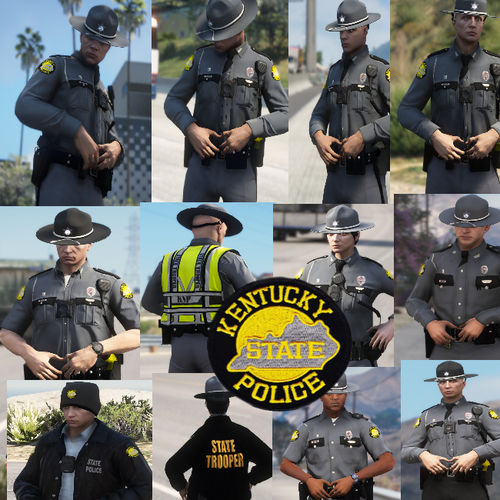 Really enjoying the radio mic cable along the back and the hat strap.. It's the little things..
- 13 comments
- 3 reviews
-
-
- 2
-
Tfw you'd like to do this but also preserve precious SSD space.Might be the tint? Try changing through the window tints with simple trainer I've had this problem with a Code 3 Defender bar going black because of weird tint settings, otherwise I think it's a line in the vehicles.meta iirc, but I could be wrong. Could be something else causing the same thing though but idk, give it a shot.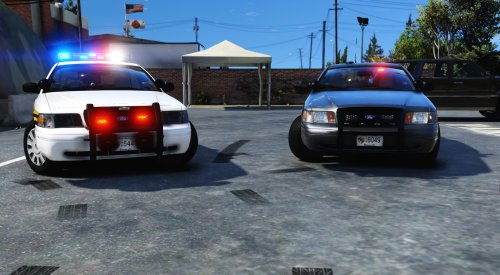 I've long awaited a CVPI model with the newest Whelen Freedom bar with six column's at rear (not including diagonals, old freedom versions have just four), and pack has the first one I've seen. Well done, and for feeding my Whelen light bar addiction, it's earned a feature .
- 46 comments
- 17 reviews
-
-
- 1
-
Yep, we can reveal that the Pajero will have four wheels and bike will have two. Stay tuned for more leaked info on these models.Amazing idea, I recall we've had a few members try to tackle this massive task of making a 'realistic' pack before, but unsure what happened to them. How far along are you in this project?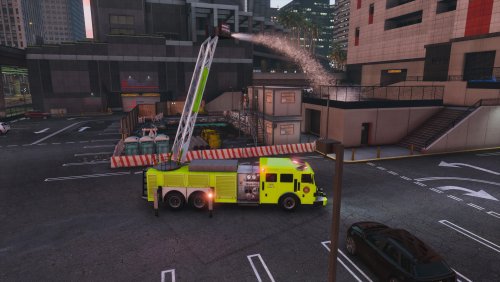 This is an amazing truck, and getting a script made for the ladder and legs really is attention to detail! The finished product will definitely earn a spot on our feature page, I'm really keen to see the end result w/ script.
- 53 comments
- 7 reviews
-
-
- 1
-
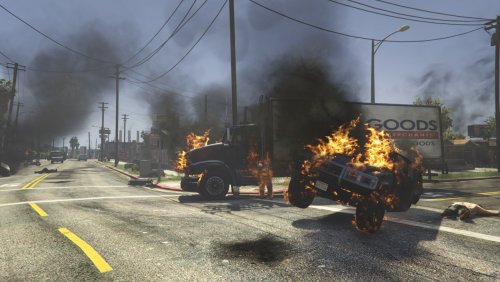 It's actually really good to see a mod that touches smoke, there should've been an option from vanilla to amp FX up further on PC's, but I think R* underestimated the power of most of our PC's.
- 17 comments
- 12 reviews
-
-
- 1
-
That's exactly what the plan is, a few releases from now when I return to YT spotlights.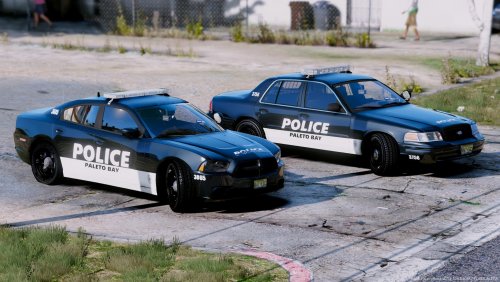 @Mr.Kindness Do I spy with my little eye in that screenshot of your beta vehicle the first Whelen Edge Ultra Freedom IV for ELS? --------------------------------- Were you thinking of this CVPI with an older Whelen Freedom bar?:
- 6 comments
- 3 reviews
.thumb.png.cae3342e3a84eb4722b9ad62a2bd0550.png)