


Lapd Code 3
Members
-
Joined
-
Last visited
Everything posted by Lapd Code 3
-
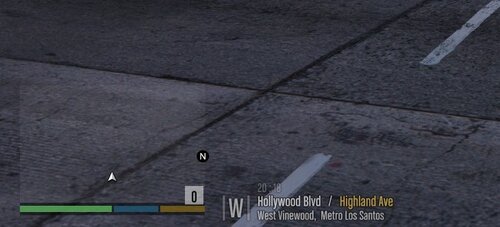 has this been updated for SP too?
 -
-
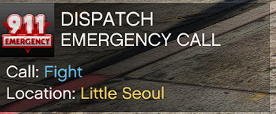 you should call this Priority Callouts since a majority of the calls are top priority
 -
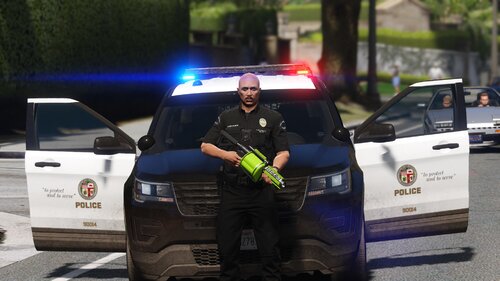 pretty sure this is how a 40 mm launcher looks like A+ For effort tho
 -
 .........clean the audio too much bass
 -
COMING SOON TO LSPDFR
.thumb.png.b5d81286b26f99caecc367b79668e8a7.png)
.thumb.png.6d3674c5f927451a96d2483ae10e7eec.png)
.thumb.png.49c31b2caaf21270169add65c3722468.png)
-
-
has this been confirmed if it works using your method?
 thank you for resurrecting this callout pack will there be more calls added soon
- 166 comments
- 75 reviews
 ill give it a joyride too
 will this be updated with more annoyed quotes muted
finally! someone stepped up and did something about this annoyance in-game
will this be updated with more annoyed quotes muted
finally! someone stepped up and did something about this annoyance in-game we were aware it was a 2011/12 model they use it was my request to make one and we couldnt find the one we seen in images so we improvised
- 8 comments
- 1 review
-
-

- 1
-



.png.734bfc7ba7805a073773a9e0611f26a9.png)
.png.4bc0a4ff7a16bf3807ef623d1df3a463.png)
.png.11e541316ebc984e3022d0bde30409f0.png)

.png.e228e13eb08c6efd905bc79f23372592.png)
.png.7d5fdf794475705584fd895e69b6391c.png)
.png.2775dab5eba7cb572d3ad5f1bd455b0b.png)




.png.38b7fe6ddac2ccc1b7877d63d0bc6435.png)
.png.ebe45fb3e4e192deeaf634b33f343ae5.png)
.png.6341e5a17cf0ffab12e1e268679a943d.png)
.png.ae3d3d55568c2205e1cdedd10a8c5a34.png)


.thumb.jpg.99cb3a6cc6b7b83827e5834dc6ecf813.jpg)




Account
Navigation
Search
Configure browser push notifications
Chrome (Android)
- Tap the lock icon next to the address bar.
- Tap Permissions → Notifications.
- Adjust your preference.
Chrome (Desktop)
- Click the padlock icon in the address bar.
- Select Site settings.
- Find Notifications and adjust your preference.
Safari (iOS 16.4+)
- Ensure the site is installed via Add to Home Screen.
- Open Settings App → Notifications.
- Find your app name and adjust your preference.
Safari (macOS)
- Go to Safari → Preferences.
- Click the Websites tab.
- Select Notifications in the sidebar.
- Find this website and adjust your preference.
Edge (Android)
- Tap the lock icon next to the address bar.
- Tap Permissions.
- Find Notifications and adjust your preference.
Edge (Desktop)
- Click the padlock icon in the address bar.
- Click Permissions for this site.
- Find Notifications and adjust your preference.
Firefox (Android)
- Go to Settings → Site permissions.
- Tap Notifications.
- Find this site in the list and adjust your preference.
Firefox (Desktop)
- Open Firefox Settings.
- Search for Notifications.
- Find this site in the list and adjust your preference.