


Reddington
Members
-
Joined
Everything posted by Reddington
-
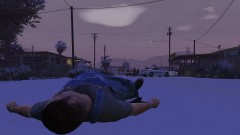
From the album: Red's LSPDFR chaos
-
You know it's going to be a fun call when you walk into a pizza joint and find a guy passed out on the floor.
-
 I second this! @kilroy95 Any chance, please? If not, I can do it and it to my file.
- 131 comments
- 45 reviews
-
Your topic has been moved to LSPDFR 0.4 Support. Please post in the correct location in the future.
-
Your topic has been moved to LSPDFR 0.4 Support. Please post in the correct location in the future.
-
Your topic has been moved to LSPDFR 0.4 Support. Please post in the correct location in the future.
-
Your topic has been moved to LSPDFR 0.4 Support. Please post in the correct location in the future.
-
From the album: Red's LSPDFR chaos
-
From the album: Red's LSPDFR chaos
-
Your topic has been moved to LSPDFR 0.4 Support. Please post in the correct location in the future.
-
This topic has been moved to the appropriate forum. Please post in the correct location in the future.
-
The solution you found is correct. However, you can also drag and drop .dds files into the .ytd as you would pngs or other file types.
-
Hi there, Can you clear something up please - when you say "installed on top of the ones i already have", do you mean you're trying to replace over other modded cars, or vanilla ones?
-
-
Your topic has been moved to LSPDFR 0.4 Support. Please post in the correct location in the future.
-
That is from TrainerV. To fix this, either open the trainer in game and disable keybindings, or go into the INI and remove the binding for that specific function. Your topic has been moved to GTA V Support, this is not LSPDFR related. Please post in the correct location in the future.
-
I can confirm it does happen in 0.3, lol. I'm still using it and had to install a car lock plugin to make sure my cruiser didn't get taken. 😛 You're welcome.
-
Hi Brandon! Please describe the problem(s) you're having exactly.
-
Just to add, I'm not sure if this is what LMS is referring to, but GTA also has a self clean up system. If cars are blocking the way of other traffic, GTA will send in a random ped to steal the car and traffic moving. LMS's post could be about something entirely different that I'm not aware of, though.
-
Offering payments is against our guidelines. All support given on LSPDFR is for free. Furthermore, I strongly advise against having people install it for you. A big part of this mod is trial and error. If you have someone else install the mod, then run into issues, we cannot help you because you have no idea about the install process or anything. Unfortunately, modded GTA is not foolproof. You will have crashes and other issues from time to time. I am closing this topic as you already have one. Good luck!
-
Your topic has been moved to LSPDFR 0.4 Support. Please post in the correct location in the future.
-
From the album: Red's LSPDFR chaos
-
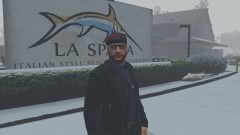
From the album: Off duty shenanigans
-
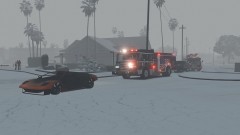
From the album: Off duty shenanigans
-
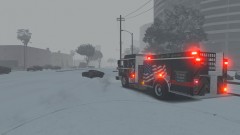
From the album: Off duty shenanigans

