


Reddington
Members
-
Joined
Everything posted by Reddington
-
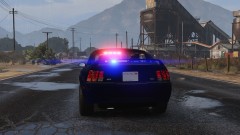
From the album: Red's LSPDFR chaos
-
What changes did you make?
-
Just adding on to Ineseri, it really comes down to what you want. Watch videos on Youtube of LSPDFR, then watch videos of fivem and decide which is bettered suited for you. Single player gameplay with AI and all the mods you want, or multiplayer roleplay with mods limited to what the server uses.
-
-
As of right now, yes, however this has been an on and off issue. I'm not sure if it's something with Firefox, my internet (which would be weird since it doesn't happen in IE or Opera), or just a weird combination of both. Edit Never mind, the lack of CSS issue is happening again. Edit 2: Cyan, does this help at all?
-
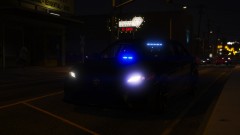
From the album: Red's LSPDFR chaos
-
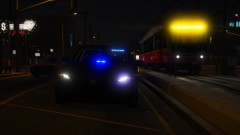
From the album: Red's LSPDFR chaos
-
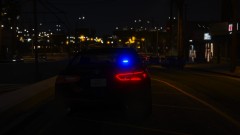
From the album: Red's LSPDFR chaos
-
Just to expand on this, FiveM is purely roleplay between other people. There's no pulling over AI (there are some knock off/quick pullover scripts, but they are sub par and not really fun), no stopping AI to talk to them, it is 100% player x player. The other difference, since it is RP, each server will base their laws, uniforms, cars, etc off whatever they want. For example, one server is based off Florida, another Cali, and so on.
-
With the mods folder, you need to add that path in yourself. It's very simple to do, just go into the vanilla update / x64 / dlcpacks path, go into the patchday you want, and click "edit mode". You will see a red warning telling you you're editing vanilla files and it will give you the option to create said path in the mods folder, do that. This is what you do for all the paths you want.
-
From the album: Red's LSPDFR chaos
-
From the album: Red's LSPDFR chaos
-
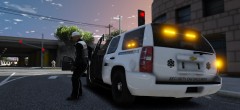 Oohhh, whose Tahoe?
 -
For the past week or two, I've had an issue on the index page and only the index page where randomly, the notifications box will close on its own. I'll have it open, and be in the middle of clicking something, and it'll close after a few seconds. Doesn't happen on other pages, but I have noticed sometimes the notifications box will open a second time, as if the site didn't even recognize it was open. Then I had issues with profiles looking weird, as if the CSS was broken. Did CTRL F5 wondering if that'd fix it, and instead it broke the site completely. Cleared my cookies for LCPDFR, and the site looking broke was fixed. Logged in today and tried opening gallery images, they won't load at all. Cleared cookies again, no go, and now the site is broken again. It seems like only a Firefox issue, but I haven't changed any of my settings or did anything different. [Edit] Now the CSS loads again, but there are still a few broken things. and just as I am testing, the site has mostly gone back to normal, but gallery images still won't load. [Update] As of 22:43, partially broken again.
-
Yes, the ELS XML files need to be edited as well. Under the section EOVERRIDE, you'll see a list of extras. Where it says Color="red" change red to blue.
-
You haven't said what the actual problem is. Does backup just never show up when using vanilla LSPDFR backup? or what happens? You keep saying "fatal error" - why do you believe it's a fatal error? Are you seeing a message? I can tell you for certain it does work.
-
I only just got into GTA modding a year or two ago. I went into it blind and having no idea what to do or how to do it. There were video tutorials out there, but they didn't really hold your hand, which is something I've learned that a lot of people need - not because they are dumb - but because GTA modding is complicated if you have no idea what you're doing. Thus, I began making guides that were written for the community and written in a very simplified way with the goal of giving people a guide in a language they could understand. I have looked over my add-on guide countless times and have done my best to simplify it. As I wrote it, I was actually doing the steps to make sure everything was right. Everything in my guide was written as simply as it could be, there's no other way for me to simplify it even more. Since you didn't tell me all the steps you took, do me a favor, please. When you're properly awake and had your coffee ( 😛 ), try installing a standalone car again via my method. If you have questions, or you're stuck, reply to me here and let me know. I'll try and walk you through it. Remember, follow my guide to a T, don't skip steps or try to rush through it.
-
Unfortunately, you cannot prevent certain extras from being spawned/used, you can only force them. Ha ha, yep. I love The Blacklist. It's such a good show, and James Spader is an amazing actor, I love his character.
-
 No worries man, not trying to rush you. Just was wanting to see if it was still in the works. 🙂
 -
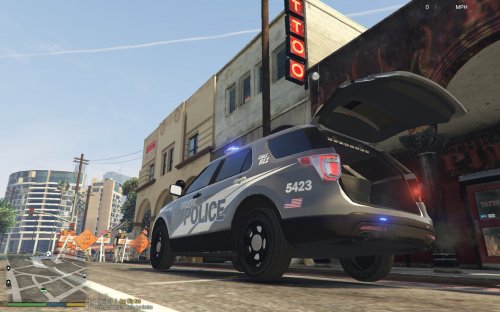
It might be an interesting idea, especially if you keep open trunk and gear gear as separate options, that way we can roleplay having the trunk open if we need to get something, like the PBT
-
@Viper212 Just was wondering when the INI might be coming out. What stops me from using this plugin is that I use LSPDFR, and some callouts require talking to people with T or Y, which each time opens or closes my trunk while I'm far away from the vehicle.
-
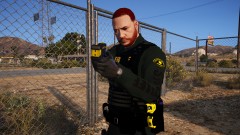
From the album: Red's LSPDFR chaos
-
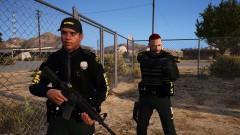
From the album: Red's LSPDFR chaos
-
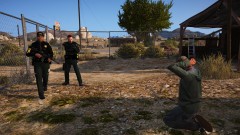
From the album: Red's LSPDFR chaos
-
You don't need to use any custom dlc or anything like that to make a vehicle a standalone/add-on, 99% of the vehicles out there can be made into add-on vehicles. Follow my steps here - While I exclusively mention this works for cars, this method also works for all vehicles.


