


Reddington
Members
-
Joined
Everything posted by Reddington
-
From the album: Red's LSPDFR chaos
-
From the album: Red's LSPDFR chaos
-
From the album: Red's LSPDFR chaos
-
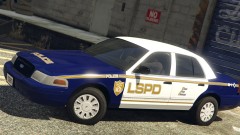 This is sexy as fuck!!
 -
Use my guide located here -
-
The funny thing is, I actually am not using an anti-virus. I have a web protection program and Malewarebytes. LCPDFR is added as an exception to the web protection program. What doesn't make any sense is, if I was using an AV and that was the problem, why would it only be an issue in Firefox and not other browsers? Right now things are fine in Firefox, but I'm at a dead end here because I've looked through all my settings and nothing has changed on my end. I'm not saying it's something you guys did, either. I'm just wanting to figure out what happened.
-
From the album: Red's LSPDFR chaos
-
From the album: Red's LSPDFR chaos
-
Police Transport, aka the POLICET slot.
-
Any updates? This is still a huge problem and now there's some new stuff. Maybe this page will help you figure out what the issue is? https://developer.mozilla.org/en-US/docs/Web/JavaScript/Reference/Errors/Not_defined?utm_source=mozilla&utm_medium=firefox-console-errors&utm_campaign=default What's more, when opening my secondary browser and going to the login page, I'm being sent to an error page with Error: EX0 So I'm on a third browser, which let me access the login page. This only started happening recently, I never had this happen while on staff. What's going on?
-
It's not just the site policy, it's mod developer policy. Almost all of the mod authors explicitly state "do not redistribute". Refer back to my post above which lists all the issues as a result of doing something like this, and why it is universally frowned upon.
-
From the album: Red's LSPDFR chaos
-
From the album: Red's LSPDFR chaos
-
Search the vehicles portion of the download section, and filter "ELS" vehicles. There are a few ELS park ranger trucks that are really nice.
-
Oohh, I see. Unfortunately, the original 0.4 is not available for download, and most likely won't be.
-
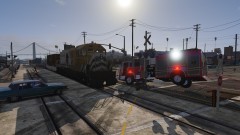 Oddly yes, it's as if they are trying to cause problems. I love the livery on that truck.
 -
Are you wanting an actual Park Ranger vehicle, or will any do?
-
0.3.1 can be found here, however support is not provided for it! If you use it and have issues, you will need to figure it out yourself or find a Discord community that allows all version support to be asked.
-
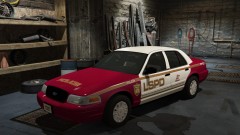 I tend to agree. As much as I love red, I think it's just all around confusing and looks out of place on a police car. That said, I do like the color mixtures. Red and gold look really nice together. Blue on white might be a good one to go for.
 -
From the album: Red's LSPDFR chaos
-
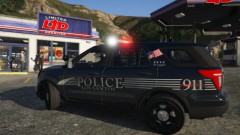 I really like it! I look forward to using it.
 -
Which pack is this?
-
The issue could either be with your PT vehicle, or the mod you're using for PT. I'd first check all your vehicles and make sure they are fine.
-
While I understand wanting to help the community, there's a reason that there are no "all in one" mod packages on here, 5mods, or any other legitimate GTA mod hosting website. Almost all of these mods say not to redistribute, and the rules of LCPDFR, 5 mods, etc all say the uploaded mods must be yours Aside from that, I frown upon all in one packages because you have brand new players installing mods they don't even know the name of. If they need support of any kind, they come here and expect us to fix everything for them when in reality, they could've fixed the issue themselves had they taken the time to look at the mod page of the mod they installed, and new what it was they installed. Part of modding is experience and learning how to install things and learning the name of the mods you're installing and what they do. If you're not willing to take the time necessary to learn how to mod your game, you shouldn't mod it at all.
-
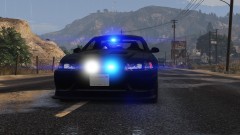
From the album: Red's LSPDFR chaos


