


Reddington
Members
-
Joined
Everything posted by Reddington
-
Impersonating the police as well? Idiots.
-
For the console issue - Go to the RagePluginHook Settings ---> Game settings ---> Command line switches check "Force Windowed mode" and "Force DirectX11" then save and launch. You can change back to full screen once in game. For the texture loss, when in game, pause the game and alt-tab out. Open Task Manager-->processes, and right click GTA-->set priority to high.
-
Never had this problem with the Taurus, either. :P
-
Are you holding down E? You can't just tap it, have to hold it.
-
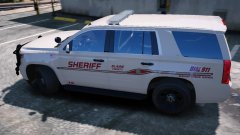 That's gorgeous! Is this a pack or texture?
 -
If you want to play GTA Online, you'll need to have two GTA directories. One for modded, and one for online. You will not be allowed to go on GTA Online with any modded game at all, even if it's just one file.
-
You're most welcome. :)
-
Glad you got it working. :)
-
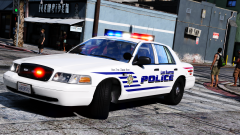 I love it! Looks gorgeous.
 -
What else have you edited? Did you install anything into the vanilla GTA?
-
You know.....try putting the other cars in x64e as well. I'll headdesk multiple times if that works.
-
In your main GTA V directory, open commandline. Delete everything in it and save. Try again,
-
Try removing Fuel Script V, please.
-
When you double click the .yft in the mods folder of the car, does the modded one appear?
-
You can if you want. Otherwise, what other mods and trainers do you have?
-
I'm on an older game version, so my latest is patchday12. I think the latest is patchday 15-16? Around there.
-
Play stupid games, win stupid prizes. Yes, they are teenagers, but they should know better. I could be a bit more understanding if they were playing Airsoft, but pranks? It's not a prank to scare the shit out of people and incite mass panic.
-
Regarding the Airsoft story (again, in German, can't read it), it doesn't surprise me people would call it in. Most people, myself included, have covered the orange tips. Even if the orange tips were uncovered, Airsoft guns do look real. I'm a collector of them, and can tell you they are probably one of the best in terms of replica weapons. (the high quality ones, anyway)
-
I've never used RDE, so I could be talking out my ass with RDE being involved. Even if the vehicles aren't specifically made for ELS, they can work with ELS if the VCF is configured properly. Though, I'm not sure if RDE is able to interact with the VCF folder.
-
According to the log, it does recognize the mods folder as being there. However, I see nothing about vehicles.rpf. You could try and remake the path to the latest patchday, but it might be better to just redo the mods folder and follow the topic I linked.
-
Verify for me, please. Go into your GTA V folder. OpenIV.asi is there, right? In fact, there should be a OpenIV text document. Please attach that.
-
Duh, I'm blind, apparently. It was in your screenshot. Try running this for me, please -
-
Your mods folder previously worked just fine? That shouldn't be right, lol. The only change recently was that Rage updated to 0.56. So I'm not sure why your mods folder would break if it had been working.
-
I mean this in the nicest way possible, but I have a suspicion you still did something wrong with your mods folder. At this point, I think you're better off remaking your mods folder/ You can follow along with this topic, which guides you on how to create paths. http://openiv.com/?p=1132
-
Have you updated Rage? 0.56 was released very recently.


