


Reddington
Members
-
Joined
Everything posted by Reddington
-
After pressing "download", and you're on the page where the dialogue box should come up, press CTRL F5. If it still doesn't come up, it might be a temporary issue with your network. I know you said it in your first post, but can you verify - you can download other files from this site without issue, right?
-
I just downloaded it without issue. What exactly is happening - or isn't? Do you see the CAPTCHA that is displayed before downloading?
-
You installed Computer+.dll, .INI, and the Computer+ folder to plugins-->LSPDFR, right? and you are on duty?
-
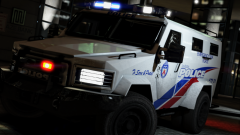 Wow. That looks different, but I love it.
 -
Try downloading different cars. The very latest patchday will work.
-
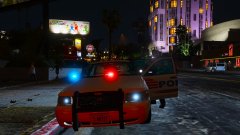
From the album: Red's LSPDFR chaos
-
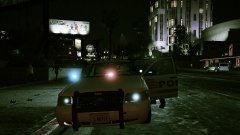
From the album: Red's LSPDFR chaos
-
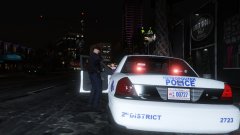
From the album: Red's LSPDFR chaos
-
You're using a mods folder, right?
-
Your best bet would be to redownload those cars, or download new ones. I think that pack held your POLICE models, so now you technically don't have any. Grab some new cars and place them in the very latest patchday that has a vehicles.rpf.
-
.thumb.png.debb2e8fd42b234303e9e2473fb894e8.png) @thegreathah @Slendis I've been toying around with these cars and trying to make them spawn ice white. The first three digit code I tried made them candy apple green (They actually looked bad ass, mind you). Now the next code I tried made them some shade of gray that doesn't look good, and the final code I tried made them yellow. I've been Googling HTML color codes, but none are working. Can you please link me or point me in the right direction of the color codes?
@thegreathah @Slendis I've been toying around with these cars and trying to make them spawn ice white. The first three digit code I tried made them candy apple green (They actually looked bad ass, mind you). Now the next code I tried made them some shade of gray that doesn't look good, and the final code I tried made them yellow. I've been Googling HTML color codes, but none are working. Can you please link me or point me in the right direction of the color codes?- 100 comments
- 39 reviews
-
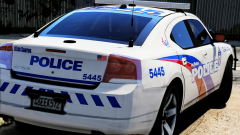 This is ze best butt.
 -
Unfortunately, you can't. ScriptHookV is always kept updated to the very latest GTA and Rage. If you don't have a backup ScriptHookV for the previous version, you're kind of shit out of luck. If one thing is updated, everything else needs to be as well. To verify if the issue is with ScriptHook, you can move the ELS VCF file for the car onto your desktop and go in game. You can now turn on the lights and siren via pressing "E". The game will not be utilizing ELS for this vehicle. If the stuttering doesn't happen, it's confirmation the issue is with the incompatibility of versions. If it still stutters, then my theory is proven wrong.
-
You can't have one thing updated, and another outdated. If ScriptHookV is updated, Rage needs to be updated as well.
-
At this point, I honestly don't know what to tell you. I have never used a mod that required the layout that your mods folder is, and I'm almost positive your mods folder layout is the problem. The only thing I can advise, again, is to redo the mods folder and follow the path that is in this topic - http://openiv.com/?p=1132 and in my screenshots.. You can even back your current mods folder up so if I'm wrong, you still have it. I'm sorry, but I'm out of ideas.
-
I'd just like to point out that we've established why it's not working.
-
This is incorrect. Mods / Update should only have x64 and update.rpf. To be completely honest with you, I'm not sure why you configured your mods folder like this. I don't know how the rest of this folder looks, but I think it might be in your best interest to remake the mods folder entirely, and follow the OpenIV link I shared.
-
Unfortunately, there's no way solid way to determine that. Modding can be very finicky, and things can break/not work for a number of reasons, some of which are entirely out of your control. You're welcome. :)
-
Do me a favor, please. Show me screenshots of your directory in OpenIV. The same paths you asked me to show you.
-
The x64 directly within the mods folder is for audio files. The x64 in this screenshot is for the dlcpacks.
-
Note: I'm on an older version of GTA. Patchday12 is not the latest patchday.
-
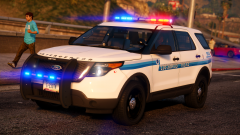 I love that texture! Looks so good.
 -
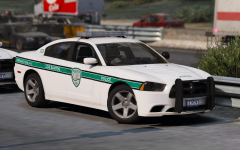 That texture is so damn good! I can't wait for this pack.
 -
From the album: Red's LSPDFR chaos
-
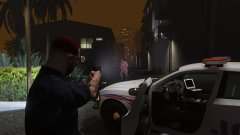
From the album: Red's LSPDFR chaos

.thumb.png.debb2e8fd42b234303e9e2473fb894e8.png)
