Reddington
Members
-
Joined
Everything posted by Reddington
-
Your best bet is just to look through the mods section. I couldn't tell you a pack off the top of my head. https://www.lcpdfr.com/downloads/gta5mods/vehiclemodels/ This topic has been moved to the appropriate forum. Please post in the correct location in the future.
-
This topic has been moved to the appropriate forum. Please post in the correct location in the future.
-
This topic has been moved to the appropriate forum. Please post in the correct location in the future.
-
Yep, it's not difficult at all! Check my tutorial on this - https://www.lcpdfr.com/forums/topic/69079-how-to-step-by-step-instructions-for-installing-add-on-standalone-cars/ You could name them whatever you wanted. hp1, bike, hwaybike, etc. Just don't use one letter names only, such as a for a standalone ambulance. it has to be at least 3 characters, such as amb.
-
Your topic has been moved to LCPDFR Support Requests. Please post in the correct location in the future.
-
It's funny you ask that. Recently I've fallen in love with the all blues, and have swapped out my red and blue units for all blue. So you saved me from having to do it with yours. :P
-
For me personally, I'd love a Taurus. You know how everyone flocks to the Vics and says all the best things about them? That's how I am with the Taurus. It's my preferred car.
-
I could be out of the loop, but where did you read Skin Control isn't supported?
-
A bit sad there won't be a Taurus, but the Bearcat makes up for it!
-
Only two cars and already they're sexy! What other cars you thinking of adding?
-
To clarify, you're referring to typing in the name of a vehicle to spawn it, correct? You can already do this via Rage. When you hit F4, type "Spawn carnamehere" (Example: spawn police). You can also do this with trainers if you have them.
-
The lights not flashing in the front of the vehicle is how TheHurk set them up, as that's how it is in real life. I was looking through the VCF for his cars, and I'm honestly not sure if there is a way to stop that. You could change <UseSteadyBurnLights>true to false and see if that changes it.
-
-
Look here: Having it set to 0 should disable taillights.
-
Was that the cause of this?
-
Moderator notice: Your post has been split into its own thread. In the future, please don't hijack other people's threads.
-
This topic has been moved to the appropriate forum. Please post in the correct location in the future.
-
Are you using ELS? If so, open the ELS INI and change ELSTrafCTRL to false. This topic has been moved to the appropriate forum. Please post in the correct location in the future.
-
Are you using ELS? If so, go into the VCF XML for the car. You'll see the option to disable taillights.
-
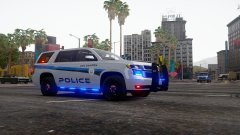
From the album: Red's LSPDFR chaos
-
You're welcome.
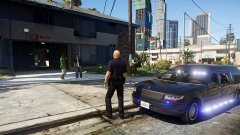 Too true. :P
LOL, yes. That is our new slogan.
Too true. :P
LOL, yes. That is our new slogan.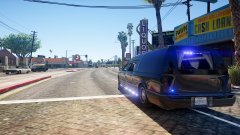 If I had noticed that at the time I would've changed it. Hate that damn plate, lol.