Skip to content
View in the app

A better way to browse. Learn more.

LCPDFR.com

A full-screen app on your home screen with push notifications, badges and more.

To install this app on iOS and iPadOS
  1. Tap the Share icon in Safari
  2. Scroll the menu and tap Add to Home Screen.
  3. Tap Add in the top-right corner.
To install this app on Android
  1. Tap the 3-dot menu (⋮) in the top-right corner of the browser.
  2. Tap Add to Home screen or Install app.
  3. Confirm by tapping Install.

Royal San Andreas Constabulary 3.5.0

(5 reviews)

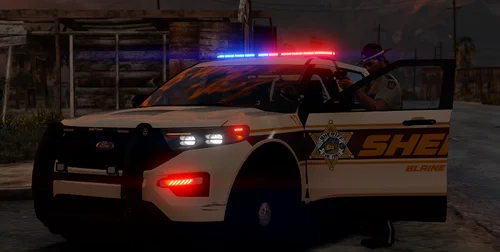
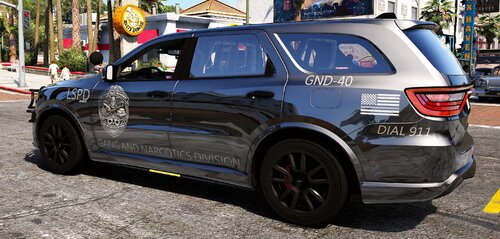
17 Screenshots

Royal San Andreas Constabulary


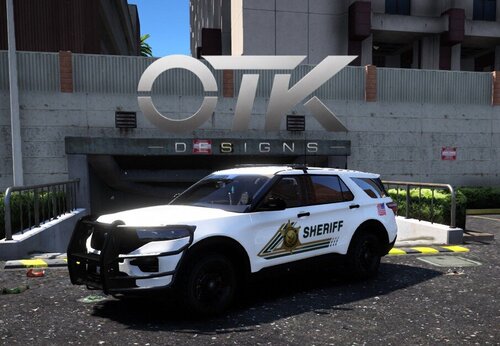
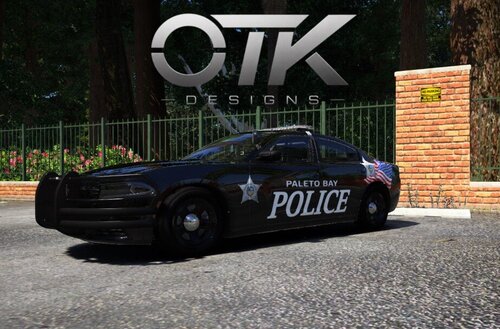
Hey everyone. Got some more goodies for all of you. This pack is based off the Royal Newfoundland Constabulary. As always this pack includes 10 skins for each vehicle with different unit numbers and plates. This is as always the simple install of finding the .ytd folder of the vehicle then importing all the skins then save. Let me know of any issues or suggestions.


Please respect the amount of time taken and do not re-upload or rip off.


Please, feel free to make a donation if you like, any amount is more than appreciated! Thanks Everyone!


Vehicles used but not limited to:

mybanner.thumb.png.e7903736a8fd0d748193b4a406416b2a.png

What's New in Version 3.5.0

Released

  • Update CVPI skins to fit Underwoods latest base model
  • Added plates to 2016 Explorer by TheHurk

User Feedback

Recommended Comments

t0y

Members

Damn those screenshots are wild

Skin Works

Members Author

1 hour ago, t0y said:

Damn those screenshots are wild

Been messing with settings to get the best performance and quality and a look I like.

t0y

Members

(edited)

2 minutes ago, harrison90 said:

Been messing with settings to get the best performance and quality and a look I like.

Gorgeous


Especially the vic pictures. Liveries are beautiful too.

Edited by t0y

Skin Works

Members Author

Just now, jman5625 said:

What visuals do you use?

Its hard to say. As I said I was messing with settings and such, but I think it was MVGA and clean+natural ENB.

Jmannnn

Members

1 minute ago, harrison90 said:

Its hard to say. As I said I was messing with settings and such, but I think it was MVGA and clean+natural ENB.

So you're using MVGA and clean and natural ENB settings?

Skin Works

Members Author

47 minutes ago, jman5625 said:

So you're using MVGA and clean and natural ENB settings?

Yup. (pretty sure)

Skin Works

Members Author

26 minutes ago, SiRtRoLlsAlOt said:

RCMP Pack?


Perhaps

minddriver

Members

These skins look fantastic! :woot: :thumbsup:

I can't find this vehicle in the list with compatible vehicles you provided. Could you provide a link to it?

5974fc550a27c_GrandTheftAutoV2017_07.22-


Skin Works

Members Author

3 hours ago, minddriver said:

These skins look fantastic! :woot: :thumbsup:

I can't find this vehicle in the list with compatible vehicles you provided. Could you provide a link to it?

5974fc550a27c_GrandTheftAutoV2017_07.22-


I couldn't find it either. I think the author may have taken it down.

minddriver

Members

54 minutes ago, harrison90 said:

I couldn't find it either. I think the author may have taken it down.

I am a little disappointed but that is the will of the author. It was a great model and great skin on it. Do you remember the author's name?

RyWilson

Members

you did a great job here. they are amazingly colorful and they are eye popping. wonderful skins.

CentralEdits

Members

Nice! As a Newfoundland I didn't expect to see anything Newfoundland related for LSPDFR. Nearly shit when I did lol.

zach016

Members

Looks great!


Just feels like a missed opportunity that it isn't the "Royal San Andreas Constabulary". Would've been more fitting for a provincial force, still going to use it regardless.

Skin Works

Members Author

3 minutes ago, zach016 said:

Looks great!


Just feels like a missed opportunity that it isn't the "Royal San Andreas Constabulary". Would've been more fitting for a provincial force, still going to use it regardless.

That is a great point... I legitimately don't know why I did Los Santos. :wacko:

Create an account or sign in to comment

Account

Navigation

Search

Search

Configure browser push notifications

Chrome (Android)
  1. Tap the lock icon next to the address bar.
  2. Tap Permissions → Notifications.
  3. Adjust your preference.
Chrome (Desktop)
  1. Click the padlock icon in the address bar.
  2. Select Site settings.
  3. Find Notifications and adjust your preference.