


Reddington
Members
-
Joined
Everything posted by Reddington
-
Then the free me mod might not of been the issue. What else have you done recently?
-
-
You're welcome, good luck!
-
Check out my FAQ's for this. Search for the keyword "entering", you should be brought to it. Your topic has been moved to GTA V Support, this is not LSPDFR related. Please post in the correct location in the future.
-
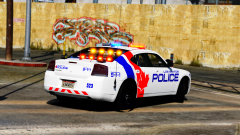 I second that. It looks schweet!
 -
Your topic has been moved to GTA V Support, this is not LSPDFR related. Please post in the correct location in the future.
-
 Touche, good sir. Touche. My personal vehicle is an unmarked 15 'Hoe. D
 -
Repurposed as my personal car. :D
-
Alright, I've edited the XML a bit. Do me a favor and create a folder on your desktop, name it police 2 xml backup. Now drag and drop the original that is in your ELS folder to this folder. Now save my edited one and place it in the pack_default folder. Launch the game and see if there's any changes. police2.xml
-
Ha ha, it's no biggie. I was even going to suggest your GTA settings, but I didn't want to assume and figured to just go for the visualsettings. Glad you got it!
-
If you wouldn't mind, can you attach the VCF for the car, please? I'll have a look over it.
-
Thanks! :)
-
I think just the driver and passenger. :P
-
From the album: Red's LSPDFR chaos
-
From the album: Red's LSPDFR chaos
-
This topic has been moved to the appropriate forum. Please post in the correct location in the future.
-
This topic has been moved to the appropriate forum. Please post in the correct location in the future.
-
This topic has been moved to the appropriate forum. Please post in the correct location in the future.
-
It means there's an error with the VCF. I've only gotten this once, and discovered it was my own fault with editing the VCF. This topic has been moved to the appropriate forum. Please post in the correct location in the future.
-
This topic has been moved to the appropriate forum. Please post in the correct location in the future.
-
Your best bet would be editing the visualsettings.dat See the beginning of this topic for information about that -
-
This topic has been moved to the appropriate forum. Please post in the correct location in the future.
-
This topic has been moved to the appropriate forum. Please post in the correct location in the future.
-
We do not allow any requests that are for fivem, nor do we allow any form of transactions on LCPDFR. I'd try your request in the fivem community. If you feel this topic has been closed in error, please report this post.
-
 Close enough. :P


