


Reddington
Members
-
Joined
Everything posted by Reddington
-
Then it's probably one of your scripts. I recommend removing all of them temporarily.
-
Your topic has been moved to GTA V Support, this is not LSPDFR related. Please post in the correct location in the future.
-
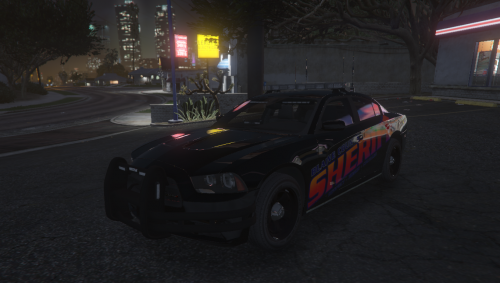 He's asking for day time screenshots. Night time pics are wonderful, but a lot of us want to look at the details of the car during the day. I always encourage day time and night time screenshots for everyone's convenience. I agree with this. Just as a moderator notice, I have removed all reviews relating to the crashes & support. File reviews are not to be used for support.
- 20 comments
- 4 reviews
-
-

- 1
-
-
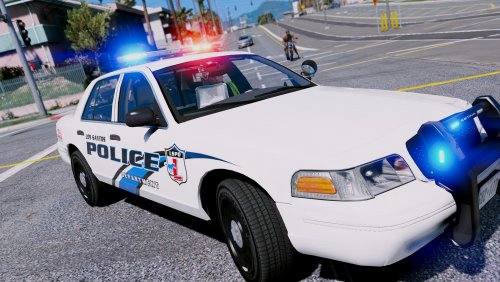 @HankVoight I ran into this issue with the 2013 Tahoe. Is this something I can fix in the VCF, or is it permanently like this? http://www.mediafire.com/file/5acsd8fify1p4vv/2018-08-14_01-03-04.mp4/file
- 27 comments
- 8 reviews
-
Then there's still another sheriff2.ytd somewhere. Normally I'd say NVR's emissives dlc is the problem, but since you said you deleted it. I'd double check everything and look for another sheriff2.ytd.
-
Your topic has been moved to GTA V Support, this is not LSPDFR related. Please post in the correct location in the future.
-
Your topic has been moved to GTA V Support, this is not LSPDFR related. Please post in the correct location in the future.
-
Your topic has been moved to GTA V Support, this is not LSPDFR related. Please post in the correct location in the future.
-
Your topic has been moved to GTA V Support, this is not LSPDFR related. Please post in the correct location in the future.
-
This topic has been moved to the appropriate forum. Please post in the correct location in the future.
-
It's still something with your trainer. A lot of them come with keybindings enabled.
-
You deleted the only.ytd for the model. Reinstall the vehicle in the newest patchday.
-
Almost all fivem servers keep their vehicles and scripts private as a way to bring in new people. ("We have this that no one else does!") Though, they do have some scripts that are public, like Player Location Display. Also, some (or all) of their vehicles were probably custom built for them, hence why not released.
-
I just want to add that both my method and Albo's are pretty much the exact same, just his involves adding a whole new dlcpack, which is only really necessary if a) You don't want to use any of the already there dlcpacks. or b) You have filled all the available dlcpacks and need more space.
-
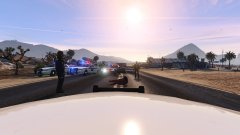
From the album: Red's LSPDFR chaos
-
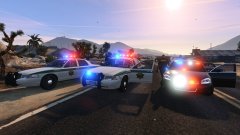
From the album: Red's LSPDFR chaos
-
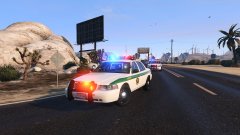
From the album: Red's LSPDFR chaos
-
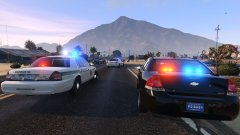
From the album: Red's LSPDFR chaos
-
That's another reason I use Skin Control. You can create your custom character in it, and save the character. You also have several save slots, so if you want different versions of your character, or even have multiple civilian clothes. It also works for saving your character in different uniforms, such as sheriff, police, etc.
-
This topic has been moved to the appropriate forum. Please post in the correct location in the future.
-
Nothing. My own physical disabilities put a hinder on all the things I had hoped and dreamed of doing. So I just live.
-
I've always used Skin Control for my character tattoos. It should still be working on the latest version. I am on the previous game and Rage version and it was working fine. https://www.gtaall.com/gta-5/mods/79047-skin-control-21.html This topic has been moved to the appropriate forum. Please post in the correct location in the future.
-
This topic has been moved to the appropriate forum. Please post in the correct location in the future.
-
It'd be best if you stuck with the original topic you made. Just make a new post saying you figure out what was causing it and ask why. You can also edit the title to more suit what you found. If you feel this topic has been closed in error, please report this post.
-
This topic has been moved to the appropriate forum. Please post in the correct location in the future.

