


Reddington
Members
-
Joined
Everything posted by Reddington
-
You're welcome, good luck!
-
From the album: Red's LSPDFR chaos
-
From the album: Red's LSPDFR chaos
-
The vehicles can go in any slot and work fine. An author may say "this has been optimized for blank slot", but that doesn't mean anything. You can take a vehicle meant for police3 slot and put in pranger without issues. You just need to edit the vehicles.meta to accommodate and rename the car files from police3 to pranger.
-
This topic has been moved to the appropriate forum. Please post in the correct location in the future.
-
You're welcome!
-
This topic has been moved to the appropriate forum. Please post in the correct location in the future.
-
From the album: Off duty shenanigans
-
From the album: Off duty shenanigans
-
Moderator notice: In the future, please do not hijack other people's threads. If you're having the same issue, follow the thread and see if an answer is given that helps you. This is the correct solution. If you've done this and are still having issues, one of the rpf mods you added is not compatible. If you require more help, please make your own thread.
-
For the time being, I've moved this topic to GTA V support. However, please create a new topic in the GTA IV section for IV support. What issue are you having with V? This topic has been moved to the appropriate forum. Please post in the correct location in the future.
-
-
You won't be able to use it in fivem if it's not your server or you're not a developer with access. You'd only be able to use it in single player.
-
Press Shift or A on controller, however you can only do this during pursuits.
-
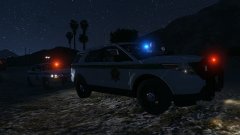
From the album: Red's LSPDFR chaos
-
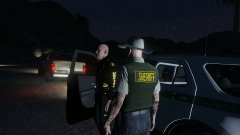
From the album: Red's LSPDFR chaos
-
Some examples - https://www.google.com/search?tbm=isch&source=hp&biw=1920&bih=943&ei=w39cW8y6B4TdjwSEqZWYDw&q=illinois+state+police&oq=illinois+state+police&gs_l=img.3..0l10.3245.6866.0.6986.21.11.0.10.10.0.75.638.11.11.0....0...1ac.1.64.img..0.21.673....0.23Sw0JSnLC8#imgrc=1ODAspQAZ27mPM: I really like the basic look of Illinois's state police, and would love to throw that on TheHurk's cars since I'm more into state patrol as opposed to highway. Please note I am requesting that you do all the cars in this pack! It's a huge ask, I know, but I am very patient and am willing to wait a while if you'll do it. I have two special requests if it's not a big deal. For the K9 Vic in the pack, please keep that as a K9 unit. For the F-150, please add a normal State Patrol skin, and one for Commercial Vehicle Enforcement. Here is his pack, template is in the download - Thanks to anyone who does this!
-
0.4 is looking incredible, but the improved AI is definitely my favorite thing right now. ALL HAIL OTHER UNITS USING THE PIT!
-
I'm confused, what game are you actually having issues with? GTA IV or V?
-
Frankly, I have never heard of this before and I don't trust or recommend it. Just wait for SHV like we've had to for every single update.
-
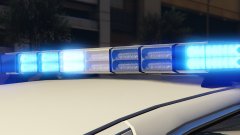 It's still sexy. DO WANT!
 -
At this point, you better do it! 😛 I love the look of it.
-
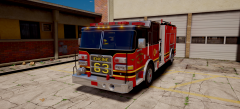 Love the light bar!
 -
You'd need Paint, GIMP, or Photoshop first. Next, download the vehicle and look for the template. Not all vehicles have one, though. Now you open that template in your editing program and begin making it. This topic has been moved to the appropriate forum. Please post in the correct location in the future.
-
From the album: Red's LSPDFR chaos



