


Reddington
Members
-
Joined
Everything posted by Reddington
-
This topic has been moved to the appropriate forum. Please post in the correct location in the future.
-
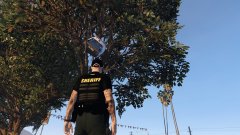
From the album: Red's LSPDFR chaos
-
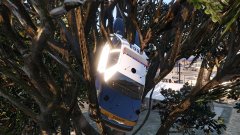
From the album: Red's LSPDFR chaos
-
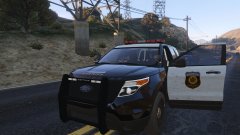
From the album: Red's LSPDFR chaos
-
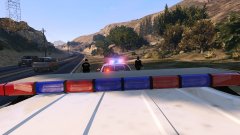
From the album: Red's LSPDFR chaos
-
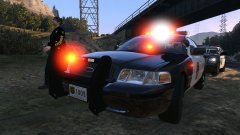
From the album: Red's LSPDFR chaos
-
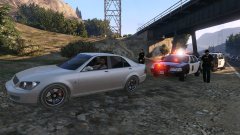
From the album: Red's LSPDFR chaos
-
Yep.
-
The third FAQ in this thread tells you how to fix it.
-
It's better for everyone to include exactly what you want in the title.
-
To clarify, though: a) LSPDFR plugins all load at once when going on duty b) Scripts are always loaded (there is a difference between 'scripts' and 'plugins') c) .asi plugins are always loaded. There's no correct order.
-
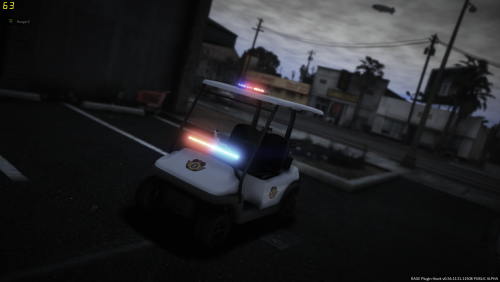 To be fair, if I was given a golf cart as my patrol vehicle, I'd be ready to shoot the first person I see as well. 😛
- 17 comments
- 4 reviews
-
-

- 2
-
-
It's hilariously cute. 😛 Any chance of adding a BCSO livery as well? I think that'd suit it a tad bit more since in Sandy Shores there are so many of them. lol
- 17 comments
- 4 reviews
-
-
- 1
-
-
Your topic has been moved to GTA V Support, this is not LSPDFR related. Please post in the correct location in the future.
-
 The liveries for these cars are gorgeous, and I love how the arrowboard units are rolling with different light bars. Another really nice pack!
- 55 comments
- 9 reviews
-
-
- 1
-
-
Indeed there are! What trainer are you using?
-
You mean the spot light? 🙂 You can use your trainer's vehicle components menu to remove or add the spot light, I believe.
-
The vehicles.meta can be found in mods-->update-->update-->common-->data-->levels-->gta 5. There is a handling.meta in mods-->update-->update-->common-->data, but I don't know if that contains the FIB Buffalo handling. Just so you're aware, if you have replaced the FIB Buffalo and want to change the handling, you can do so in the vehicles.meta where it says "handlingid". The handling.meta is more for those who want to get advanced with the handling. I only recommend this if you know what you're doing.
-
You can take replace vehicles and make them standalone with my tutorial. All you have to do is change the name of the car files, and throw in a new meta and carvariation line. I have multiple dlcpacks filled with standalone cars. 🙂
-
I'm getting the feeling you've installed it incorrectly. I don't know what the "add-on base" is, nor why you even need the car as its own .rpf. Check my tutorial here, it tells you everything you need to know on installing standalone cars.
-
They do nothing at all and are just for immersion/roleplay.
-
Can you define "convert"? What exactly did you do? This topic has been moved to the appropriate forum. Please post in the correct location in the future.
-
From the album: Red's LSPDFR chaos
-
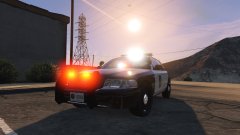
From the album: Red's LSPDFR chaos
-


