


Reddington
Members
-
Joined
Everything posted by Reddington
-
Your topic has been moved to GTA V Support, this is not LSPDFR related. Please post in the correct location in the future.
-
Your topic has been moved to GTA V Support, this is not LSPDFR related. Please post in the correct location in the future.
-
This topic has been moved to the appropriate forum. Please post in the correct location in the future.
-
Do you have a proper RAR extractor like Winzip?
-
You're welcome. 🙂
-
If you're looking to have something made, try posting in our requests section: https://www.lcpdfr.com/forums/forum/891-suggestions-requests/
-
It's fine. 🙂
-
This topic has been moved to the appropriate forum. Please post in the correct location in the future.
-
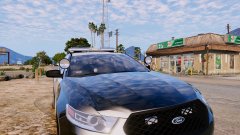
From the album: Red's LSPDFR chaos
-
Look under the "<ForcedPatterns>" <Srntone enabled= Set the ones that are true to false.
-
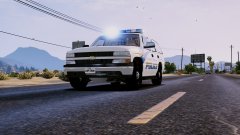
From the album: Red's LSPDFR chaos
-
From the album: Red's LSPDFR chaos
-
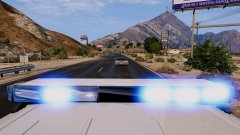
From the album: Red's LSPDFR chaos
-
Your topic has been moved to GTA V Support, this is not LSPDFR related. Please post in the correct location in the future.
-
This topic has been moved to the appropriate forum. Please post in the correct location in the future.
-
Your topic has been moved to GTA V Support, this is not LSPDFR related. Please post in the correct location in the future.
-
Based on your screenshot, scan mode is not selected for any of the lights. When you spawn the car and get in, open the ELS menu and look at the light options. Does it say scan?
-
Your topic has been moved to GTA V Support, this is not LSPDFR related. Please post in the correct location in the future.
-
This topic has been moved to the appropriate forum. Please post in the correct location in the future.
-
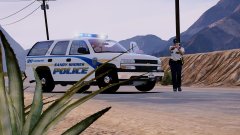
From the album: Red's LSPDFR chaos
-
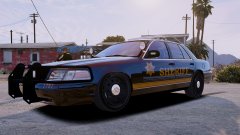
From the album: Red's LSPDFR chaos
-
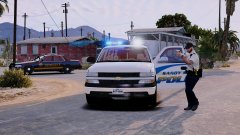
From the album: Red's LSPDFR chaos
-
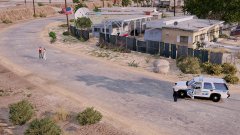
From the album: Red's LSPDFR chaos
-
This topic has been moved to the appropriate forum. Please post in the correct location in the future.
-
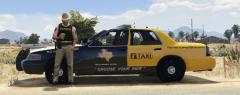 For the CVPI, is that just a livery, or the actual car?


