unitedOrange66
Community Team
-
Joined
Everything posted by unitedOrange66
-
Hi, Do you have a legit GTAIV copy?
-
Disregard this topic, Thank you for reviewing.
-
-
 Not replace, OpenIV has an option which is a green plus icon allowed you to ADD those two files.
- 222 comments
- 1 review
-
Did you try to uninstall all the mods you have one by one except LCPDFR 1.1? Then you can find out if the crash was caused by some mods that you installed.
-
Hi, We are here would like to help each of our numbers when they're here asking for help. But please explain detailed of what problems you have experienced during lcpdfr game play? Only post a log file mostly no one would help. -Thanks
-
Hi, I just installed vice city rage, gta 4 map mod, everything works well, game play very smooth. But only problem I find so far is that when I use trainer to spawn a ped model, whatever that model is, other than original player model, game will freeze then stopped working, crashing to desktop, because of this problem I can't play lcpdfr1.1, because with map mod there will be no station can get into, only way is to force duty, when force duty game will crash to desktop, because it changed player model to a cop model. Other than ped model, vehicles and weapons model works good. If anyone knows or have any ideas about how to fix this problem please reply to this poster, thanks a lot!
-
What other mods you installed other than LCPDFR 1.1? And how well your pc can handle GTAIV? -Thanks
-
Look at title, he said LCPDFR, I don't think GTAIV has rage plugin hook right? Hi, Please go to your GTAIV game folder, looking for a file that named: paul.dll, Remove it to your desktop or somewhere you won't lose it, then, right click on launchGTAIV.exe, run as administrator. Thanks for supporting LCPDFR -Peace
-
In game press alt+P to active the mod, Active mod first, then you can type "forceduty".
-
Did you install any uniforms? any car mods?
-
I can't, and I don't think anyone can, Because we DON'T support any cracked version of GTA, Please buy the game then come back here ask us for any supports! Thanks
-
Well Your pc can handle LCPDFR or not? If not that's why it's lagging for you.
-
Hi, You can ignored the log file check, other than that everything will be works fine. And unfortunately, there no lcpdfr for path 1.0.8.0. -Peace
-
Hi, You have to downgrade your GTAIV to 1.0.7.0 path. Downgrade link: https://support.rockstargames.com/hc/en-us/articles/200145406--May-28-2010-Grand-Theft-Auto-IV-Patch-7-Title-Update-v-1-0-7-0-English-1-0-6-1-Russian-1-0-5-2-Japanese- (install English version). Then install LCPDFR 1.1, the last update version. Or please review this topic: Hope this will help -Peace
-
Because you still missing some requirements that is required to run LCPDFR. Please install these: https://www.microsoft.com/en-us/download/details.aspx?id=5555 https://www.microsoft.com/en-us/download/details.aspx?id=30679(install x86) -Peace
-
Hey, You don't have to fix that log file check, it won't caused anything, you still can run lcpdfr 1.1 without log file check being fixed. For texture disappear, it depends on your system, nothing to do with lcpdfr, you might want to go to graphic settings in game pause menu, set the graphic that your pc can handle. Also, make sure you create a text document inside of your GTAIV directory, rename it to commanline, inside of commanline, write your personal settings. Here is an example: -norestrictions -nomemrestrict -nvblank -noswapdelay -availablevidmem 30.0 -fullspecaudio -DX9 /high By creating this commanline it can make game running more stable, you won't have texture lost or loading screen etc. Also it gives you option to reset your graphic in game if you have a low pc. Hope this will help (I think you might copy what I said into translator... try to learn some English is not a bad idea...) -Peace
-
Hi, You might missing some system requirements, Please install both: https://www.microsoft.com/en-us/download/details.aspx?id=30679 https://www.microsoft.com/en-us/download/details.aspx?id=35 -Peace
-
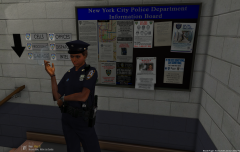 Nice! But only thing is GTA V map aren't based on NYC, like IV
 -
-
-
Hi, This is a very common issue, the native callouts works when they wants to... Due GTA IV unstable, of course any mods won't stable with the game as well, so even you have a strong pc, but that doesn't mean you can play without crashes, The original callouts from LCPDFR, most of them might works for someone, might crash for someone like me, so here is some advice from me: 1.try other callouts: But for those callouts you can use them if you like only receive callouts from traditional way, but for 90-99% stable, please try script callouts, when you in game, press F7 to disable native callouts, in order to keep play without crashing. Here is the common script callout:
-
Run LCPDFR 1.1 Diagnostics Tool, you must missing some requirements that's why lcpdfr won't load.
-
Hi, After you download any sirens. the file will looks like this: HORNS.ivaud You have to rename it to HORNS delete the "ivaud" then replace. -Peace
-
Hi, First, when you quit GTA IV, whether you have LCPDFR 1.1 running or not, the error pop out because of the taser, please follow this topic and fix your taser if you wish to use it: Also, the error could caused by any enbs / graphic mods, but you should not worry about it, because it happened only when you quit the game, next time you play, game will works fine and smooth, GTA IV itself is a very unstable game, mods are not created with original game, of course it could have some unusual things happened, but, as long as it won't caused any major crashes, you should be good. -Peace
-
Hi, Could you please post a screenshot of your GTA IV game folder? Make sure LCPDFR folder is inside of your game folder. Thanks