




unitedOrange66
Community Team
-
Joined
Everything posted by unitedOrange66
-
Your topic has been moved to GTA V Support, this is not LSPDFR related. Please post in the correct location in the future.
-
This topic has been moved to the appropriate forum. Please post in the correct location in the future.
-
This topic has been moved to the appropriate forum. Please post in the correct location in the future.
-
This topic has been moved to the correct forum. 1. Make sure the vehicle mod you are using actually has a LOD model. 2. Make sure you have enough game memory to load those vehicles, and resize any 4K liveries to 2K to reduce unnecessary memory usage.
-
This topic has been moved to the appropriate forum. Please post in the correct location in the future.
-
We're not allowed to share the re-composed script file here without the original author's permission.
-
This topic has been moved to the appropriate forum. Please post in the correct location in the future.
-
Your topic has been moved to GTA V Support, this is not LSPDFR related. Please post in the correct location in the future.
-
Your topic has been moved to GTA V Support, this is not LSPDFR related. Please post in the correct location in the future.
-
Your topic has been moved to GTA V Support, this is not LSPDFR related. Please post in the correct location in the future.
-
Your topic has been moved to GTA V Support, this is not LSPDFR related. Please post in the correct location in the future.
-
If it is caused by the Menyoo spawning option: Go to MenyooStuff - menyooConfig.ini - open it with notepad. Search "[object-spooner]," and find the following settings: "SpawnDynamicPeds = 1, SpawnDynamicVehicles = 1, SpawnStillPeds = 1" Change all of the values to 0 (zero), then save.
-
Your topic has been moved to GTA V Support, this is not LSPDFR related. Please post in the correct location in the future.
-
This topic has been moved to the appropriate forum. Please post in the correct location in the future.
-
Your topic has been moved to LSPDFR 0.4 Support. Please post in the correct location in the future.
-
EMS is part of Ultimate Backup. Go to "DefaultRegions.xml" in the UltimateBackup folder, scroll all the way down, and check which vehicle is used for the ambulance.
-
This topic has been moved to the appropriate forum. Please post in the correct location in the future.
-
Changing these will have a minimum impact on overall gaming performance, the only options that are worth changing for optimization purposes are ambient events, chase settings, and networking settings. (assuming you're running LSPDFR on a mid-end PC) Please refer to this guide. Regardless, performance with LSPFR is primarily determined by: 1) how powerful your PC is. 2) How many additional mods you've installed. 3) Are you using ENBs, what are your graphic settings. Taking all of the above factors into account when modding GTA V along with LSPDFR will help you build a stable copy, thus increasing performance, and leaving the headaches at bay.
-
Make sure you've enabled all of the notifications in GTA V settings. Go to the pause menu and look for settings related to in-game notifications.
-
Your topic has been moved to GTA V Support, this is not LSPDFR related. Please post in the correct location in the future.
-
This topic has been moved to the appropriate forum. Please post in the correct location in the future.
-
This topic has been moved to the appropriate forum. Please post in the correct location in the future.
-
Your topic has been moved to LSPDFR 0.4 Support. Please post in the correct location in the future.
-
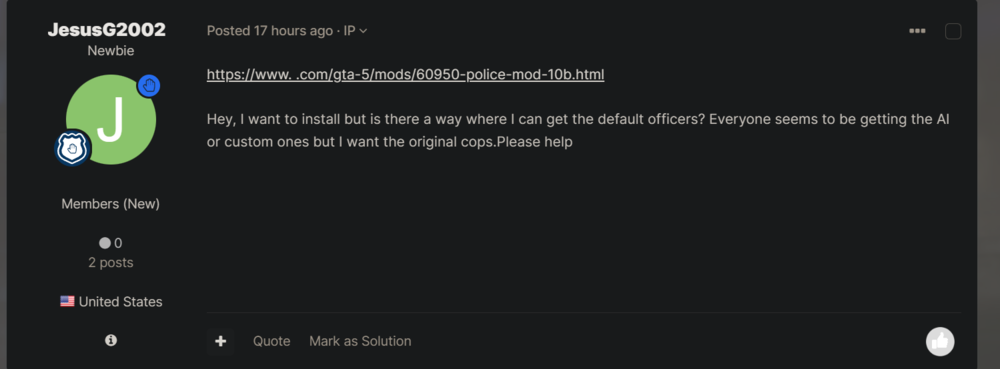
I assume this topic is related to the one I removed for necro-posting. (seen screenshot) The mod you are using is not the LSPDFR plugin from our site. Please feel free to download and install our LSPDFR here if you'd like to try. This topic has been moved to the appropriate forum. Please post in the correct location in the future.
-
This topic has been moved to the appropriate forum. Please post in the correct location in the future.


