
Delta4
Members
-
Joined
Everything posted by Delta4
-
That would be dope to keep track of :/
-
Ah, shame
-
After googling it it seems like some sort of data base for certain crimes I commit on duty, but how do I sync my account to lcpdfr.com? (if its not already)
-
You can also search for sheriff CV textures, then when you find the one you like you get the CV that matches the liveriy template.
-
- There are "realistic vehicle physics" that do pretty much that, you can fine them on gta5-mods
-
I would recommend asking for zmodeler help on a zmodeler forum
-
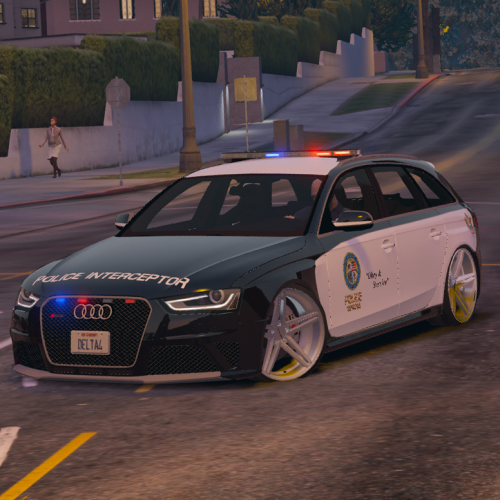 The car should be able to explode, just the doors that need COL (my main priority)
- 53 comments
- 10 reviews
-
-
I think this is more to have a more interesting and diverse backup. At least thats why I tried changing the bike two weeks ago
-
-
-
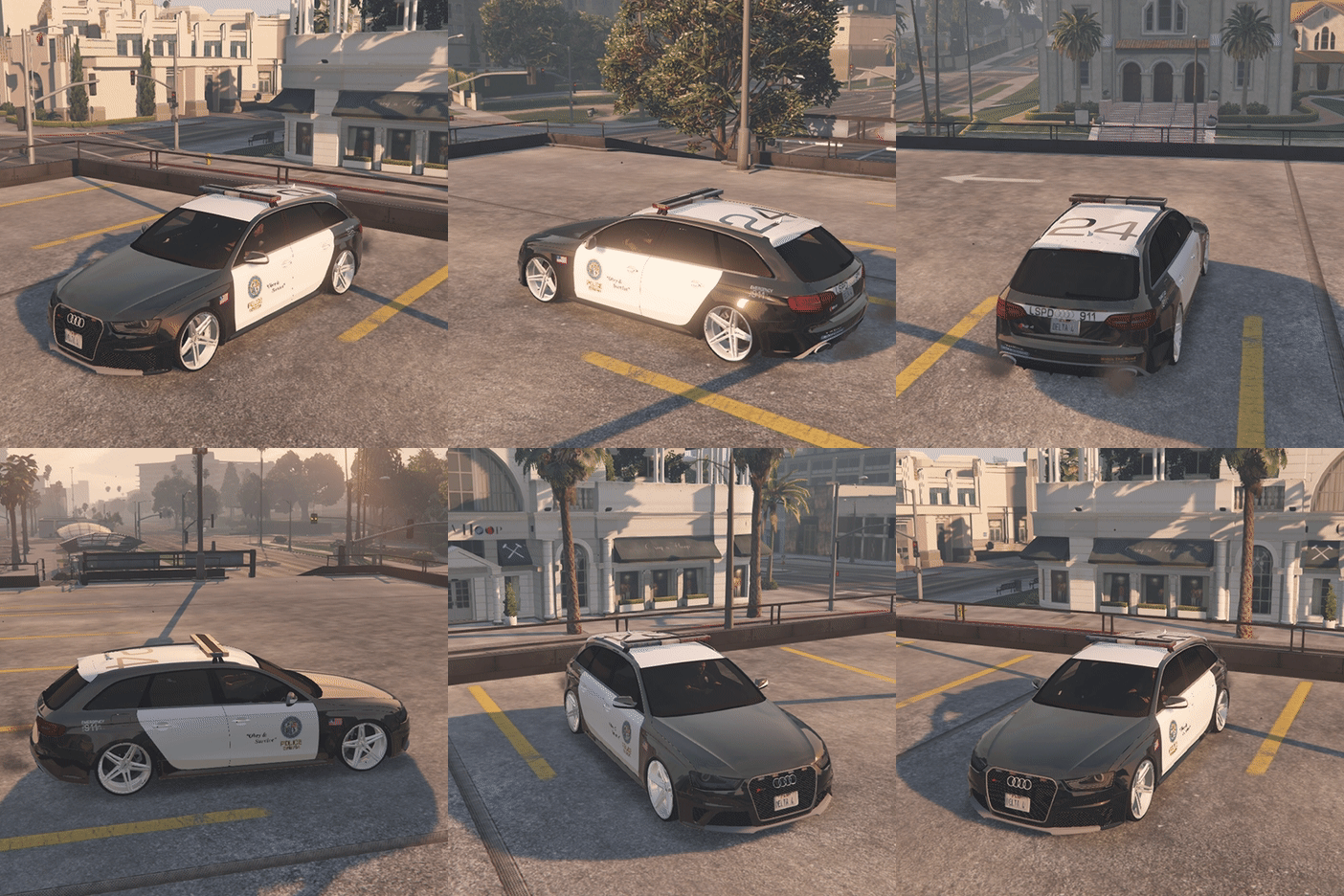 Made this as I got people asking me for a livery that fit more with the stock LSPD vehicles. Enjoy! Requirements: Original Audi RS4 Installing Liveries: You have two options, you can either: A) Replace the entire "police.ytd" file, but then you'll ONLY have v2 LSPD Liveries. B) Replace certain liveries individually, such as the first 3. Then you'll still have 4 v1 LSPD liveries and 3 HP Liveries. (Step by step instructions on "Read Me" file) Reviews are highly appreciated! If you have any issues/need help, leave a comment and I'll get back to you.
- 7 comments
- 1 review
-
Glad I could help If you want more/different liveries: 1.Export the zip file again2.move the ytd file into mods folder 3.export the liveries you want 4.rename whatever livery you exported to "audi_sign_2" then import it 5.click on "audi_sign_2" and properties 6.make sure its on the MiniMap Level is on "1" and that Pixel format is on "DXT5". / Also consider rating the car
- 53 comments
- 10 reviews
-
Try just deleting liveries 2-10 so that you only have the livery 1. Not sure why its green though, the only way I could see that happening is importing liveries with the wrong DXT & MiniMap Level
- 53 comments
- 10 reviews
-
This is probably because it has x10 4k Liveries, which is a bit much for some low-end computers. Try removing some of the liveries: 1.Open OpenIV / 2.Find and open Police3.ytd in "edit" mode / 3.Click on "audi_sign_10" then "delete" then "save". Maybe delete 4 or 5 liveries then try running the game.
- 53 comments
- 10 reviews
-
I'm personally not a fan of the MET design, looks like they gave a kid a giant highlighter :')
- 53 comments
- 10 reviews
-
So I tried adding interior LEDs but it caused my main lightbar (half of it) to not work and only half of the interior LEDs work as seen on the video below: Also a part of the plate is clipped off? (Ignore the audio, I was watching a Uncharted 4 lets play..)
-
.thumb.jpg.b4595b289486a4c86954e6a5ca7c6fe2.jpg) He made the skin.
He made the skin. -
-
-
I use this: https://www.gta5-mods.com/scripts/travel-to-north-yankton gives a map and spawns traffic Also this will make the radio use some accurate location names in NY:
-
If Ned's reply worked let us know so that people experiencing a similar problem (that come across this post) can see that you found a solution.So for any part to be optional all I have to do is name it "extra_11"? (I tried adding a rambar but my car wheels messed up and it would go through objects, I guess the going through objects is because it requires a COL file? idk)Can you link me to the tutorial?

.thumb.jpg.b4595b289486a4c86954e6a5ca7c6fe2.jpg)