


Hullian111
Members
-
Joined
-
Last visited
Everything posted by Hullian111
-
Let's not forget about this:
-
-
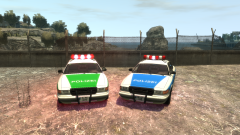 Although I'd love to know how the Autobahnpolizei landed upside down, too. And also, where the interior went.
 -
From the album: Hullian111's Gratuitous Misadventures
Off the back of one of our more...peculiar screenshotters, here's a Munich Police and Bundespolizei Stanier (or as he once referred to it as, a Wartburg (?)). Thinking about putting this up soon, but I'm not sure when. Oh, and this screenshots gallery isn't dead. I've just got to finish up 'Operation: Ashahara' first. It's best not to leave this gallery in the dark, though.© Hullian111
-
![Virginia State Police [WIP]](//s3-gallery.int-cdn.lcpdfrusercontent.com/monthly_2017_10/small.EVE-20171020213137_117.jpg.50f25040803ab55ee7e4a48775f6aa5f.jpg) Merry Christmas, I guess.
Merry Christmas, I guess. -
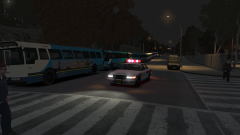
From the album: Operation - Ashahara
Ready to jump into action while the 30 Seconds to Mars set ends, the Park & Rides along Columbus Avenue are ready to go to pick up the festivalgoers, and drop them back off at where they were picked up. While the GLP prepared to escort them out, the enthusiasts lined the streets, hoping to get good shots of 'foreign' buses in an Arriva-served city.© Hullian111
-
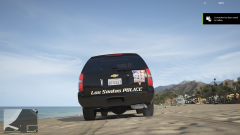 Los Santas?
 -
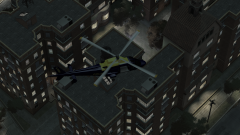
From the album: Operation - Ashahara
Night has now fallen on Meadows Park, and 30 Seconds to Mars are just about to finish their set. As they have done throughout all of Friday, the GLP's Francis (International Airport) Air Support Unit keeps constant vigilance over the Liberate Festival, ensuring that nobody that they are looking for is running away through the wooded areas of the park, and in exchange, getting a good view of the acts. It is even claimed they opened their doors at one point to listen to the closer of the day, 'Kings and Queens'.© Hullian111
-
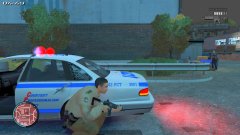 Oh you know what, I just might make some German police retextures just for you. It's a little jarring seeing the LCPD and the Bundespolizei, you know.
 -
Do British counties count as states? If so, the Thames Valley Police Vauxhall Senator:
-
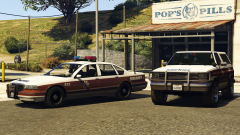 aw yiss, premier
 -
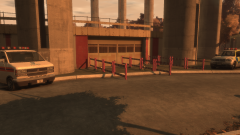
From the album: Operation - Ashahara
(yes, it's been intermittent, I can't do this all in one day) Its Friday evening, and within a few hours, the first headliners will come on the main stage of the Liberate Festival - the surprise-announcement of 30 Seconds to Mars. The final checks were taking place to ensure flow into the stands would be smooth, and to ensure that nothing suspicious was left behind half an hour before the crowds flooded in for nearly an hour's worth of music.© Hullian111
-
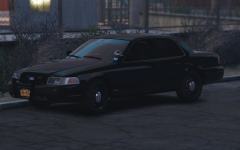 Hey, at least you can say they're armoured for RP purposes.
 -
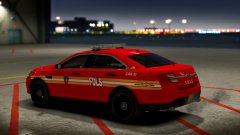 Nah, I don't think 'FDLS' looks right for me. Granted, it's my opinion, but it just doesn't roll off the tongue.
 -
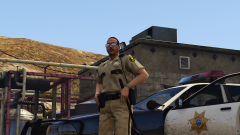 It ain't underfunded until this happens.
 -
Honesty is the best policy.
-
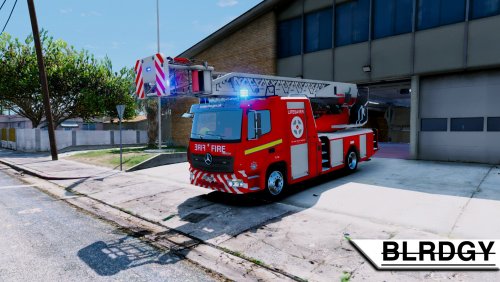 Doesn't look like the ladder unit at all - you should have used the older one. Plus, the plate doesn't make sense.
 -
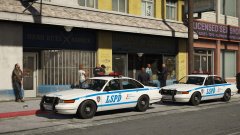 And besides, there was a CVPI dressed up like that. I can't remember where it is, though. Might also bridge the gap of drawing Lundy's ire. Again.
 -
You should change the blue to black. I think it'd look a bit better that way.
-
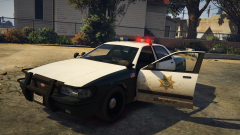 I rest my case.
 -
Erm...partially my livery. Before anyone asks, yes, I let him use bits of my LVMPD livery.
-
 Recording of yourself?
 -
-
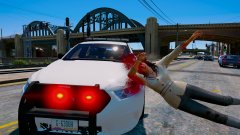 Add me to the list... *activates Year 8 mode* sick dab m8
 -
Oh boy! That's my junk right there on that car!



![Virginia State Police [WIP]](http://s3-gallery.int-cdn.lcpdfrusercontent.com/monthly_2017_10/small.EVE-20171020213137_117.jpg.50f25040803ab55ee7e4a48775f6aa5f.jpg)

