


Wippy
Members
-
Joined
-
Last visited
Everything posted by Wippy
-
-
 Aww I had some worries about it. I'm Russian, so I have Russian settings. Separator is ",", while you use "." Ok, I will try it then. Another question not related to your mod but localization. I get some lines in logs which bug me sometimes. [23.04.2016 15:32:53.783] LSPD First Response: Creating AssortedCallouts.PersonWithKnife [23.04.2016 15:32:53.849] LSPD First Response: GetAudioFileForAction: No file found for: STREET_Ѐльта-стрШт So, does LSPDFR have some problems with languages, or it's such weird by design? Are there another language problems with plugins and\or LSPDFR people should be aware of? Also, is it normal that your plugin does some calculations, starts and ends callouts in background?
- 546 comments
- 103 reviews
-
-
I get spam in logs, seems like plugin creates callouts and calculates variables when I already do another callout and even don't recieve\accept any callouts from this plugin. In other words, I installed this plugin and never accepted nor recieved any callouts from it, but spam appears. Also I got some crashes after spam, so maybe it's correlated thing. I think it's not how it should be. :\
- 546 comments
- 103 reviews
-
 I mentioned it before but please, could you fix wheels? They have no proper rim mesh or something, so they're transparent on the backside. It can be noticed even on video preview in your description.
- 122 comments
- 29 reviews
-
-
 Ah yep, but it's just for some weapons. I really like engraving of sniper rifle or special carbine, it counts as component, when typical paintjobs don't, that's sad.
- 128 comments
- 34 reviews
-
-
Another question came into my mind. Is there a way to get paintjob onto weapons?
- 128 comments
- 34 reviews
-
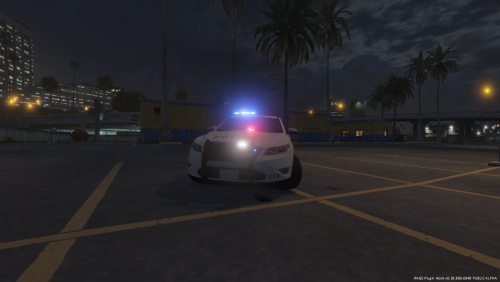 I think F5544's model is better than TheHurk's one, despite it has some bugs. imo I need to try this one too.
- 14 comments
- 4 reviews
-
 Good Charger. Everything works fine, but here are some areas to improve: 1. Hands on steering wheel and camera position (should be a little lower because of some clipping with roof (you can see through the roof under some angles of view)) 2. Proper rims for popped out tyres Nice job.
- 74 comments
- 30 reviews
-
I'm looking at screenshot and see that backside of rims is transparent. Looks really weird imo.
- 122 comments
- 29 reviews
-
-
-
 That's right guys. But I'm not a noob or smth like that, I read description and readme and I know that I shouldn't update ini (to not lose all my settings), but I did it AND tweaked settings again (just to be sure). So all files of the plugin were updated and ini was tweaked again. Seems like I'm not good storyteller, I'm sorry (I'm not a native English speaker so I may misunderstand some incoming information or give outcoming information in wrong way.) Now blips don't appear (after reinstalling both plugin files again), so it was my fault, but I really don't know what's wrong because my ini is the same, all files are the same as those which I had when discovered this bug. I loaded absolutely the same savefile. But now it works. Really strange and confusing situation. Thank you for support.
- 3,646 comments
- 306 reviews
-
-

- 1
-
-
I've told that I updated the whole plugin including ini. Just checked. Yes, I updated the ini too. But "crucial constant" parameter isn't the same as ini in the archive, but header says "6.8.0.0". Can it be changed by plugin itself after playing? I'll try to overwrite ini again and see changes.
- 3,646 comments
- 306 reviews
-
-
I have other mods with ambient events BUT: 1. Blips in those mods are disabled too 2. Everything was alright before update, but after update blips appear. 3. Checked RPH log (if you want to see full log, I'll give it), ONLY these ambient events happened (with blips): [02.05.2016 17:55:03.600] LSPD First Response: Creating No Brake Lights event [02.05.2016 17:55:58.228] LSPD First Response: Creating Speeder Event [02.05.2016 17:57:06.548] LSPD First Response: Creating Street Race Event [02.05.2016 17:57:29.100] LSPD First Response: Creating motorcyclist event As you can see these events are from Traffic Policer. Only these events happened. Each of them has blip, I'm 100% sure.
- 3,646 comments
- 306 reviews
-
Ok, thanks. Just noticed strange thing. I have blips for ambient events disabled in config menu, but blips still appear. I updated the whole plugin with ini, then changed options for my taste, but now blips appear for no reason.
- 3,646 comments
- 306 reviews
-
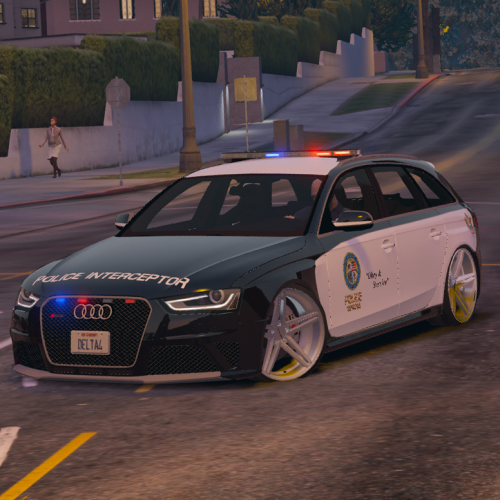 All carvariations entries are merged anyway. There is no difference where to place em, mpheist or mpchristmas etc. I guess later dlc overwrites previous not only with vehicle model files, but even with meta files, no matter where they're located (the main thing is finding suitable dlc archives though). I use mpchristmas for carvariations for all police vehicles and never have problems with it.
- 53 comments
- 10 reviews
-
-
- 2
-
-
Why nobody likes those rims? IIRC it's default FBI rims even from GTAIV. They look pretty simple and cool.
- 53 comments
- 10 reviews
-
-
- 1
-
-
 Hi Albo! Thanks for another update. Just noticed one thing. You say all files should be updated except ini and xml. But "crucial constant" in your ini file of new version is different from previous version (2, when it was 14 earlier). Is it intended thing or oversight?
- 1,915 comments
- 242 reviews
-
Hi Albo! Thanks for update. Just one question: In your Assorted Callouts (recently updated, thanks again!) ini has config option: OtherUnitTakingCallAudio, set to true by default. In Traffic Policer ini has config option:OtherUnitRespondingAudio, set to true by default. I know what last thing does (because you wrote description), but not the first. As I can understand, it's pretty much the same. Or not? If so, should we leave only one option turned on? Sorry if it mentioned somewhere already, but I can't find any information.
- 3,646 comments
- 306 reviews
-
 Pros: - Immersive callouts - General brief menu with all needed information - Overall stability and quality Cons: - Burglary. In my opinion this is the worst callout of the pack. Just one scenario (I tried 6-7 callouts and they're all the same) with girl coming back home and seeing that somebody inside her house. But when I entered into one house I saw the house of Michael De Santa. Really?! It's really frustrating. - Another menu. Many callout packs have their own menu, so here's no unification, and we can see the same doubled actions binded on different keys. It's kind of awful to have keyboard full of some actions and menus. I think that questioning may be implemented through talks system (Y by default), like in other callout packs (Assorted Callouts for example) or it can use observation system used in Police Radio. Asking IDs is already in game, why it should be doubled? And the worst thing here that we can't use this menu during callouts from other packs (even asking IDs), it's really bad thing. I really hope it will be changed. LSPDFR plugins really need some standartization, so if plugin needs for ID of ped, it should be done via standart LSPDFR action (E by default). P.S. I wanted to write review and give it 5 stars, but now after update I can't give it 5 stars. Quality of plugin degraded a bit.
- 423 comments
- 73 reviews
-
-
- 1
-
-
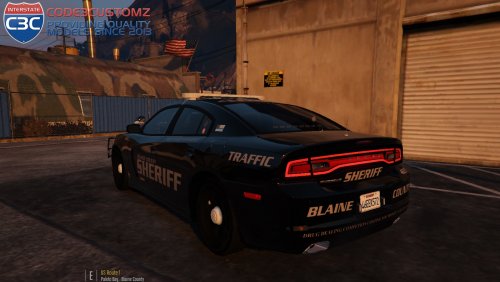 I said I'm just curious. I'm not offending anyone. I just asked. I'm not bitching. I just asked. I wanted to recieve answer, then I recieved it (laconic "yep", it's awesome). But you guys seem to be a little provoking, so here's my opinion: Everyone can make a car with even 700k or 9000k poly and then say "you don't have to use it, use another %carname%", so this car will be used by 2 or 3 people here which have titans in SLI and run the game with 4k textures and enb.
- 34 comments
- 17 reviews


