Iggy Fresh
Members
-
Joined
-
Last visited
Everything posted by Iggy Fresh
-
That's awesome, I've had a driver fall off of the highway connector bridge right after I handcuffed him (accidentally). Wish I was recording at the time lol.
-
Guys, check out my Memorial Day special Military Police patrol :P
-
What's going on guys! I've been playing LSPDFR for over 2 years now and have built up quite a few patrol videos on my YouTube channel. All thanks to G17 Media and the wonderful callout and scripts developers we have on here! I'll be posting new videos here periodically (all of the credits are in descriptions of all my videos). Thanks for watching guys! - Officer Iggy Fresh ***Official Channel Trailer***
-
Hey guys, I've read the FAQ but didn't see this issue addressed. After dying, my character goes away and I spawn at a hospital as Franklin. Then I have to recreate my character if I want to keep going (also, in the dying sequence where it says 'Wasted', you can clearly see the character is Franklin and not my custom character). Is this normal or is something wrong with my install? Thanks for any help! :)
-
-
-
Ok thanks guys! And that's pretty funny haha
-
Hey guys! Does anyone know of a way to disarm suspects when the surrender or when they are already cuffed? It's kind of silly transporting a suspect to jail when they are still holding a pistol for instance. Not sure if this was already discussed, I tried searching but nothing came up. Thanks for any tips!
-
 Thanks for the suggestion, but I'm not playing on a laptop. I have no Num Lock on this keyboard, so the functionality is not there.
- 211 comments
- 28 reviews
-
I have figured out the menu select function, but I can't figure out the up/down controls. If you open BaitCar.ini file and type "MenuSelect=*" (* being whatever keyboard key you want to use), you will be able to select the top car in the menu. No idea what the up/down functions in the .ini file are called... I've tried MenuUp and MenuDown and those didn't work. Really wish we got some support from the author here.
- 211 comments
- 28 reviews
-
Thanks, I have seen that. I was trying to say that I do not have the num pad on my keyboard. The navigational controls (menu up, down, and select) are NOT listed in the BaitCar.ini file, so how can we change them? So, essentially the mod cannot be used by users without the num pad.
- 211 comments
- 28 reviews
-
Where in the Baitcar.ini are the navigational controls listed? I am either blind or they're not there... thanks for any help.
- 211 comments
- 28 reviews
-
Thanks for publishing the update @Straysify. One issue, the navigation keys are not included in the .ini file. I don't have num keys on my gaming keyboard. I have guessed the MenuSelect function (to select the car), but what are the up/down key functions? Thanks!
- 211 comments
- 28 reviews
-
I think Straysify has to update the mod to work with the newer 0.3 lspdfr and ragehook plugin. We all are experiencing the same crash.
- 211 comments
- 28 reviews
-
 That was exactly what I was talking about. I tried it and it worked, thanks a lot for your help!
- 137 comments
- 22 reviews
-
-

- 1
-
-
Hi, very nice model. Question about the mx7000 light bar... For some reason it does not display properly for me. Instead of lights, I see random boxes popping up in the lightbar itself. I can take pictures to show it better. Anyways I can fix it since I might be the only one with this issue? Thanks!
- 137 comments
- 22 reviews
-
 Just for the record, CCTV footage works perfectly for me without any crashes.
- 1,081 comments
- 166 reviews
-
-
- 1
-
-
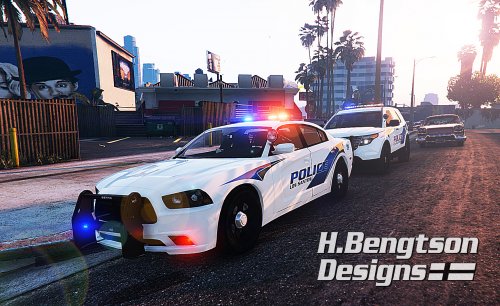 Thank you, thank you, thank you! This is by far the best pack I have seen and exactly what I was looking for. 5 stars!
- 42 comments
- 16 reviews
-
-
- 1
-
-