


Iggy Fresh
Members
-
Joined
-
Last visited
Everything posted by Iggy Fresh
-
-
 Finally a means to call a fire department along with EMS! 5/5 stars, works perfectly with the game!
- 781 comments
- 85 reviews
-
-

- 1
-
-
 Can't live without this mod, excellent addition to this game and a must have! 5/5 stars!
- 220 comments
- 55 reviews
-
Alabama state police!
-
Check out the latest episode here!!
-
Posting this a little late as I was away. But Happy 4th of July everyone!!
-
Latest episode packed with lots of excitement!
-
Went from using the fastest police car to the slowest!
-
 That's a cool suggestion. Let me see if I can come up with something cool and possibly just add another version with the sticker on here. "Sponsored by your local drug dealer" haha!
 -
Check out this very unique episode with crazy fast EVO IX!!!
-
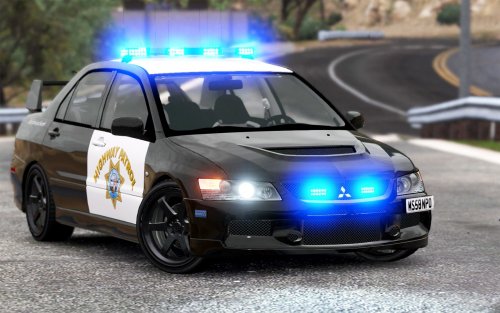
Credit for creating the car model goes to BritishGamer88, I only created the texture. If you like the texture, I'd appreciate a quick review! :) I realize that CHP does not use EVOs, but this is a game and I thought it would be a cool addition to it. Showcase of the car with said texture: Installation: 1. Download EVO IX Model by BritishGamer (https://www.gta5-mods.com/vehicles/police-mitsubishi-evolution-9-pack-marked-unmarked) 2. Use OpenIV and go to: (Mods)/update/x64/dlcpacks/patchday3ng/dlc.rpf/x64/levels/vehicle.rpf/sheriff.ytd (or whereever you installed it) 3. Set OpenIV to Edit Mode 4. Open sheriff.ytd 5. Replace paintjob texture 6. Save and enjoy! Get the car model here: https://www.gta5-mods.com/vehicles/police-mitsubishi-evolution-9-pack-marked-unmarked -Iggy Fresh
-
Here's the latest episode, keep an eye out for tomorrow's episode... got something special for you guys!!
-
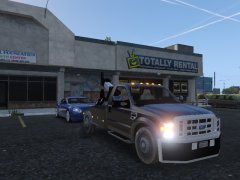 Looks pretty sweet man, another excellent vehicle coming our way!
 -
Latest Los Santos International Airport Patrol!
-
Looks like Better EMS is what causes this warning message. It's only crashed on me once, so I'll still keep it for now. [6/28/2016 1:02:36 AM.167] LSPD First Response: [Better EMS]: Loading Better EMS by PNWParksFan [6/28/2016 1:02:36 AM.167] LSPD First Response: [Better EMS]: Checking dependencies for Better EMS [6/28/2016 1:02:36 AM.172] LSPD First Response: "ragepluginhook.exe" version matches: False [6/28/2016 1:02:36 AM.173] LSPD First Response: "Plugins\LSPD First Response.dll" version matches: True [6/28/2016 1:02:36 AM.173] LSPD First Response: "RageNativeUI.dll" version matches: True [6/28/2016 1:02:36 AM.174] LSPD First Response: "ParksTools.dll" version matches: True [6/28/2016 1:02:36 AM.175] LSPD First Response: [Better EMS]: Dependency versions do not match expected values!
-
Thanks. That's probably what it is then, as I also have CalloutsV. I'll check the log next time. I also got rid of Callouts C and all my other issues went away.
-
Hey man! I could make it happen if you can give me the template :)
-
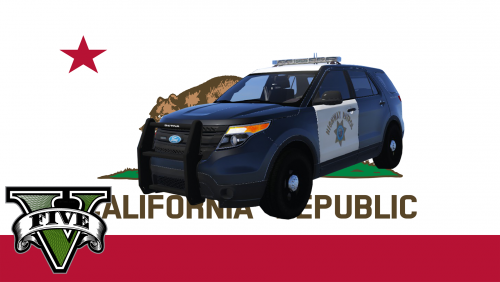 This is just a texture, not an actual vehicle model. Lights are fixed with carvariations.meta file included in the model download from Virzza.
- 7 comments
- 2 reviews
-
Hey, did you ever figure it out? I have the same issue with the warning message and the mini map is acting strange. Also running everything up-to-date.
-
Check out this Highway Patrol episode!
-
Fresh out of the oven!!
-
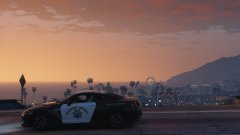 Nice texture! :D
 -
We are back with fresh updates!!
-
 Absolutely in LOVE with this car! Installed in policeold1 with modded carvariation and vehicles.meta files and works perfectly. Great car, love all the Christmas lights!! :P
- 50 comments
- 26 reviews
-
 When I open the trunk of the CVPI, I see another closed trunk beneath it. Does anyone else experience this? Everything else is perfect, thanks!
- 139 comments
- 22 reviews


