
ToastinYou
Members
-
Joined
-
Last visited
Everything posted by ToastinYou
-
No, unfortunately I do not.
-
A modeler.
-
https://www.rockstarwarehouse.com/store/tk2rstar/en_US/pd/ThemeID.38225800/productID.300626400 Rockstar made the design for us.
-
-
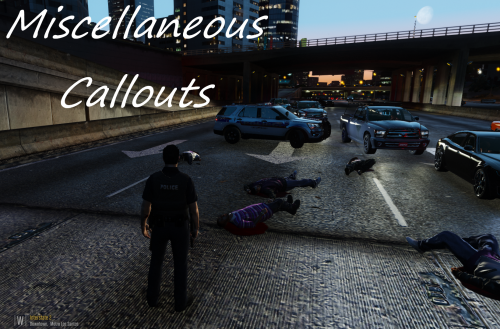
PRE-RELEASE ALPHA v0.0.1.0 UPDATE: - Current callouts include Medical Emergency, Officer's Panic Button Pressed, Petty Theft, Pursuit in Progress, Suspicious Person, and Traffic Break Requested. - Current API integrations include Arrest Manager, BetterEMS, Computer+, LSPDFR+, Police Search, Police Smart Radio, and Traffic Policer. - As of now, the only API integration that is being used is BetterEMS. All other API's have yet to be actually used within Toasty Callouts. - An RPH version checker function has been added to counter any reports of bugs from people with unsupported RPH version. As of now, it is looking like Toasty Callouts will be compatible with RPH 0.47 to 0.52+. This RPH version checker is provided to the public by @Albo1125, so huge thanks to him for that. - Toasty Callouts is now suited with an "Entity Flusher" which will flush away any remaining peds and vehicles left over by a Toasty Callout, instead of instantly despawning them. This is also a public function, provided by @khorio, so thank you to him for the Entity Flusher. - A new system is now in place that will help with code optimization, performance, and the readability of Toasty Callouts. This system is called Process Host, which was created by @LtFlash, so thanks to him for sharing that with everyone. - There is now a check in place that detects what area of San Andreas you are currently patrolling in, so if you are patrolling in anywhere like Sandy Shores or Grapeseed then Toasty Callouts will generate sheriff cars and officers for callouts that require officers, and if you are patrolling in the city then Toasty Callouts will generate LSPD cars and officers for callouts that require officers. - I have created a new and updated list of vehicle models for Toasty Callouts to use, to hopefully eliminate the large construction vehicles, snow vehicles, and invalid vehicle model errors. - A new driving function has been implemented so emergency responses from ambulances and backup has been enhanced for callouts like Officer's Panic Button Pressed. - A different "ped face player" function has been implemented during conversation, so that when you are talking with a ped involved in a Toasty Callout the ped won't look like they're floating anymore, they'll actually look normal. - New logging and error/crash catching procedures to minimize LSPDFR crashes and to help with diagnosing any bugs that may occur in the future. - Lots of improvements to my custom EMS and my custom backup functions. - New random occurrences for variations in callouts are being worked on so the callouts are not stale. I appreciate the support from everyone and I thank you so much for it. Please note that your suggestions are not being ignored, I have read everyone's suggestions and plan to, if possible with my abilities, add as many of them in as I can. If you'd like to stay updated with Toasty Callouts and get exclusive content of Toasty Callouts be sure to join our NEW official Discord server! If you'd like to become an Official Tester for Toasty Callouts fill out this form. If you have any questions please let me know and I will be glad to answer them. Social Media / Contact InformationIt would be nice to have the manual review removed or at least replaced by some sort of automated system. I know it's for precautionary measures, but it is so annoying and usually takes over one or two hours to even get an update out, even if it's just a simple hotfix. Super tedious and I get why it's in place, but I don't think it's necessary - we have moderators and a report system in place so this type of thing isn't required, plus we usually have a positive community.Yeah, very possible. I might include this in Toasty Callouts when I release it :)Smart Radio.I don't think that would ever happen lol. All developers learn and code differently and work at their own custom pace.http://gtaforums.com/topic/743879-gta-v-ped-model-database/page-2#entry1067423439I am not entirely sure what you're asking, but Functions.IsPlayerPerformingPullover works.Never put a loop within a loop.. Especially not a loop within a loop within a loop lol.This is why you read every bits and pieces of documentation and configuration files (.ini's)..It will but it's recommended you do NativeFunction.Natives.NATIVENAME(attributes);That means that your looping passed the amount of strings you have in your array.1) This does not sound like an opinion, sounds like you're forcefully trying to deter him from making such a mod. 2) This isn't even released and you are trying to criticize it? That doesn't even logically make sense. 3) Says you.. "LSFD First Response". Anyways, to the OP - this looks like a great addition to have, as I would enjoy having a single CPR mod that does just what I want it, without having to have callouts or anything extra just for a CPR mod. Keep up the great work :)