




PNWParksFan
Insiders
-
Joined
-
Last visited
Everything posted by PNWParksFan
-
Single texture replacement is not supported yet, but may be added later. You can view documentation on the LML Wiki: https://www.lcpdfr.com/lml/wiki/
-
All of the vehicles are add-ons, not replace. @LMS is still working out whether/how LML will offer an option to toggle various components of a package on and off using the Mod Manager. Depending on how that gets implemented, it may be possible for me to configure the package to have the core requirements (primarily add-on props that are necessary for some features of the mod to work) vs. the various different add-on vehicles, peds, and maps. I'm not sure yet exactly how that will look though, as that feature is not yet implemented in LML. Another possibility is I could offer a separate package which has only the basic requirements for the mod. That is one of the things I am still determining before release; what is the bare minimum DLC contents needed to load the mod.
-
Upcoming Coastal Callouts release information With the public announcement of LML, I am now able to share additional details about the upcoming public release of Coastal Callouts. If you are not yet familiar with LML, it is a new mod loader from the LSPDFR dev team which drastically simplifies the installation of gamefile mods like the Coastal DLC. Rather than having to tediously install files to multiple locations and manually edit meta entries, with LML installing the entire Coastal Callouts DLC is as simple as dropping one folder into your game directory, or even using the easy One-Click download service that will be included with LML. Everything from add-on and replacement vehicles to ambient ped and vehicle scenarios can be done from within one package. For more information, see the official LML announcement below: The LML development team is still working on the new system, including yet-to-be-determined details which will affect how the plugin/callout portion of the mod will be installed. In the meantime, I am focusing on making final adjustments to the DLC, and tuning up several other mods. Better EMS will be updated with some minor changes, and Police Tape will be re-released with new features and a more permissive license. LML is currently planned for public release sometime in December 2019. I am expecting to release Coastal Callouts shortly thereafter. The exact timeline will depend upon details of the how the eventual public LML release works, and my own schedule for finishing all of the other details left to take care of. Several talented community members have also been working on various international variations of the Coastal Callouts DLC and configuration files. LML will significantly simplify installing and updating these Coastal International DLC packs. First off, we have the UK Coastal Pack, with textures by @Markey and @swimmingdude2014, and additional vehicles by @BritishGamer88. This is a thorough DLC, with various British boats, aircraft, peds, and buildings: For players from Spain, @carlolucca and @sergiobas have been working on the Spanish Coastal DLC. This DLC includes textures for several of the main coastal DLC models, as well as a few newly added helicopters and new peds. The international packs should be released shortly after the main Coastal Callouts release. There are also some files started for an Australian pack, which are currently incomplete. If any Aussie players would like to take on completing those textures, please DM me for further information. Anyone else interested in contributing other international texture packs may also DM me for further information. Thanks to everyone for your enthusiasm and patience! Looking forward to ending the decade (!!!) with some exciting releases, and finally getting these mods into everyone's hands to enjoy!
-
I'll note though that you won't need to install anything to patchday folders in the future when using LML. It's possible to install pretty much any mod without touching any RPF files.
-
 This is the latest gameconfig.xml by @dilapidated, @PNWParksFan, and the RDE Team. A modified gameconfig is required for most add-on mods. We recommend installing this gameconfig using LML (Lenny's Mod Loader). If you are using LML, you can install this package using the Mod Manager, and it will load a working gameconfig.xml for the latest game version. You do not need to change the file in update.rpf, just load this package and you're ready to go. You can also install this gameconfig manually by downloading the file, and copying gameconfig.xml from the "latest" folder to [mods]\update\update.rpf\common\data\. Please see our github repository for further information and faster updates after new game versions are released.
 -
-
 Here is the Better EMS for EUP config file. Requires EUP and SUP: https://cdn.discordapp.com/attachments/224633293859979264/325184733300654083/EMSUnits.xml
- 781 comments
- 85 reviews
-
Use the native START_SCRIPT_FIRE int START_SCRIPT_FIRE(float X, float Y, float Z, int maxChildren, BOOL isGasFire) // Starts a fire: // xyz: Location of fire // maxChildren: The max amount of times a fire can spread to other objects. Must be 25 or less, or the function will do nothing. // isGasFire: Whether or not the fire is powered by gasoline.
-
I never said that... people can still donate and join the beta if they want to.
-
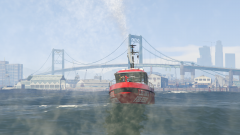 It's a different model entirely. https://cdn.discordapp.com/attachments/345638733598556162/492615961652756480/271590_20180921013735_1.png
 -
Not yet, but it will be when Coastal Callouts is released later this year. Yes, the water cannons work and multiple can be used at once.
-
that cant be disclosed Beta participants can't discuss the beta contents publicly, but of course as the mod creator I can discuss whatever information I may want to make public. 🙂 The total list of what will be included is a lot, and more than I have time to write up at the moment. I think the trailer does a pretty good job of previewing at least snips of most of the callouts, vehicles, and maps. The main core features can be used in callouts or on their own whenever you feel like, that includes a lot of functionality to make using boats easier, facilitates traffic stops and arrests on boats/in the water, has all the helicopter hoist functionality, cargo plane features, helicopter copilot, the throwaThisble life preserver, and much more. The callouts include several law enforcement related ones, a lot of various search and rescue scenarios, and some surprises that you'll just have to wait and see. In terms of vehicles, there's 4 helicopters, 4 planes (3 C-130 variants and a C-27J), a bunch of boats including 3 real life coast guard boats and a working fire boat, a couple ground vehicles, a special modified forklift to work with the cargo plane stuff, an improved lifeguard jet ski, and probably other stuff I'm forgetting. Maps include two coast guard stations, one coast guard air station, upgrades at the port authority office and most of the hospital helipads, and some miscellaneous other stuff. There's also a bunch of coastal-related ambient scenarios added. The main thing that is not included currently are the larger coast guard cutters. We will eventually release those in some capacity, but large boat models are rife with problems in GTA V, and there's a lot more work to do with those before they'll be even close to practically usable. They are not included in the beta right now either. I didn't want to hold up releasing the rest of the mod for that one feature.
-
I am pleased to announce that Coastal Callouts will be released to the public by the end of 2019! First of all, a huge thank you to @LeGeorgettier for creating this fantastic trailer. He has been working hard on the trailer concept since the early beta versions of the mod. To answer some common questions about the upcoming release of the mod: When will Coastal Callouts be released? I am still finishing some final details before release, so a specific release date has not been announced. It will be released sometime in fall 2019. Will Coastal Callouts cost money? No. Members who have donated to the Parks Benefactor Program can get early beta access now, but the publicly released version will be free for everyone. Can I make videos of Coastal Callouts? Anybody will be welcome to make videos using Coastal Callouts once it’s released. Does it work with FiveM? Yes and no. During the beta, use with FiveM is not allowed. Most of the DLC content will be compatible with and optimized for FiveM when the mod is released to the public. Some DLC content is not supported by FiveM, and none of the scripts are written for FiveM. Why has it taken so long to finish Coastal Callouts? Because I have a life outside of modding, and because I kept thinking of more things I wanted to add to the mod and I have high standards for what I release. What do I need to run the mod? You need the PC version of GTA V, and a decent computer capable of running GTA on good settings with mods running. If you can run LSPDFR smoothly, you should be able to use Coastal Callouts. RagePluginHook and LSPDFR 0.4 are both required to be installed. Is it easy to install? One of the things I am still working on prior to release is a custom installer to facilitate the installation. This is a large and complex mod, so the manual installation requires many careful steps. Will there be additional updates? Yes! I will be working on new features and callouts in the future, including the addition of larger Coast Guard cutters. CREDITS: Full credits will be included with the mod. I'd like to briefly thank a few people now: @SkylineGTRFreak, who made the Coastal DLC possible; @alexguirre, who gave me a lot of inspiration and much advice and shared code along the way; and the LSPDFR and RPH developer teams for providing the underlying structure for these mods. The full credits file is about 150 lines long - this has been a team effort, and I truly appreciate everyone who has helped make this project a reality.
-
Hey folks. Just got back from vacation and still catching up on everything. Will have some exciting news to share soon! Yes, Coastal Callouts supports LSPDFR 0.4.3 Please remember to report any bugs so I can address them before release!
-
So true. If anything it's easier to do something malicious with a plugin than with an installer, because many antimalware programs doesn't scan plugins as vigorously as they scan EXEs, and some people routinely run their game with full admin privileges (not that you should). I definitely understand that perspective, and I opt for the manual installer 99% of the time myself. That said, this is a very large and complex mod. It installs stuff in some weird places because that's necessary for it to work. The installation process is fairly tedious and easy to mess up. No mods folder? IMO you're crazy, but you do you lol.
-
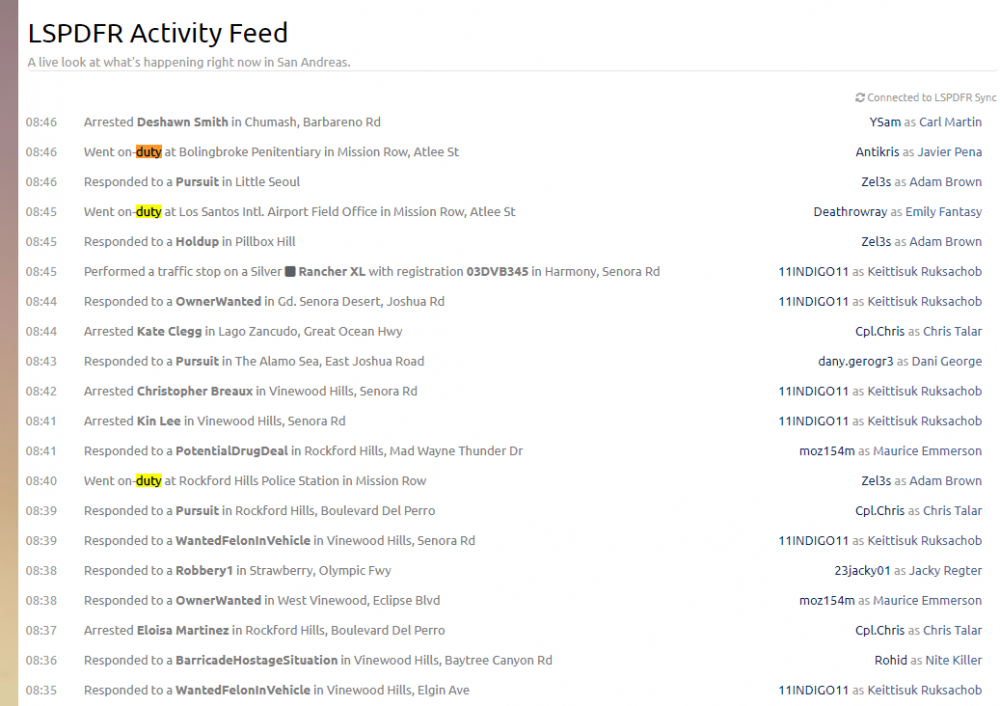
New issue: going on duty always shows the location as Mission Row, regardless of station.
-
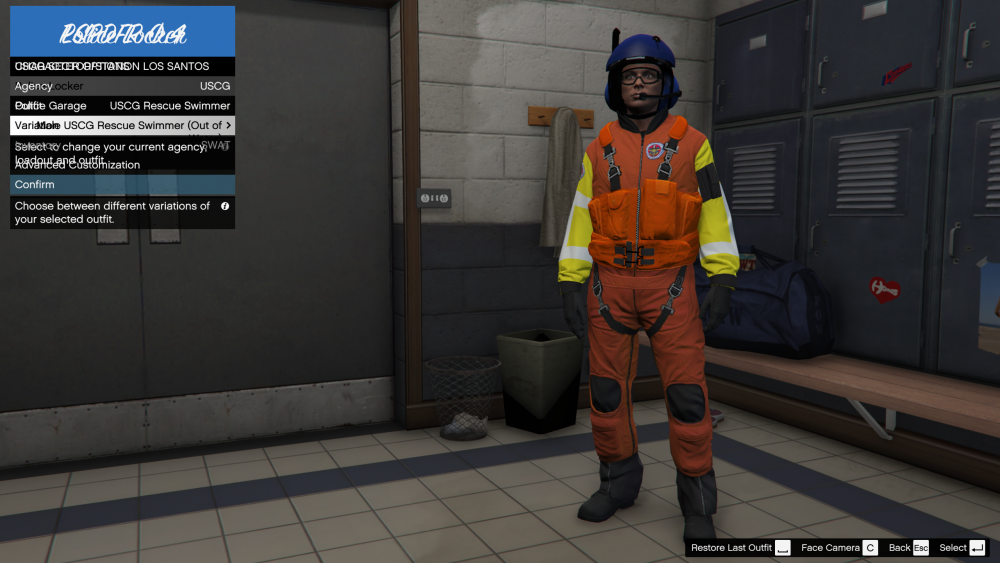
I've noticed a few issues with the locker menu, particularly with customized data XML files. Two menus appear to be loaded on top of each other sometimes p_ears props, or <Prop id="2">, do not get cleared when switching between variations of the same outfit, but do get cleared when switching to a different outfit Upon some further testing, it seems the props usually get cleared when going through the Random option for ped variations The issue affects other props too such as glasses When you click Go On Duty in the station menu, all LSPDFR Plugins start loading immediately. Some plugins do fairly intensive loading, update checks, etc. right after loading. This results in a lot of notifications appearing and can slow down the computer. Would it work to have the OnDutyStateChanged event not fire until after the player exits the station? @LMS
-
There will be a manual install option available.
-
Please post the actual error from your ragepluginhook.log Also you should never create blips, spawn vehicles/peds, or do anything else visible to the player in OnBeforeCalloutDisplayed. All of that should be done in OnCalloutAccepted. The only things you should do in OnBeforeCalloutDisplayed are to check if it's OK to show the callout, and return false if it isn't. Otherwise, if the callout isn't accepted, then you'll have a bunch of stuff spawned in for a callout that doesn't actually occur.
-
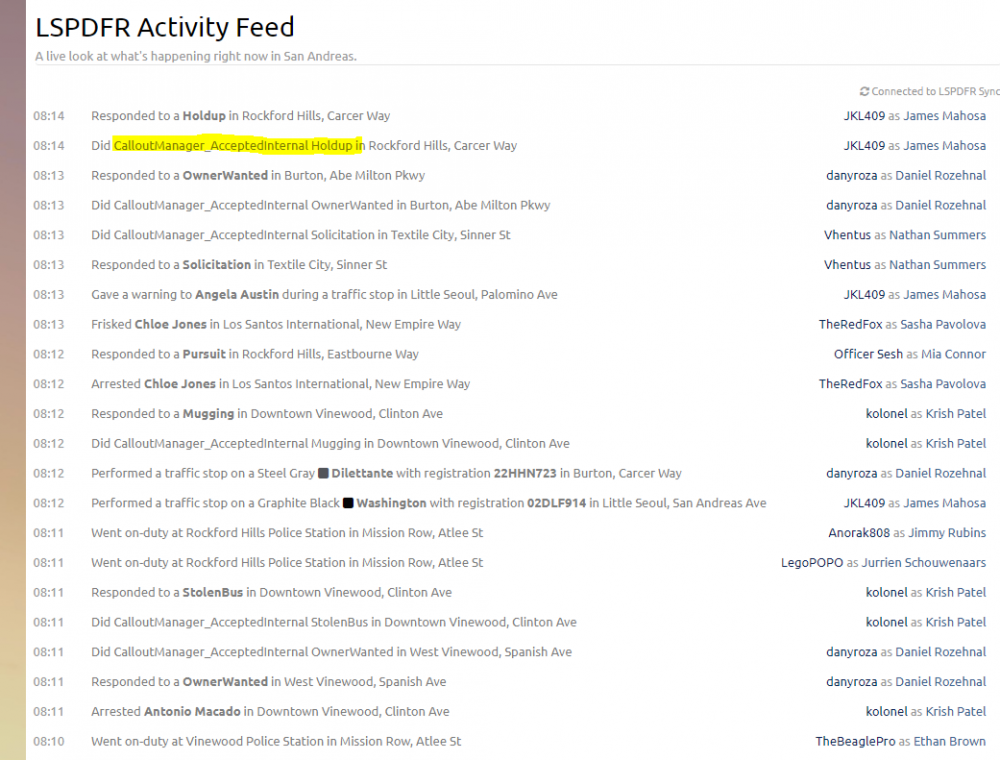
As you can see, almost every time a callout is accepted, you see a line immediately following or preceding the callout response, saying "Did CalloutManager_AcceptedInternal <calloutname>". This exposes the callout name even if a friendly name is used, and of course doesn't look great. @LMS @Cyan
-
In future builds could you please include the documentation XML somewhere in the manual installer download?
-
You probably need to define the variable on the class, but don't initialize it until OnBeforeCalloutDisplayed or OnCalloutAccepted.
-
Reproduced and passed along in the testing forum.
-
-
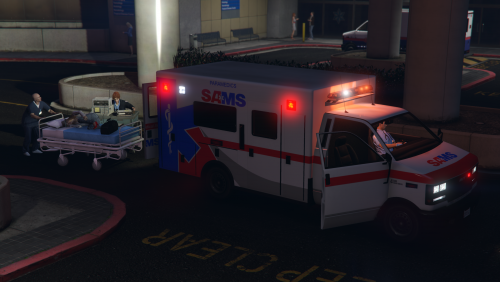 I didn't re-test everything but it looked good to me. The new liveries were definitely better with the logo placement.
- 22 comments
- 1 review







