
Cj24
Members
-
Joined
-
Last visited
Everything posted by Cj24
-
![[WIP-AC] MTL TWL3000-AC](//s3-gallery.int-cdn.lcpdfrusercontent.com/gallery/album_555/sml_gallery_29023_555_101015.png) --> Description: If you hadn't the script, I can't imagine it fully worked.
--> Description: If you hadn't the script, I can't imagine it fully worked. -
I love non-ELS personally, no crashs and no godmode car. But there's definitly not as much possible as with ELS. No pattern, only 4 blue and 4 red (or only 4 for FBI) lights, very hard to recreate any real existing car, that's why not much modders use it.
-
I was referring to wmai's answer to your question about 1.0.4.0 shaders. Actually it's quite simply to give any nice ENB nice ELS lights, I usually just take the enbbloom and parts of the ini file from Neolux ENB and it works with every other ENB. If you really want something nice, it's best to make your own, or mix existing ENBs.
-
Wrong shaders can cause problems but if they usually cause crashs without any error directly after loading.
-
Some ENBs don't use any special light effects, using the enbbloom.fx from another ENB might work. Even the timecycs might cause that, I already had that.
-
Definitly not necessary. Lex91 converted the EA Charger together with those wheels, the model is unlocked, however readme says his permission is required. I also use them.
-
Actually you could use any ENB, as long as you use 0.082 and no Downsampling you won't get the computer bug.
-
I have no idea what caused this, it's fixed anyway. It's odd nobody else noticed it.
- 19 comments
- 8 reviews
-
Renaming it to extra1 wouldn't help if it's an ELS model, as it uses Extras for lights. Also, simply renaming the wft might not be the best way, I guess there's a misc part or something similar in it, you should move it to the hierachy. There're some unlocked police cars available, checking the way they're done will definitly help. And attaching isn't necessary usually, might fix some bugs caused by the game cause of too high poly models.
-
-
http://gtapolicemods.com/downloads.php?do=file&id=1178
-
-
Or you simply use Halogen Only mode. You need mod called Emergency Light System for proper use of the emergency lights.
- 25 comments
- 11 reviews
-
-
Installation: Put the police.wft and police.wtd into your vehicles.img. Carcols.dat: police, 0,0,0, Credits: - Model is original Ford Crown Victoria by Schaefft, modified for and converted to GTAIV by Chasez. - This version of the CVPI model has been modified by Bxbugs123 & Lt.Caine with permission by Schaefft and Chasez. - Rims By Bxbugs123, Textures By Lt.Caine - Rambar by Bxbugs123, modified by Cj24. - Spotlights made by Cj24. - Vision light bar made by Schaefft, modified by Lt.Caine, modified by Cj24. - Liveries made by Break. Files included: - police.wtd - police.wft - readme.txt - template.png - pic (1).jpg - pic (2).jpg - pic (3).jpg It is forbidden to upload this or a modified version for public without permission. Changing textures is allowed for personal use.
- 25 comments
- 11 reviews
-
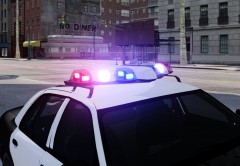
From the album: Cj24's pics
I guess some people can imagine what Department this is going to be based on. -
If you are in rush, forget about converting. It takes time and it's nothing people can actually teach you. You need to know how to attach/detach parts, modify materials etc. Try checking default vehicles and simply try out things to learn how to do anything. And it's definitly not clever to start (or try to start) converting if you never did anything in ZModeler, try doing easier things first such as modifying existing cars, converting smaller parts (for example a wheel or equipment).
-
-
-
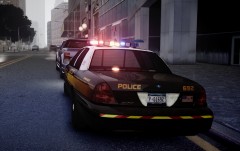 I posted already pictures of the Charger and Break showed the F150.
 -
Vucko mixed with Neolux.
-
It's part of it.
-
From the album: Cj24's pics
-
-
Installation: Put the taxi2.wft and taxi2.wtd into your vehicles.img Credits: - Model is original Dodge Charger by EA Games, modified for and converted to GTAIV by Lex91, modified to marked police version by Lt.Caine. - Wheels made by EA Games, converted to GTAIV by Lex91. - Taxi signs by Rockstar Games, modified by Cj24. - Liveries by Break. Files included: - taxi2.wtd - taxi2.wft - readme.txt - template.png - pic (1).png - pic (2).png - pic (3).png It is forbidden to upload this or a modified version for public without permission. Changing textures is allowed for personal use.
- 8 comments
- 4 reviews

![[WIP-AC] MTL TWL3000-AC](http://s3-gallery.int-cdn.lcpdfrusercontent.com/gallery/album_555/sml_gallery_29023_555_101015.png)